Exit
  • Global community
    • Language:
      • Deutsch
      • English
      • Español
      • Français
      • Português
  • 日本語コミュニティ
  • 한국 커뮤니티
0

How do I change the color of a gradient mesh?

Participant ,
Aug 09, 2018 Aug 09, 2018

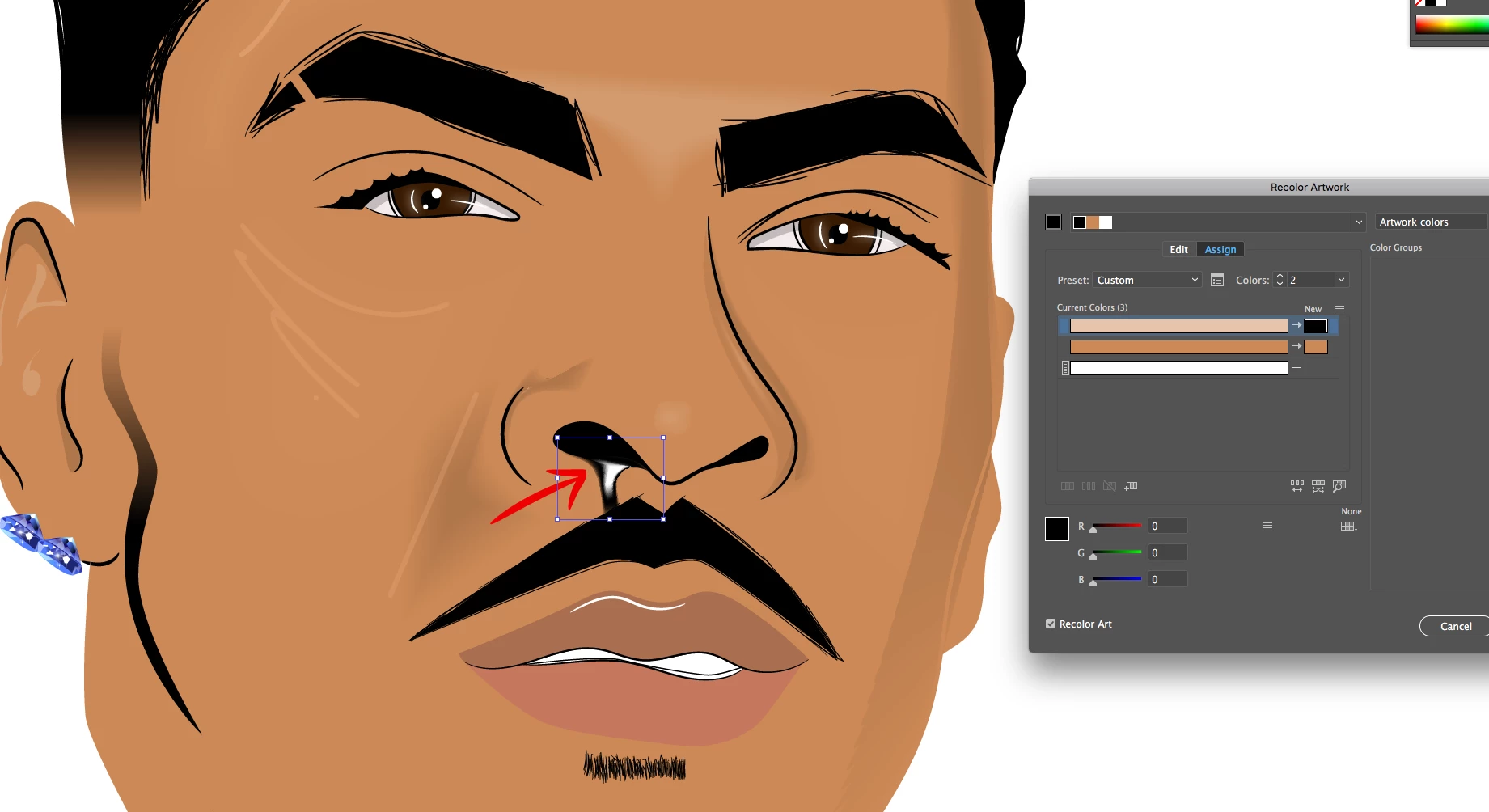
For some reason it always comes out white. How do I change it to any other color? I want it to be black. The first thing I did was went to edit, edit colors, recolor artwork. But the outside was black and the inside was still white (2nd pic) Thanks in advance for help.Ginuwine Headshot.jpg

Screen Shot 2018-08-10 at 12.54.25 AM.png

1.5K
Translate
Report
Community guidelines
Be kind and respectful, give credit to the original source of content, and search for duplicates before posting. Learn more
community guidelines
Adobe
Community Expert ,
Aug 10, 2018 Aug 10, 2018

In the recolor artwork dialog box click on the "options" and then deselect "White", so that it can be recolored.

it's this button: Bildschirmfoto 2018-08-10 um 10.02.25.png

Translate
Report
Community guidelines
Be kind and respectful, give credit to the original source of content, and search for duplicates before posting. Learn more
community guidelines
Participant ,
Aug 10, 2018 Aug 10, 2018

It still looks the same when I uncheck "White".

Screen Shot 2018-08-10 at 11.12.49 AM.png

Translate
Report
Community guidelines
Be kind and respectful, give credit to the original source of content, and search for duplicates before posting. Learn more
community guidelines
Community Expert ,
Aug 10, 2018 Aug 10, 2018
LATEST

Or just click on the new color and then define a different color. Recolor Artwork doesn't do anything on its own.

Please read the documentation.

https://helpx.adobe.com/illustrator/using/color-groups-harmonies.html#edit_colors_recolor_artwork_di...

Translate
Report
Community guidelines
Be kind and respectful, give credit to the original source of content, and search for duplicates before posting. Learn more
community guidelines
Community Expert ,
Aug 10, 2018 Aug 10, 2018

If this is a gradient mesh, you should be able to drag a color onto the white area to recolor it.

Translate
Report
Community guidelines
Be kind and respectful, give credit to the original source of content, and search for duplicates before posting. Learn more
community guidelines