
Ajay Ganesan
Participant
February 22, 2023
Answered

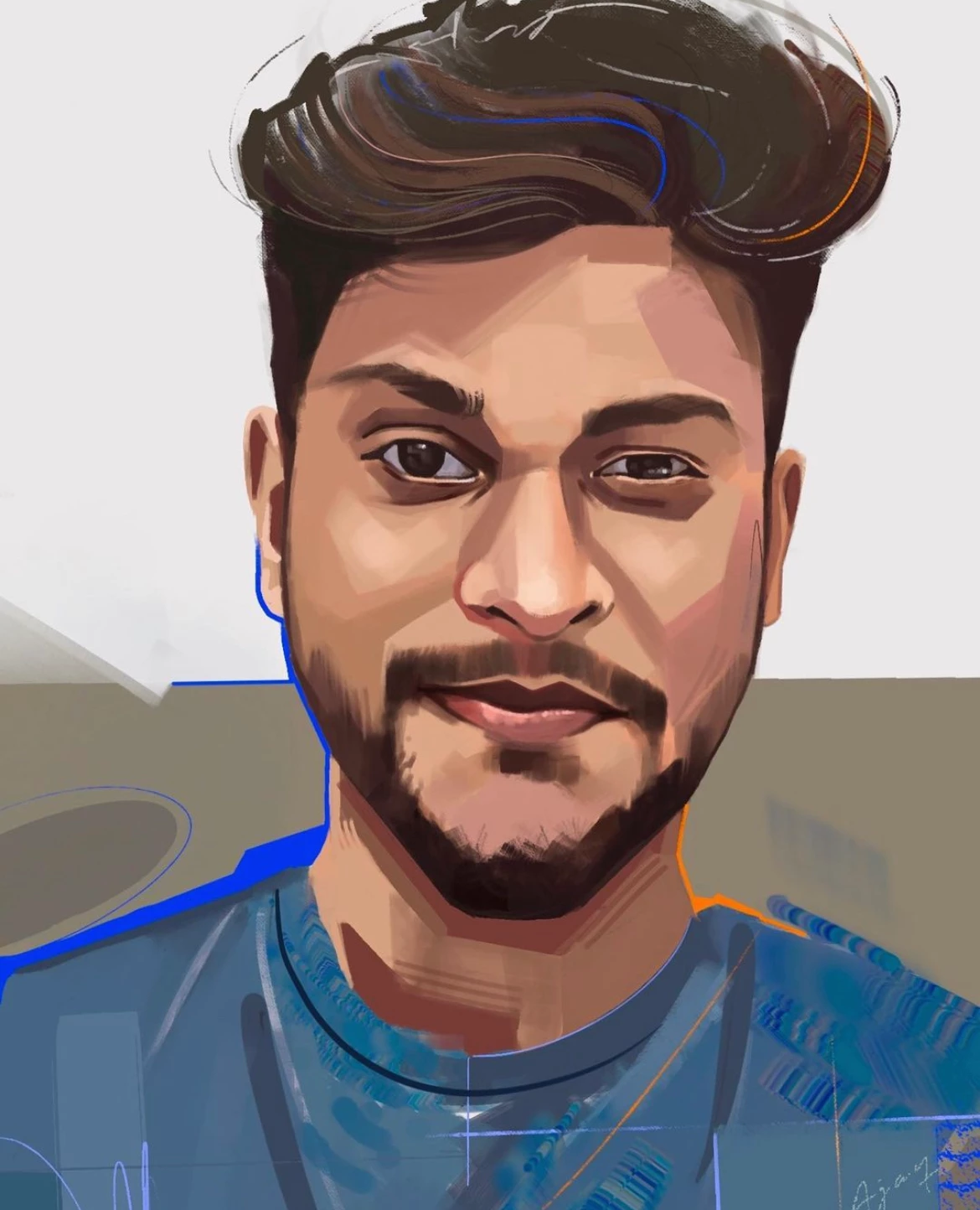
How do I create brush effects as shown in the below image.

  • February 22, 2023
  • 1 reply
  • 1599 views

I'm trying to recreate some brush effect art as in the below attached image.

Attached image is in (.ai) format and it is color editable.


I'm currently using Adobe illustrator -  27.1.1 version 

- I've tried looking in the default brushes, no luck!

- I've tried importing brush created in photoshop, saved as PNG and then imported into illustrator, image traced and then added as brush. Im not able to achieve the same as in photoshop.

- I've tried looking for illustrator brushes online, no luck!


Is there any other method to create such brush effect in illustator (see image)

This seems like some simple steps to be done, I know how to create this look in photoshop but I need this to be vector and color editable. Any suggestions would be great!


Thanks!


This topic has been closed for replies.
Correct answer Doug A Roberts

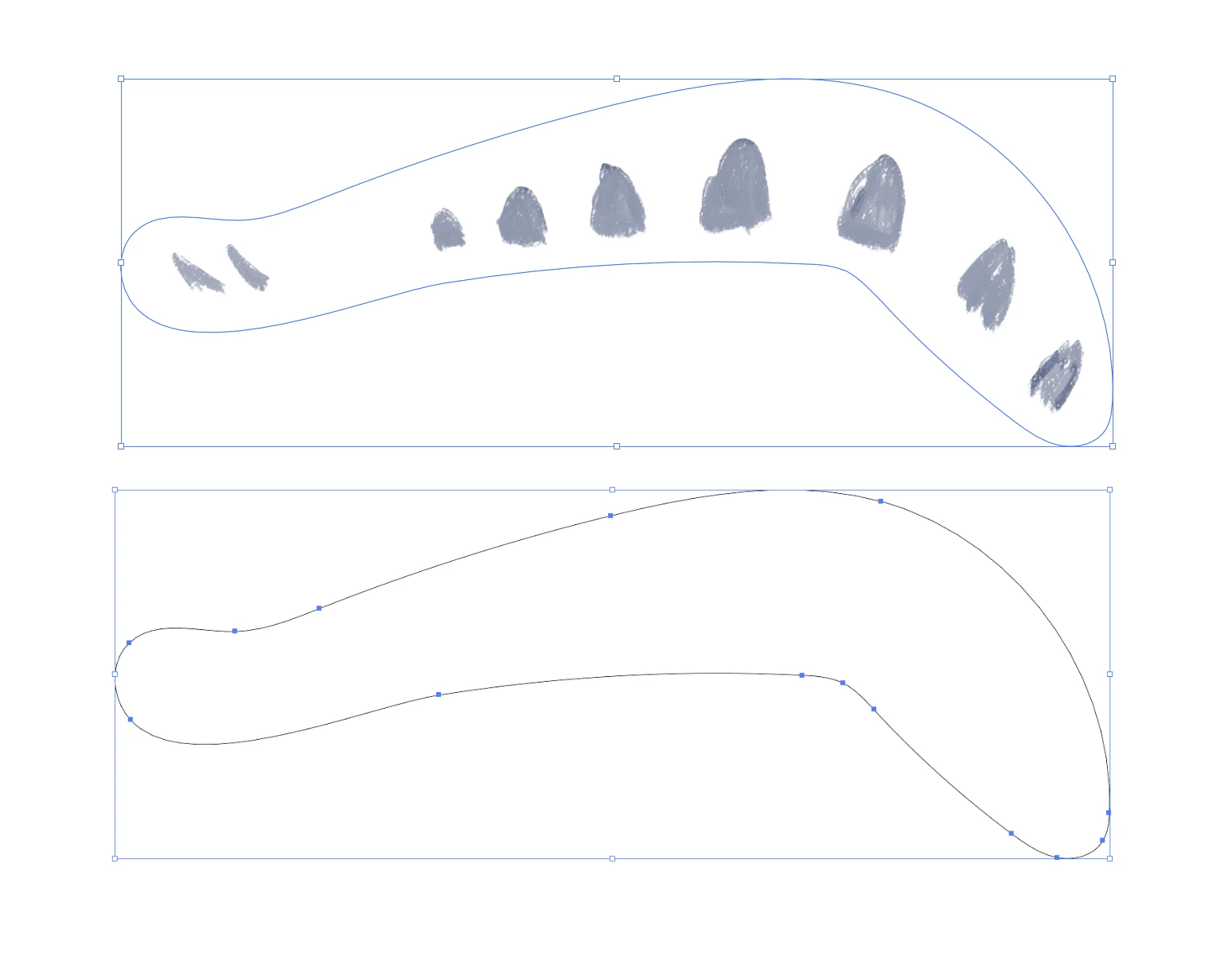
The 'brushes' in that file aren't vector, they're TIFF images being used as opacity masks for coloured shapes. You can change the colour of the shapes they're masking, but not edit the brushes themselves.


If you want to try and replicate the look, chalk-type brushes can be found in one of the built-in brush libraries or downloaded from stock sites. They may or may not be suitable.

1 reply

Monika Gause
Community Expert
Community Expert
February 22, 2023

SO you are looking for a brush that can generally do this chalk-like look?

Or are you looking for a brush that has this kind of triangle that you would then want to ditort and fit into that boomerang like shape?

Ajay Ganesan
Participant
February 27, 2023

Hello Monika,

Thanks for replying.

I am looking for the chalk like look. Not just the chalk-like look. I need to to convert any brush effects done in photoshop editable (colors can be changed) in Adobe illustrator. Please see below image.


This art seems like done in photoshop, but this is actually a vector file and the color can be edited.

So basically I wanted to convert any of my photoshop art editable in adobe illustrator. Is that possible or please suggest any other methods to achieve the same as in this image.

Any suggestions would be great!

Doug A Roberts
Community Expert
Community Expert
February 27, 2023

You can create art brushes that look like that. Can you share the file? It would be easier to be more specific.