Participating Frequently
March 8, 2018
Answered

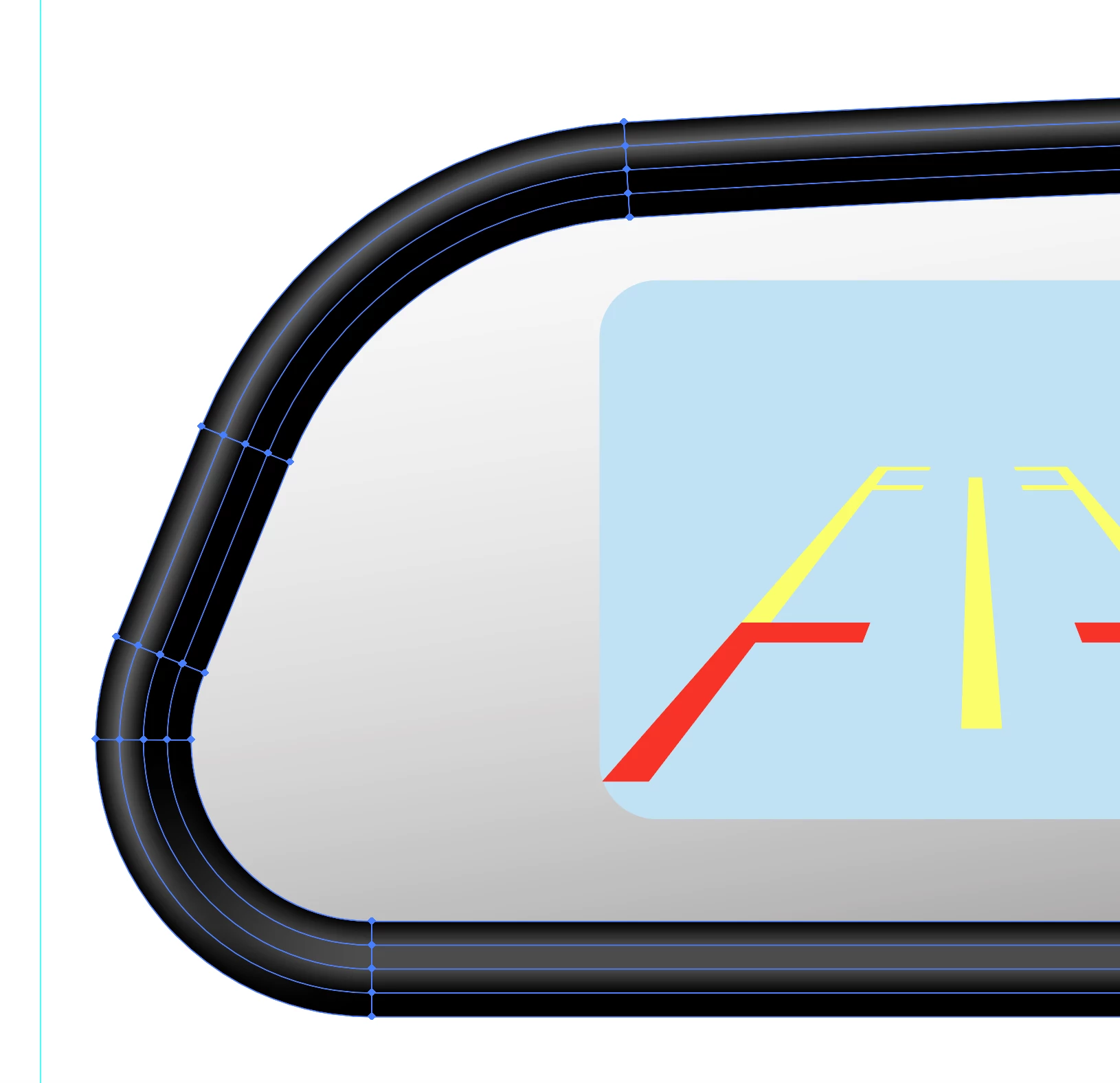
How do I create this gradient mesh?

  • March 8, 2018
  • 2 replies
  • 557 views

Hi,

how would i go about creating a gradient mesh like this one?

thanks
    This topic has been closed for replies.
    Correct answer Doug A Roberts

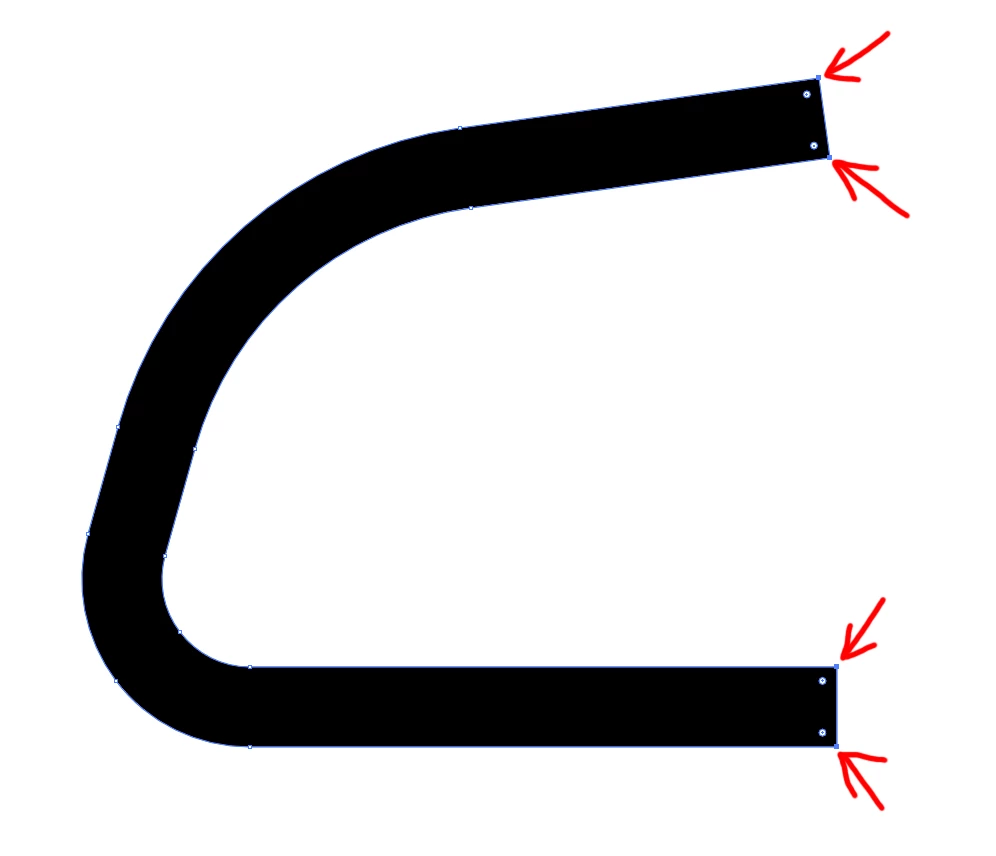
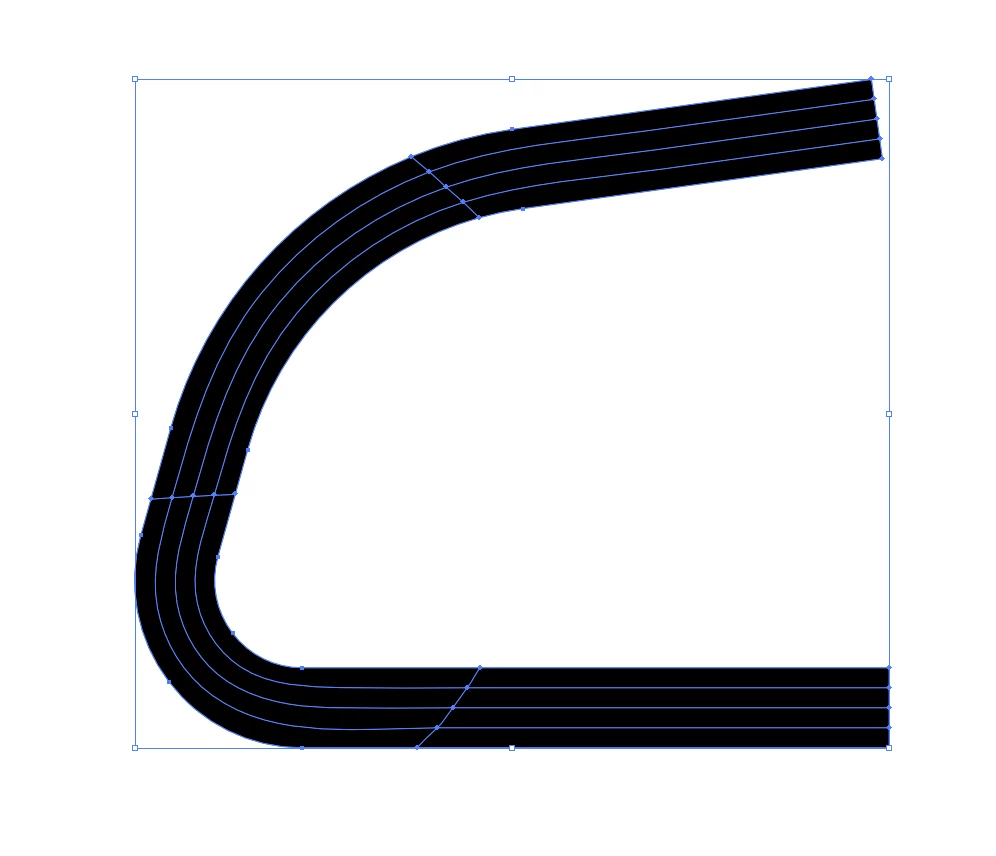
    draw a path with a thick stroke as you need it. go to Object > path > Outline stroke. Select just these points, then Object > Create Gradient mesh. Set four rows and however many columns:
    you should end up with this:
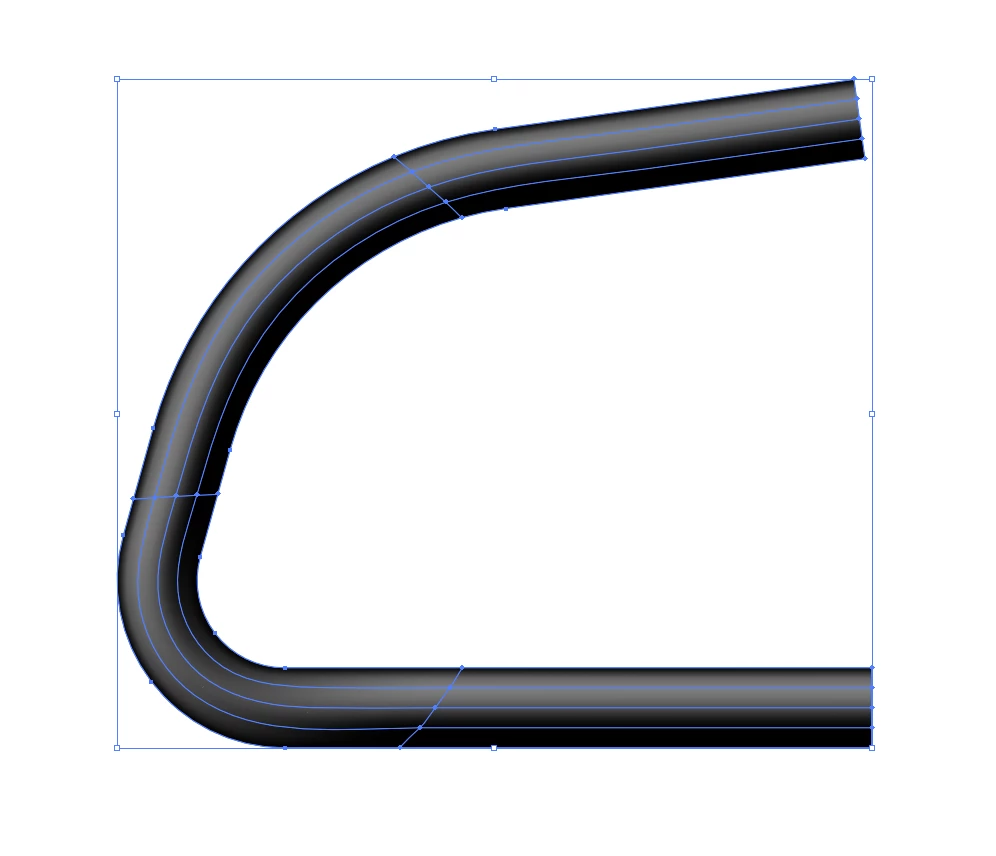
    select individual mesh points and colour as needed:
    2 replies

    JonathanArias
    Legend
    March 9, 2018

    draw you line the way you want it. than apply a gradient to the stroke, in the gradient options chose the third option from left to right next to stroke, like on my screenshot below. That adjust the stroke the way you want it . see below.

    Doug A Roberts
    Community Expert
    Doug A RobertsCommunity ExpertCorrect answer
    Community Expert
    March 9, 2018

    draw a path with a thick stroke as you need it. go to Object > path > Outline stroke. Select just these points, then Object > Create Gradient mesh. Set four rows and however many columns:

    you should end up with this:

    select individual mesh points and colour as needed:

    michelew83603738
    Community Expert
    Community Expert
    March 8, 2018

    It seems like there might have been a simple black/gray gradient applied to a stroke, the stroke could have been expanded and then some of the spines deleted. That would at least be one way to do it quickly.
