
Answered
How do I crop a shape so it stays within another shape?
I'm pretty new to illustrator and I could not find a better way to word this problem. But I'm currently working on a comic strip and I've run into a problem. In the image I have left, this character is meant to be looking down at a device. However, I can't quite figure out a quick and convenient way to crop the iris/pupils so they don't go outside the eye itself. I don't quite understand how clipping masks work so I normally just use the pen or pathfinder tools. Though they work, they seem like too much of a hassle. What method should I use to better crop shapes from extending out of other shapes?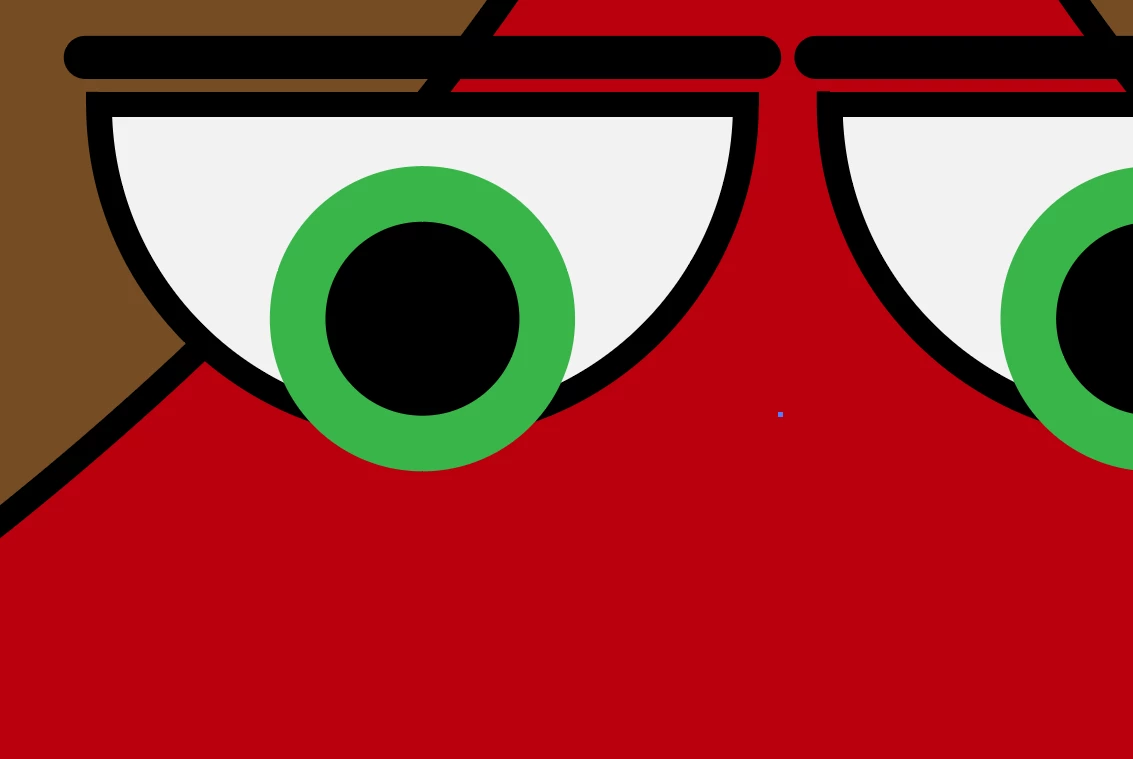

 AdChoices