Hi beverlyyu
I'm not sure if you got sorted with that issue or not, but from my experience ignore the talk of 'you can't draw from an internal path' you absolutely can in your case, or at least there's a work around that will allow you to.
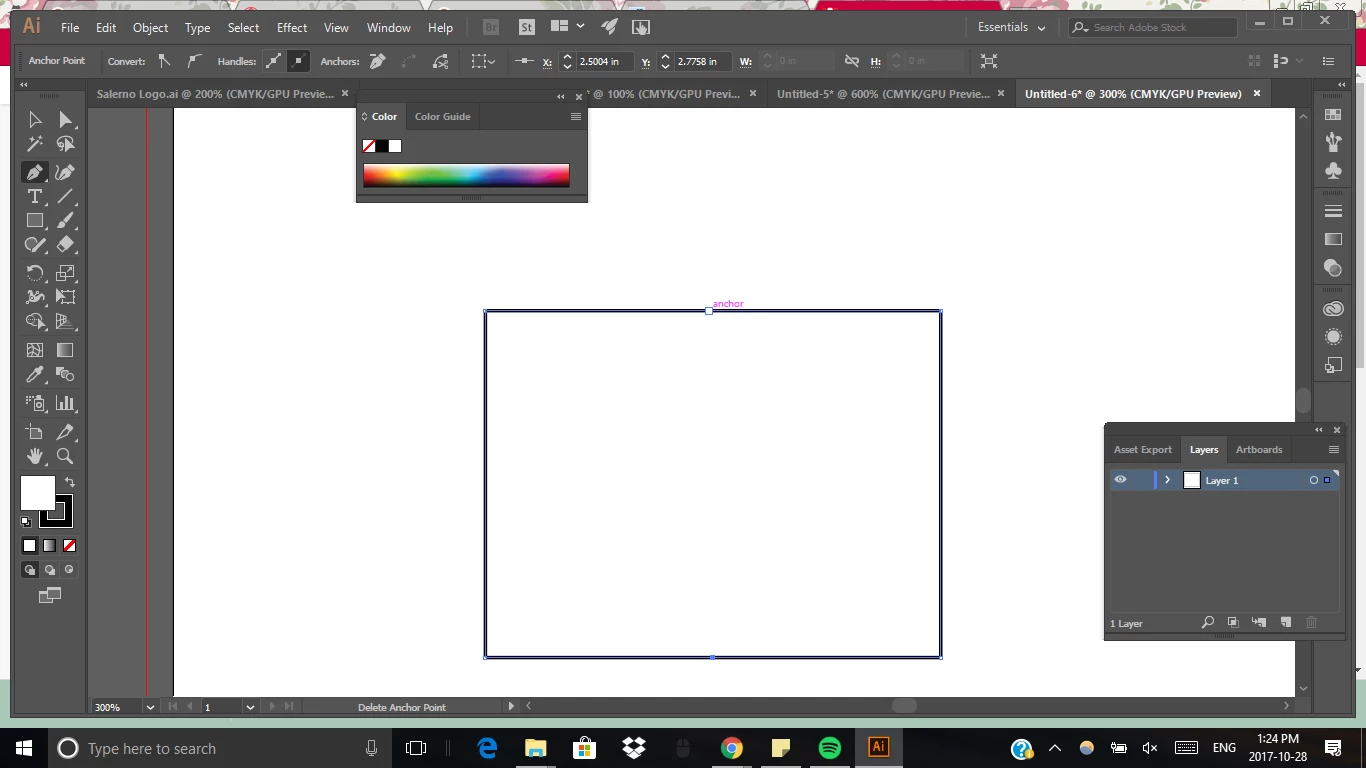
As Ray mentions above, knock the auto add/delete off in preferences just to be safe. Once your rectangle is drawn out hold down ctrl and click anywhere in your artboard that doesn't contain an object or path to deselect it. You should now be able to click on the top center anchor point then hold shift and click on the bottom center anchor without deleting the existing points. A good rule of thumb for doing that is to make sure smart guides are on (just to make sure you're getting the new points exactly in the middle). You can do that by going to view > smart guides.
If that fails to work, using the pen tool, click in the middle of your rectangle, hold shift and click again on the top center anchor point. Then using the direct selection arrow (The white arrow in your tools panel...press A on your keyboard for a shortcut), click on the bottom anchor point of the new path you've drawn, then holding shift, click and drag the point down until it snaps to the bottom center anchor point of your rectangle.
Hope that helps. When I'm drawing shapes like that (especially if they have a solid color fill), I click inside the shape somewhere to start a new path, then click on the anchor point I need to continue from, and draw out the rest of the additional shape(s) I need. They can be cleaned up using the unite feature in the pathfinders options once I'm happy.

 AdChoices