Exit
  • Global community
    • Language:
      • Deutsch
      • English
      • Español
      • Français
      • Português
  • 日本語コミュニティ
  • 한국 커뮤니티
0

how do I fix these the selection?

New Here ,
Jun 06, 2023 Jun 06, 2023

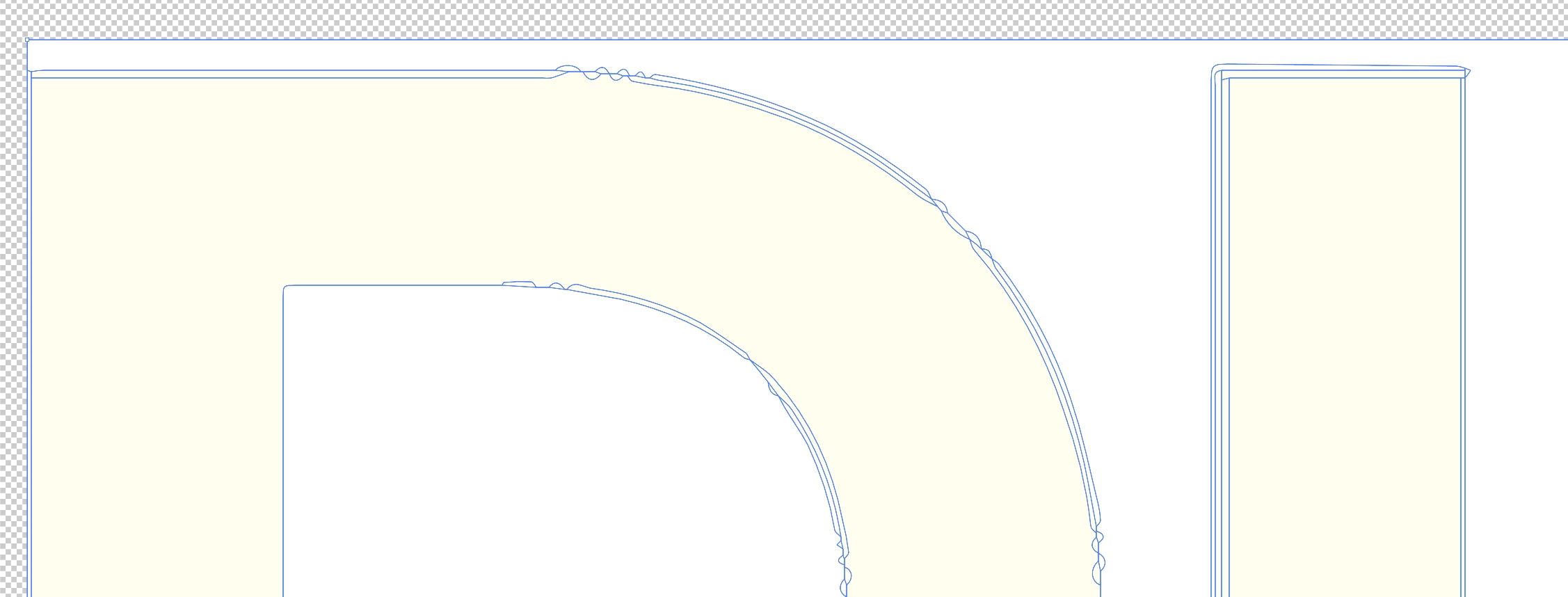
I'm trying to convert a PNG file to vector or make it editable. is just simple words, so it's not too complex. I followed a video tutorial on how to convert a PNG to a vector, but I'm having an issue. Whenever I click on "expand," strange lines appear across and outside the logo. Additionally, when I attempt to remove the background, the edges look uneven and not smooth.

I'm wondering if there's something I might be doing wrong.



Skinner28127515vc4x_0-1686064363653.png

Skinner28127515vc4x_1-1686064384815.png


TOPICS
Draw and design , How-to
162
Translate
Report
Community guidelines
Be kind and respectful, give credit to the original source of content, and search for duplicates before posting. Learn more
community guidelines
Adobe
Community Expert ,
Jun 06, 2023 Jun 06, 2023
LATEST

The Live Trace/Paint feature is trying to create objects wherever it sees different colors. The edges of anti-aliased pixel-base type will have lots of colors. If you limit the number of colors to one or two you won't have so many vector lines drawn on the edges of the letters. Still, the results are going to be a bit rough.


Usually I just try to find a font that matches the lettering in the pixel-based image and retype the lettering. If there are only a few letters involved I may re-draw them, laying down clean vector paths over the source image.

Translate
Report
Community guidelines
Be kind and respectful, give credit to the original source of content, and search for duplicates before posting. Learn more
community guidelines