
SDLeo
Participant
October 7, 2022
Answered

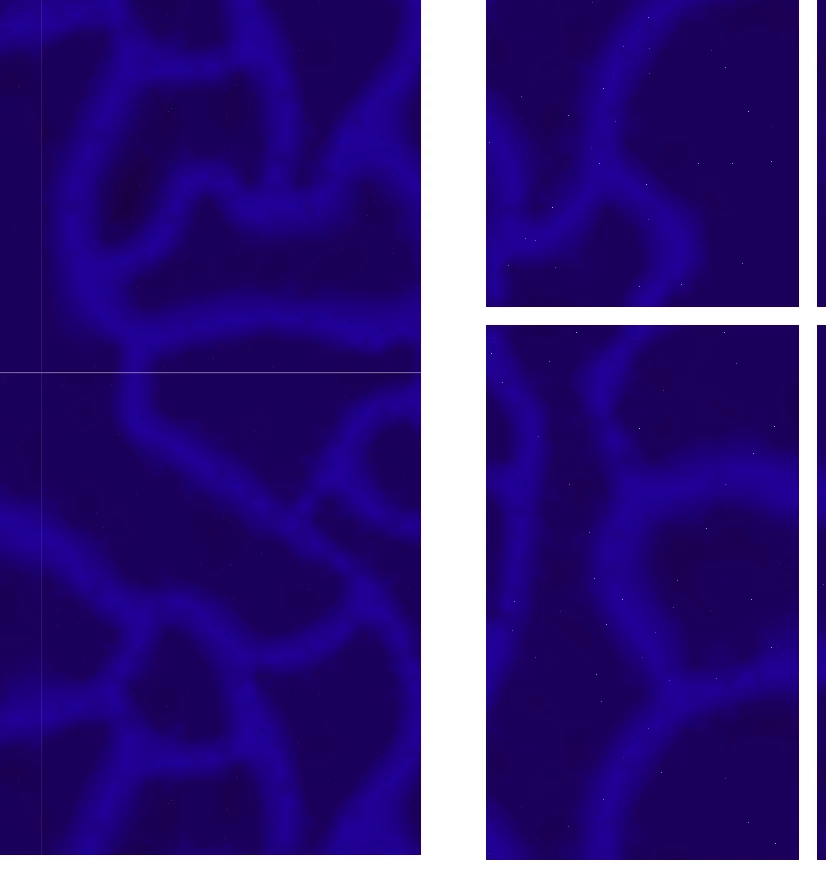
How do I get rid of the white lines? They're here even after I rasterize.

  • October 7, 2022
  • 2 replies
  • 1079 views

I'm trying to make a swatch pattern but it's confusing and still manages to have a white line. At this point it's just getting frustrating and confusing and I'm just lost.
 

This topic has been closed for replies.
Correct answer barbara_a7746676

If you didn't use Object > Pattern > Make, then you need to have a rectagle that is underneath all of the objects in the pattern. That rectangle should have no fill and no stroke -- it must be underneath everything. Then select everything and make a pattern.

If you use Object > Pattern > Make, you can adjust the amount of space between pattern repeats using the Pattern panel that appears.

2 replies

barbara_a7746676
Community Expert
barbara_a7746676Community ExpertCorrect answer
Community Expert
October 8, 2022

If you didn't use Object > Pattern > Make, then you need to have a rectagle that is underneath all of the objects in the pattern. That rectangle should have no fill and no stroke -- it must be underneath everything. Then select everything and make a pattern.

If you use Object > Pattern > Make, you can adjust the amount of space between pattern repeats using the Pattern panel that appears.

SDLeo
SDLeoAuthor
Participant
October 8, 2022

Thank you! I didn't realize the rectangle behind had to have both the no fill and no stroke.

Ton Frederiks
Community Expert
Community Expert
October 7, 2022

When do you see those lines, in Illustrator or when exporting as an image?

How do you make your pattern, with Object > Pattern > Make or by creating a rectangle behind the pattern content?

With both option it is good to check the size of your pattern in Pixels and make sure that the width and height numbers don't contain fractions. A fractional pixel does not exist and will be rounded, which can cause the lines on screen and on export.

SDLeo
SDLeoAuthor
Participant
October 7, 2022

I see the lines in Illustrator, and I made it by making a rectangle then changing the gradient in the original shape to get the thick lines, I couldn't figure out another way to do it. Then I put tiny circles over the rectangle to get the little sparkles.

Ton Frederiks
Community Expert
Community Expert
October 7, 2022

What is the size of the rectangle?