Inspiring
February 14, 2023
Answered

How do I make repetitive structures on Illustrator?

  • February 14, 2023
  • 2 replies
  • 2455 views


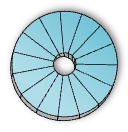
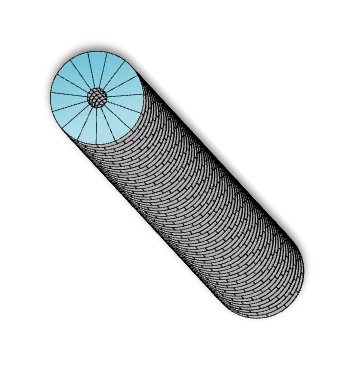
I need to start from image 1, form disks as shown in the second image, and assemble those disks into a rod as shown in image 2. Can someone help me with this? Thanks

  

This topic has been closed for replies.
Correct answer VLP-MR

Here is the "simple" transform effect of a "flat shape" for comparison (note the misaligned "vertical" lines).
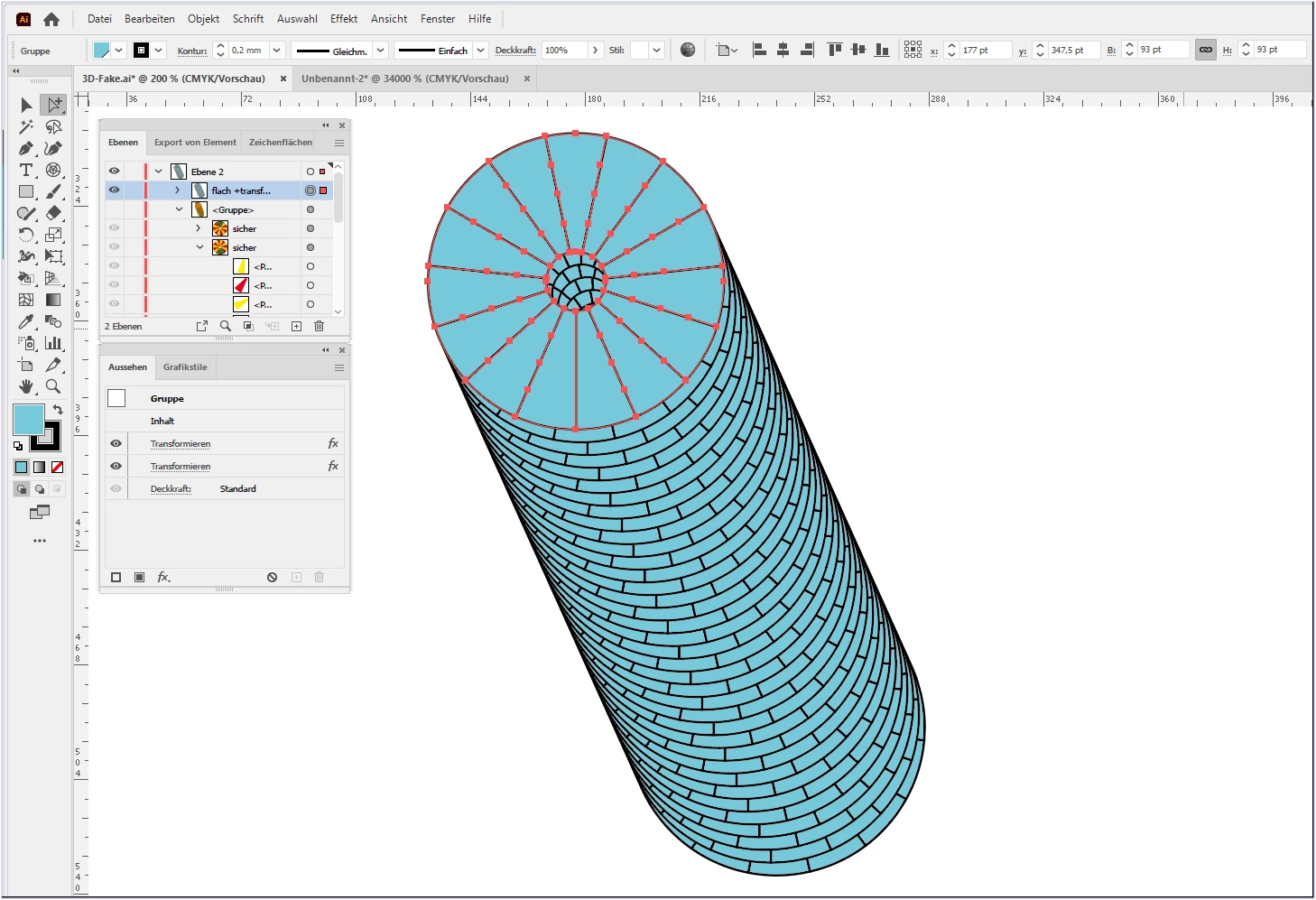


I'm pretty sure @Kurt Gold and @Monika Gause have some good tips ready.

😉


The "simple" transformation worked. Thank you so much! 

2 replies

Kurt Gold
Community Expert
Community Expert
February 14, 2023

What have you tried so far? What went wrong?


Or don't you know how to start at all?


VLP-MRAuthor
Inspiring
February 14, 2023

I am new to Illustrator, but I tried a few things: 

1. I made an annulus, divided it into sections using lines, and tried to extrude it. However, I ended up with a smooth surface in the cylinder curvature. 

2. I also tried making a sector, extruding that, and then repeating it to form a disk. However, that ended up with a repetitive sector design with a lot of gap between each sector instead of a disk. 

I am unsure what functions to use to make them as I am unaware of the features or even what to search to look for the right tutorial videos.

Preran
Community Manager
Community Manager
February 15, 2023

Not an expert here, but giving it a shot.


Use the "Transform" panel to create multiple copies of an object. 

  1. Select the object that you want to clone.
  2. Open the "Transform" panel by going to Window > Transform.
  3. Enter the number of copies that you want to create in the "Copies" field.
  4. Select the desired transformation method from the drop-down menu (such as "Move" or "Rotate").
  5. Click the "Copy" button to create the copies.


I also recommend readhing this article for more info: https://illustratorhow.com/step-and-repeat/#:~:text=Some%20people%20prefer%20to%20create,(shortcut%20for%20Transform%20Again).


Thanks,

Preran

Kurt Gold
Community Expert
Community Expert
February 14, 2023

Are the screenshots above based on something you already created somehow?


If so, how did you do it?


VLP-MRAuthor
Inspiring
February 14, 2023

No, I did not make these. These are references created by someone else. I want to start from scratch to make some modifications to these designs.