Answered
How do I make this red box go away around my artboard
I'm using CC 2014 and I know I have found the command to make this go away before.. but for the life of me, I can't find it now.... HELP PLEASE...
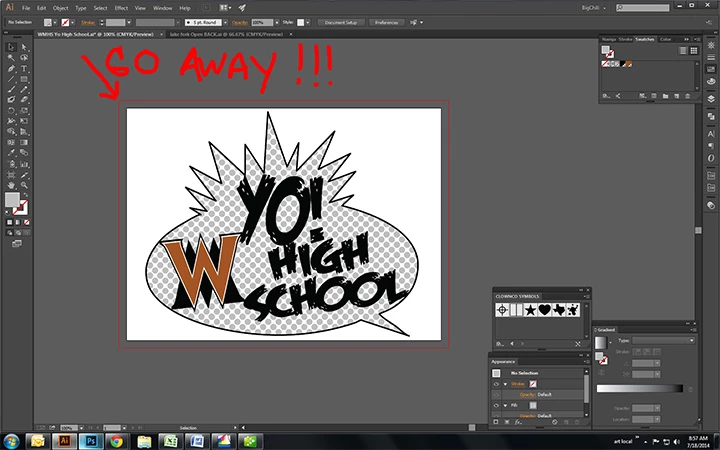

I'm using CC 2014 and I know I have found the command to make this go away before.. but for the life of me, I can't find it now.... HELP PLEASE...
That's your bleed line. Go to your Document Setup window (Option-Command-P) and set bleed to 0.
Already have an account? Login
No account yet? Create an account
Enter your E-mail address. We'll send you an e-mail with instructions to reset your password.


 AdChoices