
Tonysalvador
Participating Frequently
June 3, 2021
Answered

How do I put a Border Around Letters in Illustrator without Outlining the Stroke

  • June 3, 2021
  • 1 reply
  • 1087 views

I need to have a border around a letter in Illustrator without adding a stroke. I'm making die lines for a project, and all I need is the border, no fill, since I'll only need the shape of the artwork for cutout. I need to convert the art to outlines WITHOUT outlining the stroke. I'd appreciate a step by step set of instructions so I know I'm doing this right.
This topic has been closed for replies.
Correct answer SJRiegel

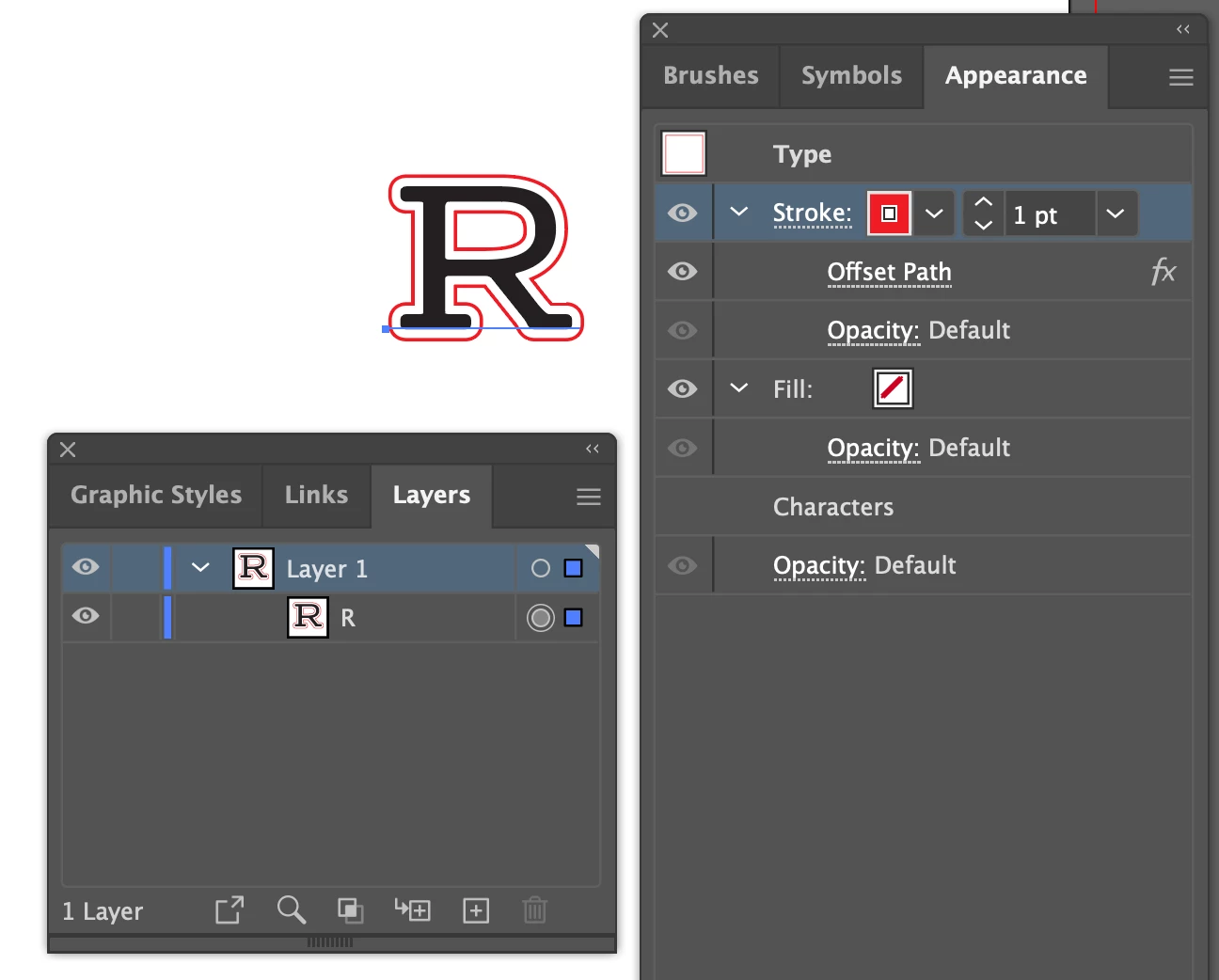
Select your letter - in the Appearance Panel, Add New Stroke. With the new stroke selected in the Appearance Panel, go to Effect > Offset Stroke. You can set the color of the stroke to your dieline color, and if needed, set it to overprint. The letter here is still live text. 

1 reply

SJRiegelCorrect answer
Legend
June 3, 2021

Select your letter - in the Appearance Panel, Add New Stroke. With the new stroke selected in the Appearance Panel, go to Effect > Offset Stroke. You can set the color of the stroke to your dieline color, and if needed, set it to overprint. The letter here is still live text.