
Participant
December 8, 2021
Question

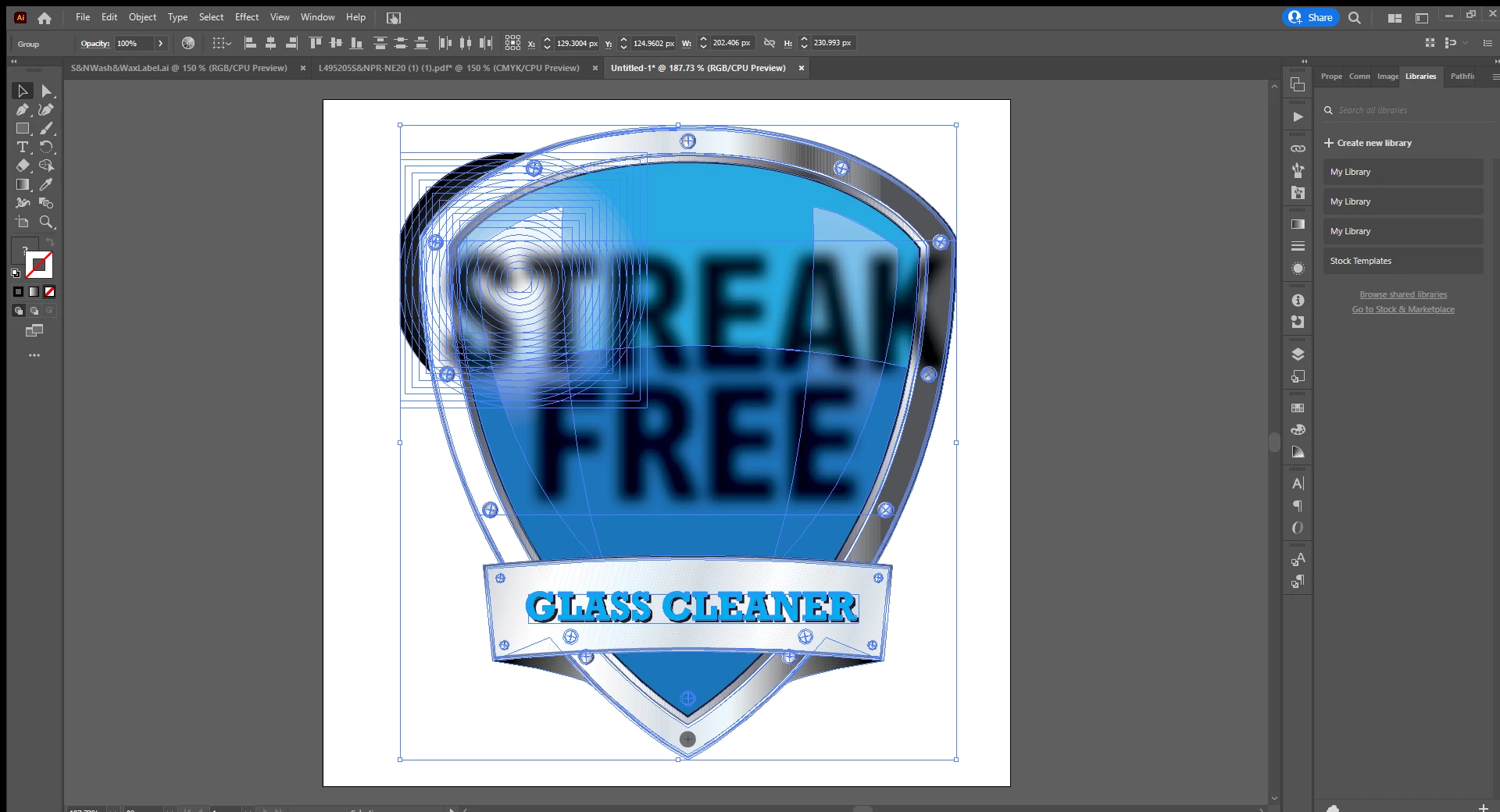
How do I remove the text from the background of this image?

  • December 8, 2021
  • 1 reply
  • 551 views

I need to remove the text from the background in order to use this shape for different products, but it appears to be a part of the backround itself rathern than an object placed on top. Is there a way to remove the text but keep the shape and colors of the shield? 


Potentially helpful information: this graphic came from an interactive .pdf so I don't know if that has anything to do with it or not. 
This topic has been closed for replies.

1 reply

Monika Gause
Community Expert
Community Expert
December 8, 2021

You will need to analyze the file in the Layers panel. Then delete what can be deleted.


Here's how to select stuff: https://www.youtube.com/watch?v=H5NQyO2Tsjw

Participant
December 8, 2021

It looks like the letters are built into the background layers. Is there any way to select the letters, move them, and fill in the background if they're built into the same layer?