


- Inicio
- Illustrator
- Hilos de conversación
- Re: How do I save a Workspace in Illustrator CC?
- Re: How do I save a Workspace in Illustrator CC?

Copiar vínculo al Portapapeles
Copiado
Hello,
In older Illustrator versions, there used to be the option to save your workspace, by: Window > Workspace > Save Workspace.
This option is no longer there. I've tried to find an answer online but haven't had any luck.. can anyone help?
How do I save my Workspace on Illustrator CC?
Thanks,
Eva


 2 respuestas correctas


that's a swatch library? for user libraries (swatches, graphic styles etc) you need to tick 'Persistent' in the panel's menu for it to stick around.


Please see the locations here: http://vektorgarten.de/illustrator-settings.html

Examinar y buscar tutoriales y artículos relacionados
 17
réplicas
17
17
réplicas
17

Copiar vínculo al Portapapeles
Copiado
Can you please show how the menu looks?
Please upload a screenshot.
Copiar vínculo al Portapapeles
Copiado
I'm using Illustrator CC, 18.1.1
Here's a screenshot of the Workspace menu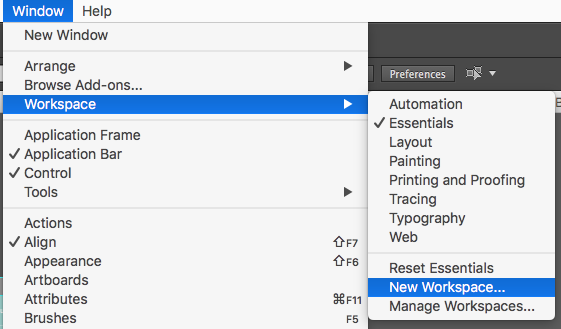
Copiar vínculo al Portapapeles
Copiado
I can make a New Workspace, but then don't know how to save it..
Copiar vínculo al Portapapeles
Copiado
Use the "New Workspace" menu item after you've configured the workspace.
Copiar vínculo al Portapapeles
Copiado
Are you able to let me know step-by-step please?
- I launch Illustrator.
- Arrange the workspace the way I want it to be every time I launch Illustrator.
- I click Window > Workspace > New Workspace > name my workspace 'Eva'
- I also did Window > Workspace > New Workspace > named it 'Eva' again and click 'OK' when I got the msg below:
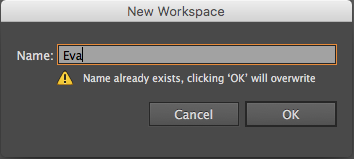
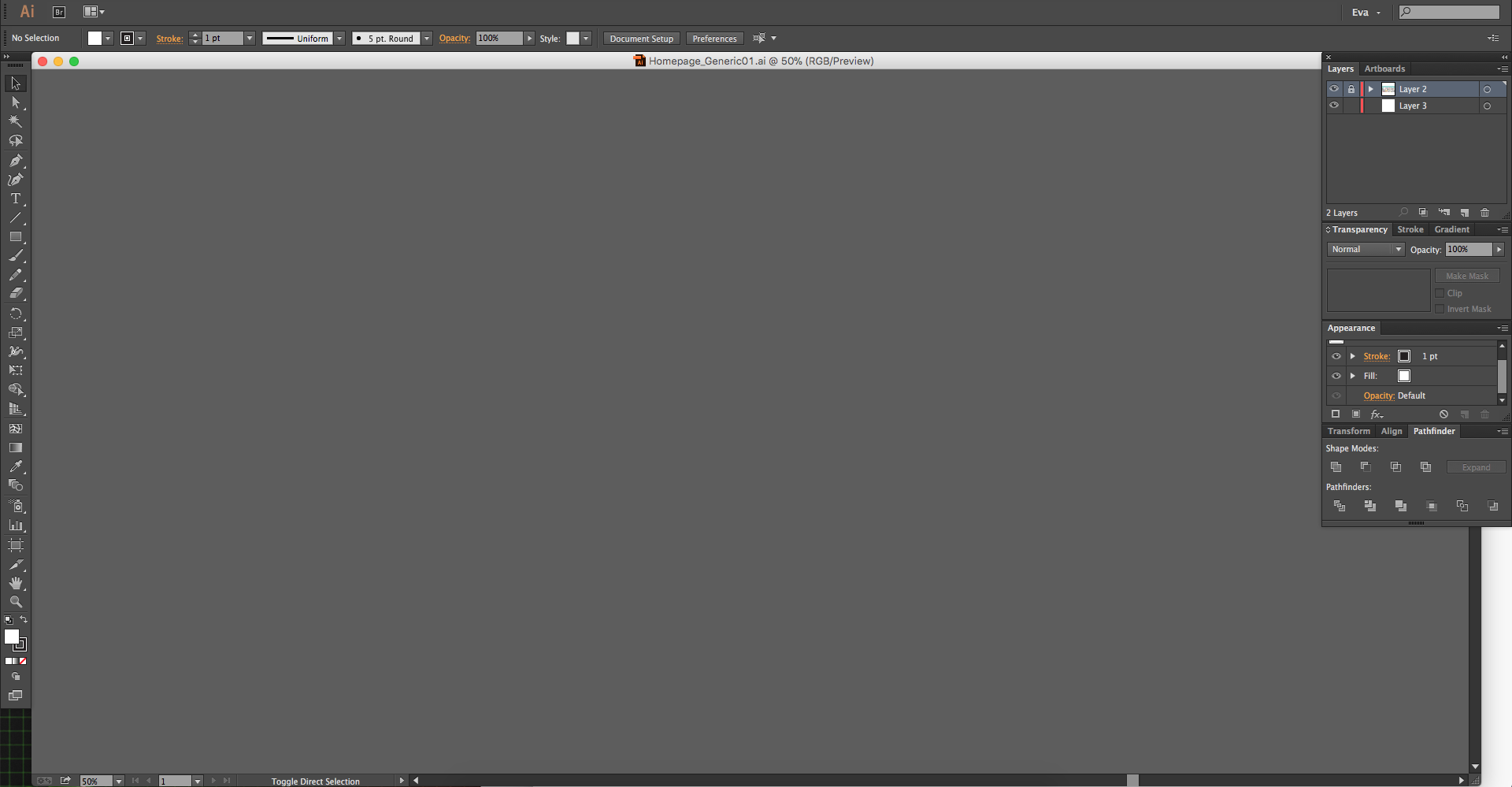
When I then quit Illustrator and relaunch, it opens the 'Eva' workspace, but it's not as I made it.. ??
See screenshots below for example: Screenshot with colour palette is how is should be. Screenshot without colour palette is how it appears once I've quit and relaunched Illustrator.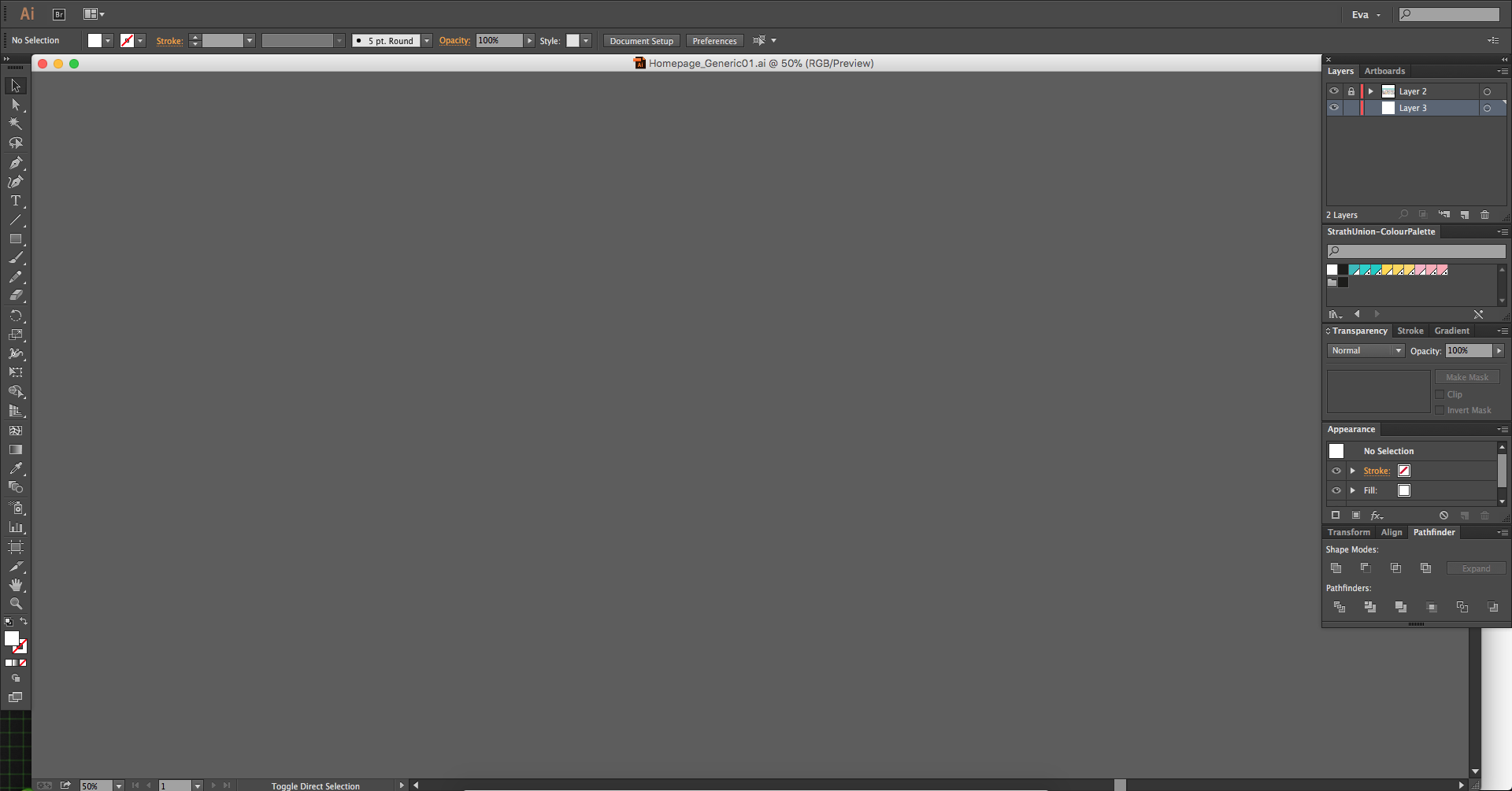
Copiar vínculo al Portapapeles
Copiado
The swatches panel is a swatches library. You will need to make it persistent from the panel menu.
Copiar vínculo al Portapapeles
Copiado
that's a swatch library? for user libraries (swatches, graphic styles etc) you need to tick 'Persistent' in the panel's menu for it to stick around.
Copiar vínculo al Portapapeles
Copiado
Ah, I see. I didn't know that, thanks for letting me know.
Still don't quite understand the necessity to remove the 'Save Workspace' option from the Workspace dropdown but hey ho.. it's sorted now!
Thanks for your help : )

Copiar vínculo al Portapapeles
Copiado
This does not answer the question, I am not sure why it is selected as the answer.
See this thread for more relevant answers:
Copiar vínculo al Portapapeles
Copiado
The user's follow-up question revealed that the source of their problem was a library palette not being persistent, rather than saving workspaces.
Copiar vínculo al Portapapeles
Copiado
aah...followup question.  Thx
Thx
Copiar vínculo al Portapapeles
Copiado
on version 22.0.1, the option is 'New Workspace'. you don't see that option?

Copiar vínculo al Portapapeles
Copiado
Everything is clear except for one thing,
Where saved workspace is stored. Where is file with my workspace - on harddrive or creative cloud? I need it when I open illustrator on another computer.
Thanks,
Copiar vínculo al Portapapeles
Copiado
Please see the locations here: http://vektorgarten.de/illustrator-settings.html
Copiar vínculo al Portapapeles
Copiado
Thank you so much. Solved.

Copiar vínculo al Portapapeles
Copiado
I have this question to. The "correct answer" is not the correct answer to this question.
Copiar vínculo al Portapapeles
Copiado
@bob_r7marketing schrieb:
I have this question to. The "correct answer" is not the correct answer to this question.
There are several problems discussed in the thread. Which one do you have?


Encuentra más inspiración, eventos y recursos en la nueva comunidad de Adobe
Explorar ahora
 AdChoices