
Exit
  • Global community
    • Language:
      • Deutsch
      • English
      • Español
      • Français
      • Português
  • 日本語コミュニティ
  • 한국 커뮤니티
0

How do I separate my artboard into two and export them separately?

New Here ,
Jun 10, 2022 Jun 10, 2022

The problem that I'm having is stated on the subject. I tried:

adding rectangle to my artboard > Object> Path> Split into Grid but I'm not sure what to do next.
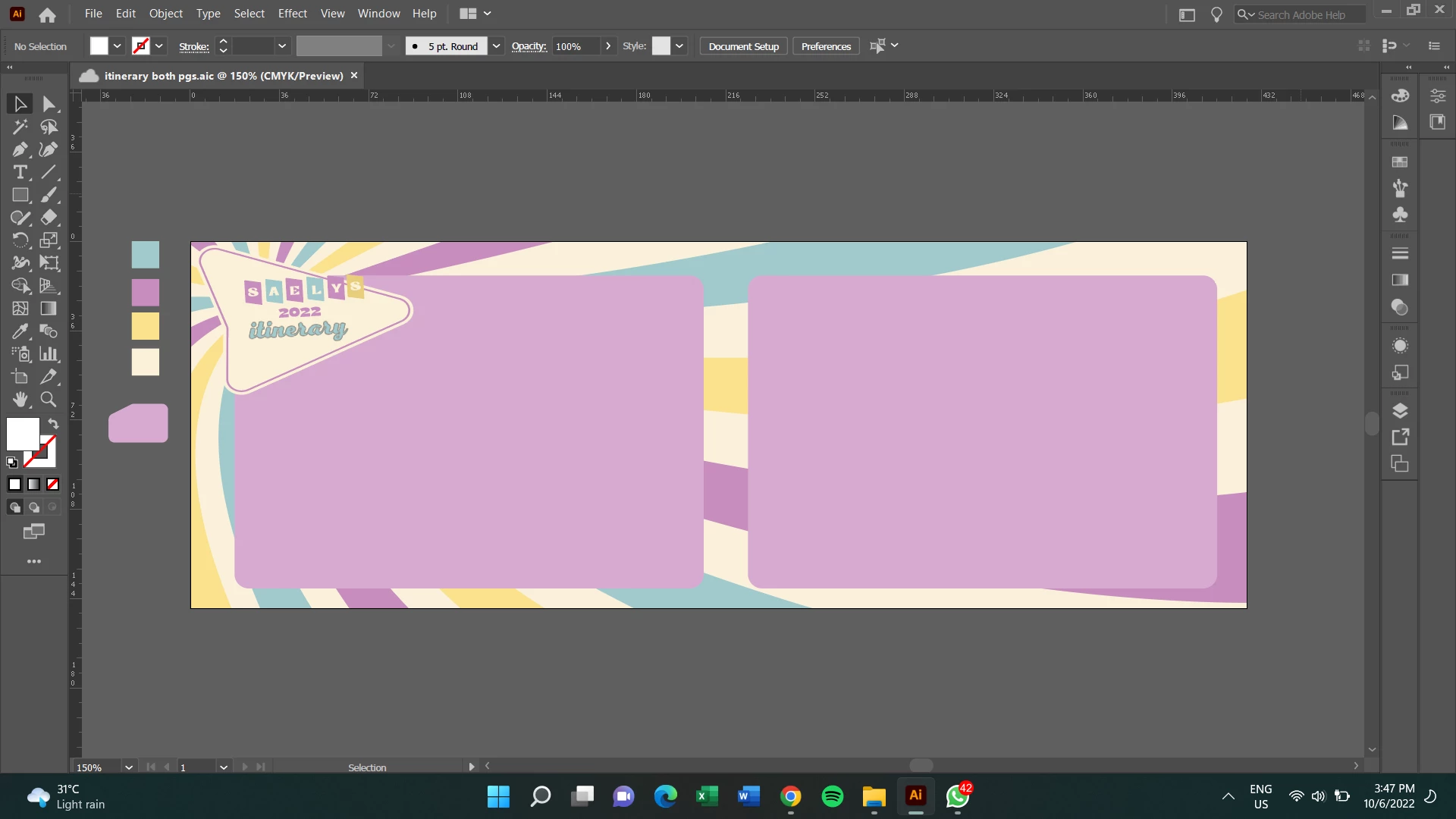
 

Screenshot (647).pngI rarely use Ai as I usually edit with Ps and the export settings is very different from each other

TOPICS
Import and export , Tools
901
Translate
Report
Community guidelines
Be kind and respectful, give credit to the original source of content, and search for duplicates before posting. Learn more
community guidelines

correct answers 1 Correct answer

Community Expert , Jun 10, 2022 Jun 10, 2022

If you have to rectangles that have the size you want for the separate export, select them and choose: Object > Convert to Artboards.

You can delete the larger artboard if you want.

Translate
Adobe
Community Expert ,
Jun 10, 2022 Jun 10, 2022

If you have to rectangles that have the size you want for the separate export, select them and choose: Object > Convert to Artboards.

You can delete the larger artboard if you want.

Translate
Report
Community guidelines
Be kind and respectful, give credit to the original source of content, and search for duplicates before posting. Learn more
community guidelines
New Here ,
Jun 10, 2022 Jun 10, 2022

Got it! Thanks Tom

Translate
Report
Community guidelines
Be kind and respectful, give credit to the original source of content, and search for duplicates before posting. Learn more
community guidelines
Community Expert ,
Jun 10, 2022 Jun 10, 2022
LATEST

Good to hear that helped.

Translate
Report
Community guidelines
Be kind and respectful, give credit to the original source of content, and search for duplicates before posting. Learn more
community guidelines