
sarahs007
Participant
February 25, 2019
Répondu

How do I shear (italicise) individual words in an text layer?

I'm new to Ai and can't work out how to italicise individual words within a layer of text.

I've tried selecting the words and then using object > transform > shear, but it rotates the whole object (all the text) rather than selected words.

Any help would be much appreciated!
    Ce sujet a été fermé aux réponses.
    Meilleure réponse par lambiloon

    Thanks!

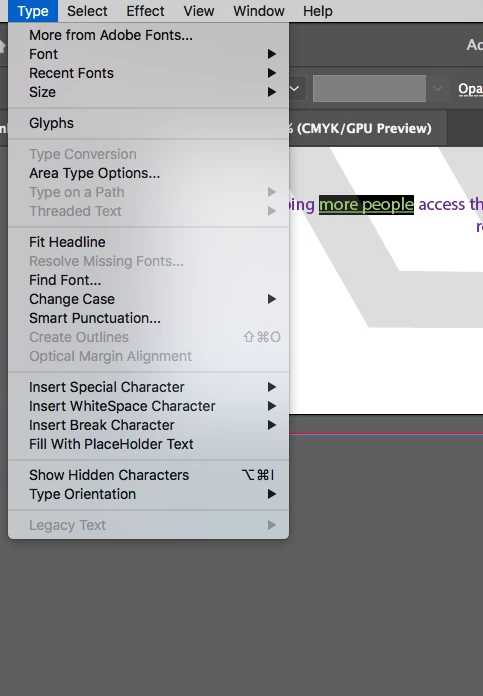
    I've selected the text, but the create outlines option is greyed out.

    I'm using the Type Tool (T) to select the text which is probably wrong, but the Selection Tool selects all the text.


    Hi 1st press escape key to get out of paragraph text box then create outlines will work .... Thanks

    1 commentaire

    tromboniator
    Community Expert
    Community Expert
    February 25, 2019

    By far the best way is to use a typeface that includes italic characters. Select the words you want to change, then In the Character panel select the Italic style from the dropdown menu. If none is available, choose another font.

    Peter

    sarahs007
    sarahs007Auteur
    Participant
    February 25, 2019

    Thanks Peter!

    I'd love to keep the font I'm using, but this is probably best given my skill level.

    lambiloon
    Community Expert
    Community Expert
    February 25, 2019

    hi if you want to italic the each letter then 1st convert text to outline then ungroup it and use shear all will be good to go....Thanks

    Ali Sajjad / Graphic Design Trainer / Freelancer / Adobe Certified Professional