
Participant
July 1, 2020
Answered

How do you adjust certain stroke widths in Illustrator?

  • July 1, 2020
  • 2 replies
  • 329 views

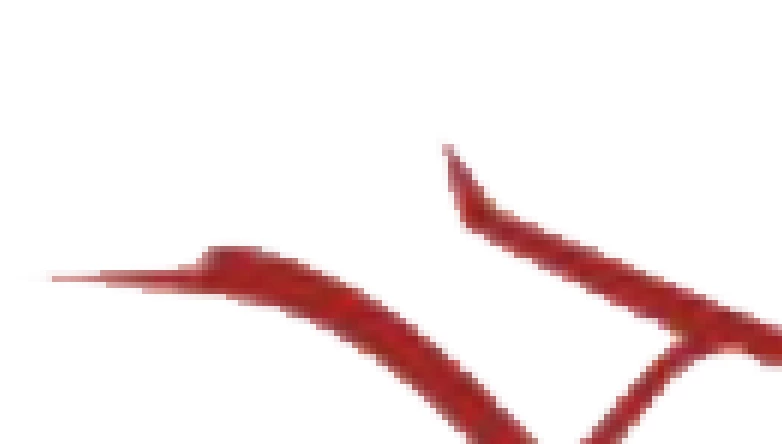
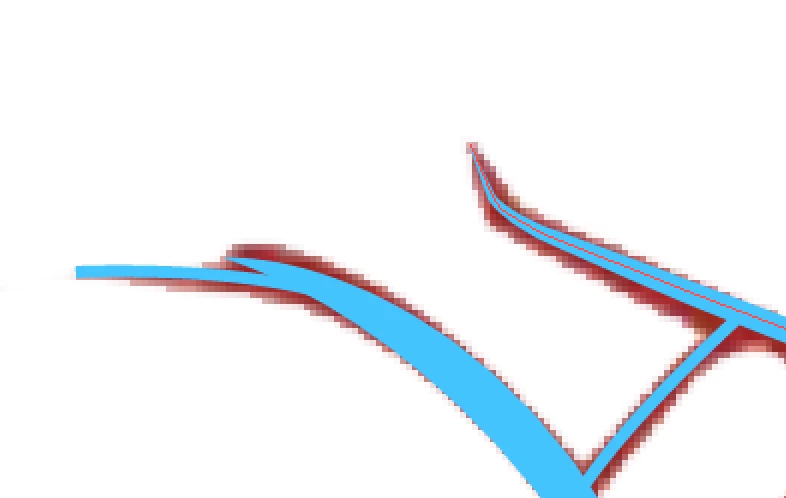
Hello! New at Illustrator here, I'm trying to practice trying to vectorize a logo but I find that I don't really know how to get the strokes to look similar in width to what the picture has. After using the pen tool I tried using the 'width profile 1' to give it a similar look but it doesn't look as good. If I want to try to get similar strokes to ones seen in the maroon colored strokes in the picture (the other picture showing the blue pen strokes I did) what can I try? Thanks in advance!
This topic has been closed for replies.
Correct answer Kurt Gold

Well, it is not quite sure what you mean by saying you already figured it out.


Based on that rather vague statement, one can only recommend to do some more fine-tuning with all the tools Illustrator is providing.

2 replies

Kurt Gold
Community Expert
Kurt GoldCommunity ExpertCorrect answer
Community Expert
July 1, 2020

Well, it is not quite sure what you mean by saying you already figured it out.


Based on that rather vague statement, one can only recommend to do some more fine-tuning with all the tools Illustrator is providing.

margovinAuthor
Participant
July 1, 2020

Nvm I figured it out whoops, thanks for stopping by anyways, any helpful tips are still welcome 😄