
nickn25270132
Participant
March 9, 2021
Answered

How do you convert a grayscale tiff to be white on a colored background?

  • March 9, 2021
  • 4 replies
  • 2919 views

So you know how you can bring in a grayscale tiff into illustrator and change the color to what ever color you want? This works great if the background is white but what if I wanted the tiff to be white on a colored background? Think a painted grayscale circle for a snowman on a blue background. Any ideas?
This topic has been closed for replies.
Correct answer Scott Falkner

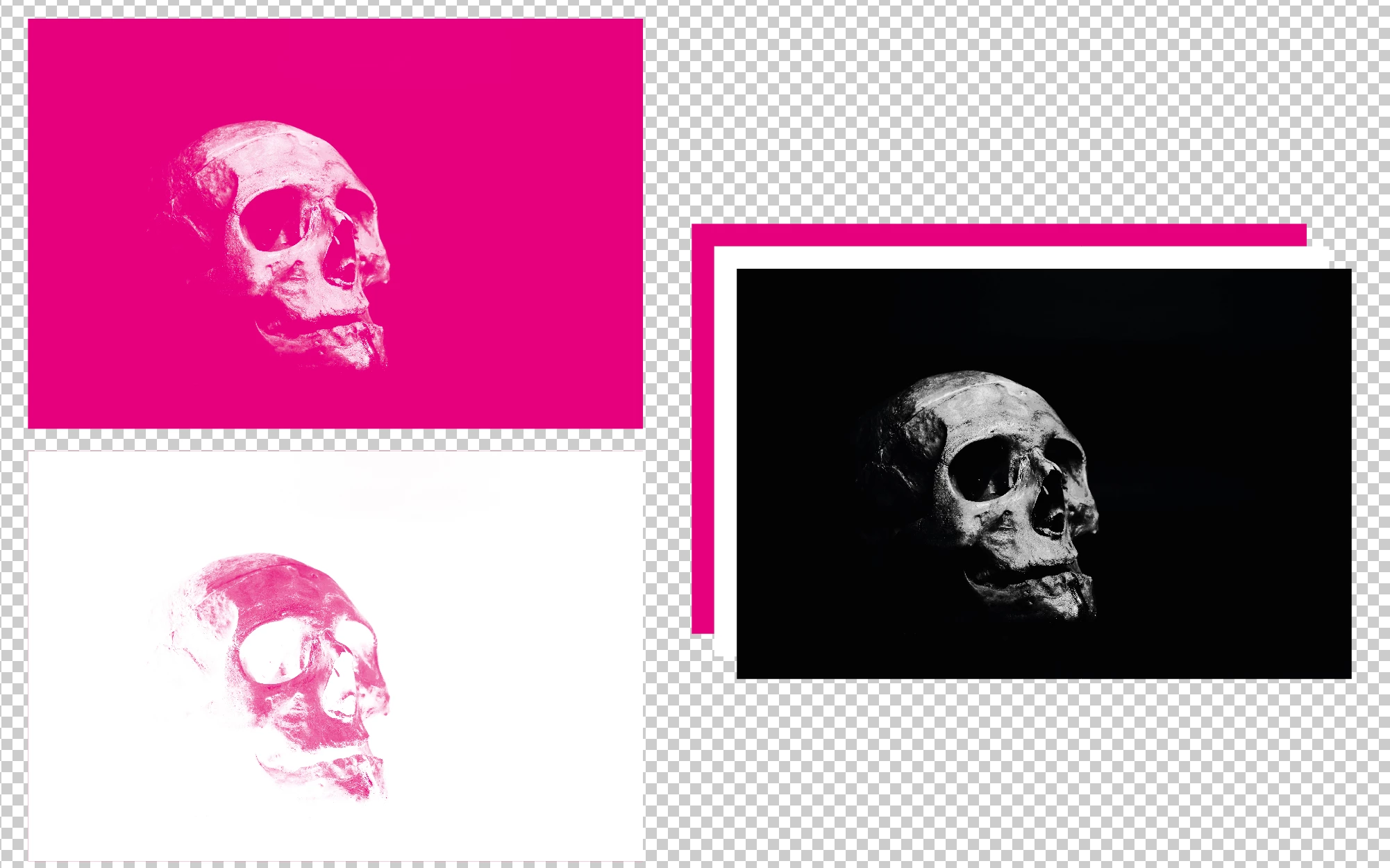
Use the TIFF as an opacity mask. Think of a stack of thee objects, from bottom to top: Background colour (rectangle filled with a colour), image colour, TIFF. Select the TIFF and the foregound colour then go to Make Opacity Mask in the Transparency panel. You might need to invert the mask.

4 replies

Kurt Gold
Community Expert
Community Expert
March 9, 2021

Good evening, Scott.


Nice to see that you have not passed away already (though the images may indicate something different).


Hope you are fine.


Scott Falkner
Community Expert
Community Expert
March 9, 2021

@Kurt Gold wrote:

Good evening, Scott.


Nice to see that you have not passed away already (though the images may indicate something different).


Hope you are fine.


I’m more active in the InDesign section. Time is a precious commodity as I am busy with everything I usually am plus supervising my son’s home schooling.

Scott Falkner
Community Expert
Scott FalknerCommunity ExpertCorrect answer
Community Expert
March 9, 2021

Use the TIFF as an opacity mask. Think of a stack of thee objects, from bottom to top: Background colour (rectangle filled with a colour), image colour, TIFF. Select the TIFF and the foregound colour then go to Make Opacity Mask in the Transparency panel. You might need to invert the mask.

carlosgarro
Community Expert
Community Expert
March 9, 2021

Hi.

Maybe this trick will help you: 1 Bit Bitmap

Best Regards

Anna Lander
Inspiring
March 9, 2021

do you want to colorize the grayscale image or place the grayscale image to colored BG? If last, just delete the background in Photoshop and save the file with transparency saved (turn On this option in Save Tiff Options dialogue).

AI will read the transparency and your gray image will show the colored background.