
Participant
November 28, 2021
Question

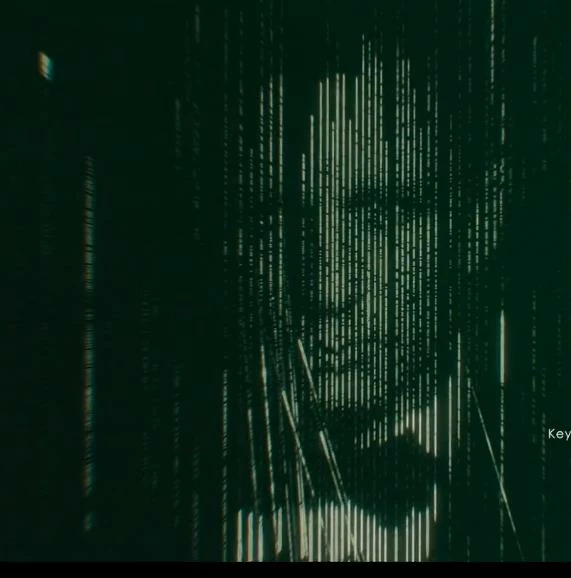
How do you create a rain drop/matrix image effect like in the movie "No Time To Die"?

  • November 28, 2021
  • 1 reply
  • 1394 views

I am looking to create a similar rain drop/matrix effect like from "No Time To Die" movie, I am new to this tool, can someone help me on this.


Below is the sample image which I am trying to make from other image.
 

This topic has been closed for replies.

1 reply

Monika Gause
Community Expert
Community Expert
November 28, 2021

You could try and:

1. Prepare the photo. It should be posterized in Photoshop. Very flat midtones and some contrasty areas in highlights and shadows.

2. Embed it in Illustrator and Object > Object Mosaic.

3. Ungroup the result. Maybe even out the midtones by selecting them with the magic wand tool and then apply the same fill to all of them.

4. Select single columns of objects and group them each

5. Move those columns slightly as in your template.