
Known Participant
April 22, 2020
Answered

How do you create your own custom brush window/panel?

  • April 22, 2020
  • 2 replies
  • 1414 views

Hi, I've made my own custom art brushes in Illustrator by "drag and dropping" the objects on the left to the brush window/panel on the right. But the thing is, I plan to do more custom art brushes and it might become disorganized later on if I just continue "drag and dropping" this here on this particular brush window/panel.
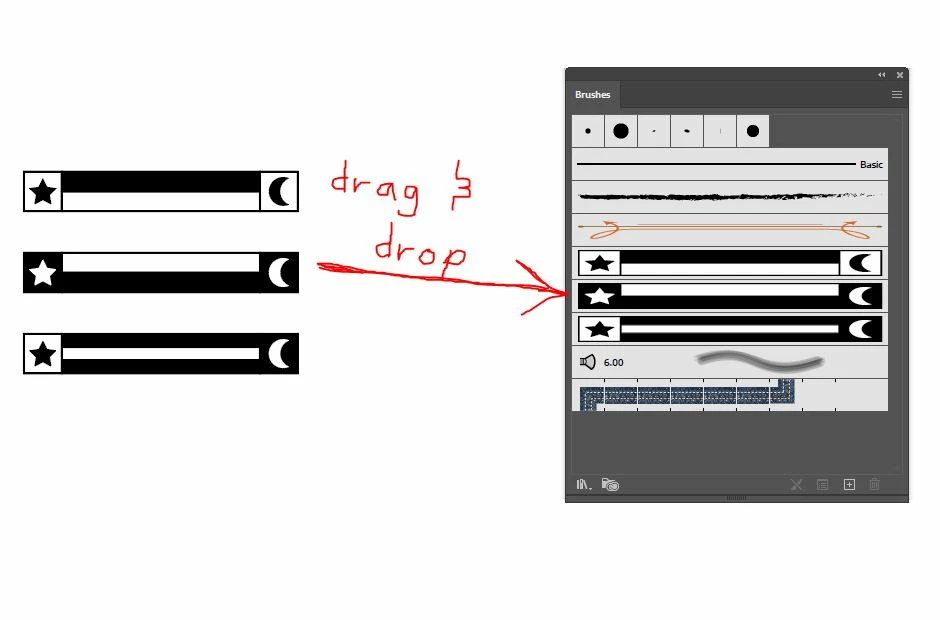
I've just made one set of my custom art brushes, I plan to do more sets of custom brushes in the future. How can I make it organized that each brush set I make is separated? I want each set to have it's own brush window/panel with only the custom brushes I want in it, I don't know how to remove the preset brushes. I also want to know how to rename a particular brush window panel.
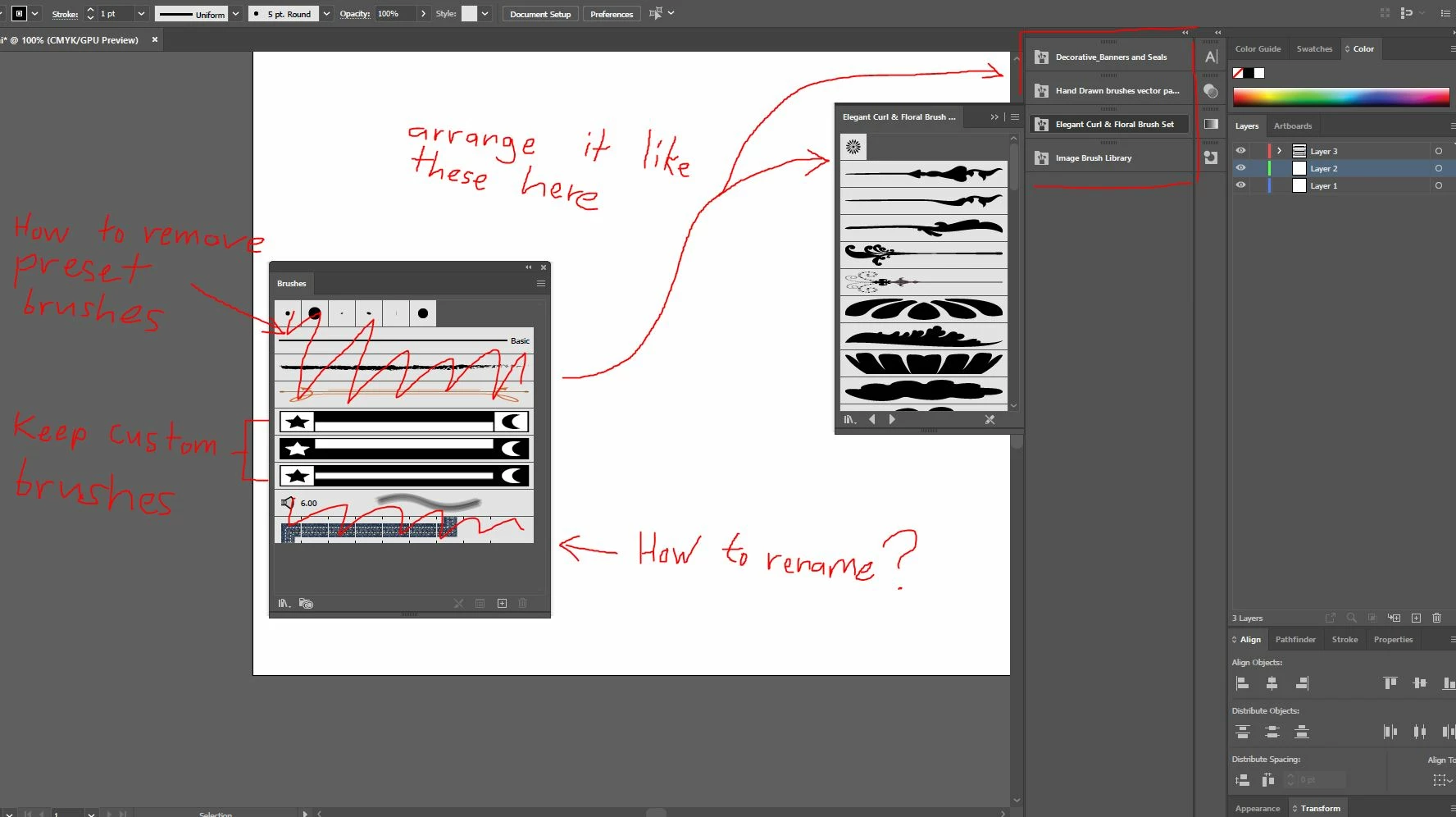
I want to make my set of custom brushes look like the ones I've arranged on the right of my user interface (the preset brush libraries, ex: decorative banners... etc.) . Please help.

This topic has been closed for replies.
Correct answer Doug A Roberts

Delete the brushes you don't want by selecting them and clicking on the trash can in the brush panel. Then go to 'Save brush library' in the brush panel menu, and save it to C:\Users\Username\AppData\Roaming\Adobe\Adobe Illustrator Settings\en_GB\x64\Brushes


It will then be available from the brush panel itself (Libraries menu > User Defined) or from the Window menu (Window > Brush libraries > User defined).

2 replies

Z_GeovaniAuthor
Known Participant
April 27, 2020

Sorry for the late reply, I was only able to do this just now. Thank you very much

Doug A Roberts
Community Expert
Doug A RobertsCommunity ExpertCorrect answer
Community Expert
April 22, 2020

Delete the brushes you don't want by selecting them and clicking on the trash can in the brush panel. Then go to 'Save brush library' in the brush panel menu, and save it to C:\Users\Username\AppData\Roaming\Adobe\Adobe Illustrator Settings\en_GB\x64\Brushes


It will then be available from the brush panel itself (Libraries menu > User Defined) or from the Window menu (Window > Brush libraries > User defined).

Participant
February 4, 2022

This works, but how do I get the brushes I use often in the 'default' brushes window? Every time I create a new document I have to manually add brushes from a library...Thanks.

Larry G. Schneider
Community Expert
Community Expert
February 4, 2022

The answer is to make a New Document Profile with the brushes you want to appear and add it to the New Document Profile folder in your user profile. Save a copy elsewhere as if you ever have to replace the preferences the stuff you add will be replaced with a default vanilla set.