Exit
  • Global community
    • Language:
      • Deutsch
      • English
      • Español
      • Français
      • Português
  • 日本語コミュニティ
  • 한국 커뮤니티
0

How do you make a line hatch gradient that changes in density and scale?

New Here ,
Mar 06, 2025 Mar 06, 2025

I keep seeing this type of cross-section drawing of soil where the hatch or fill slowly diminishes in density. It looks like the blend tool but not exactly. Was wondering if anyone knew a script, plugin, or something that does this gradient like this.
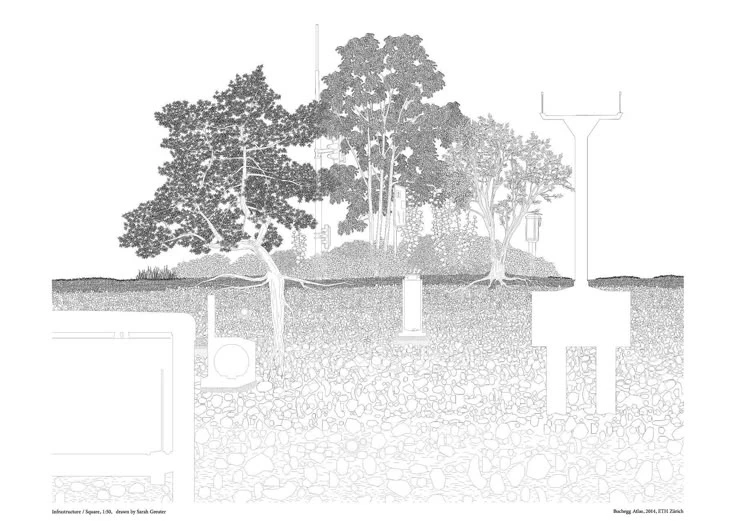
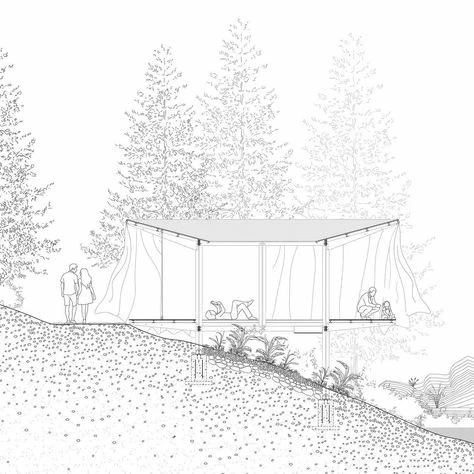
download.jpgdownload (1).jpg

TOPICS
Draw and design , How-to , Scripting , Third party plugins , Tools
707
Translate
Report
Community guidelines
Be kind and respectful, give credit to the original source of content, and search for duplicates before posting. Learn more
community guidelines

correct answers 1 Correct answer

Community Expert , Mar 06, 2025 Mar 06, 2025

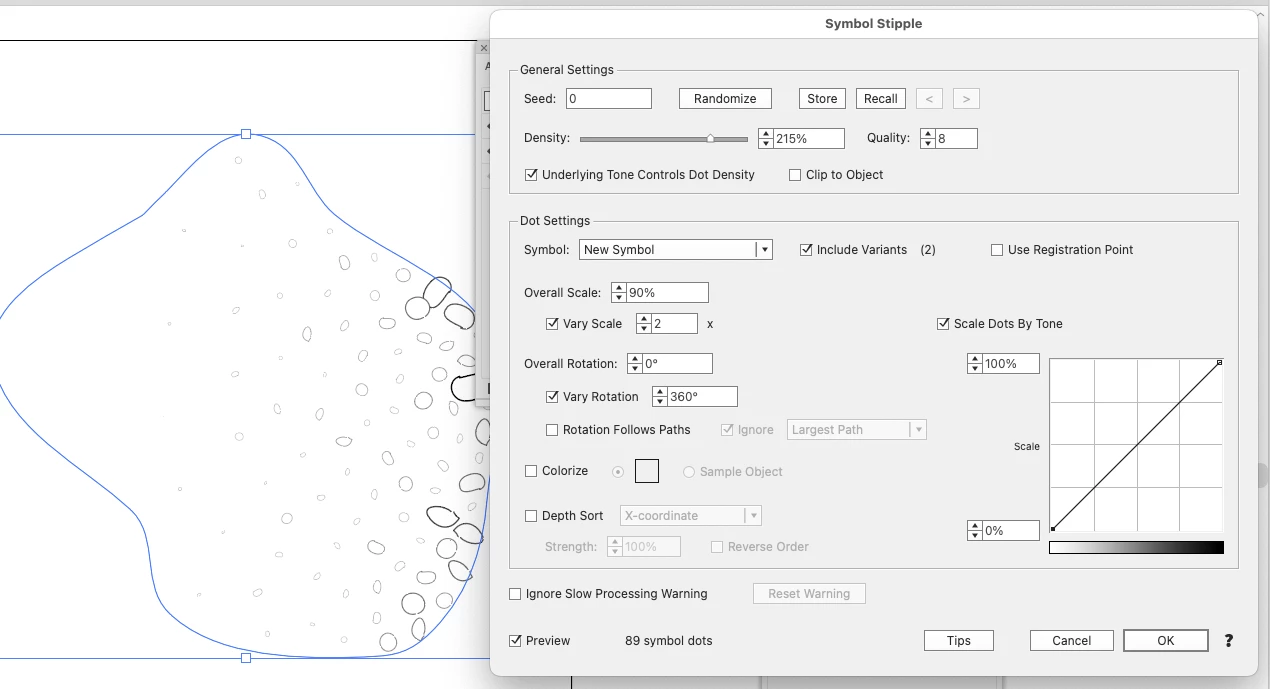
You can define your individual symbols to use for that.


Screenshot 2025-03-06 at 6.14.24 PM.png

Translate
Adobe
Community Expert ,
Mar 06, 2025 Mar 06, 2025

Astute Graphics Stipplism can do that.

Translate
Report
Community guidelines
Be kind and respectful, give credit to the original source of content, and search for duplicates before posting. Learn more
community guidelines
New Here ,
Mar 06, 2025 Mar 06, 2025

I did look at that but it's not exactly a stipple. The effect I'm looking for isn't dots but more like outlines of circles or amorphic ellipses.

Translate
Report
Community guidelines
Be kind and respectful, give credit to the original source of content, and search for duplicates before posting. Learn more
community guidelines
Community Expert ,
Mar 06, 2025 Mar 06, 2025

You can define your individual symbols to use for that.


Screenshot 2025-03-06 at 6.14.24 PM.png

Translate
Report
Community guidelines
Be kind and respectful, give credit to the original source of content, and search for duplicates before posting. Learn more
community guidelines
New Here ,
Mar 06, 2025 Mar 06, 2025

Oh wow. Sorry, I guess I didn't look hard enough. That's exactly what I wanted! Thank you so much! 

Translate
Report
Community guidelines
Be kind and respectful, give credit to the original source of content, and search for duplicates before posting. Learn more
community guidelines
Community Expert ,
Mar 07, 2025 Mar 07, 2025
LATEST

I'm glad you can solve it.


You might have to dive deeper into the options of that panel in order to figure out good settings for your art.

Translate
Report
Community guidelines
Be kind and respectful, give credit to the original source of content, and search for duplicates before posting. Learn more
community guidelines