Participant
February 24, 2021
Answered

How do you move the perspective grid?

  • February 24, 2021
  • 2 replies
  • 18415 views

I would like to move my grid from one artboard to another, but I'm not sure how to do it.

Correct answer tromboniator

Hi, Julia,

As far as I have been able to determine so far, you must choose the Perspective Grid Tool, then click and drag on one end of the Ground Level line, as shown here:
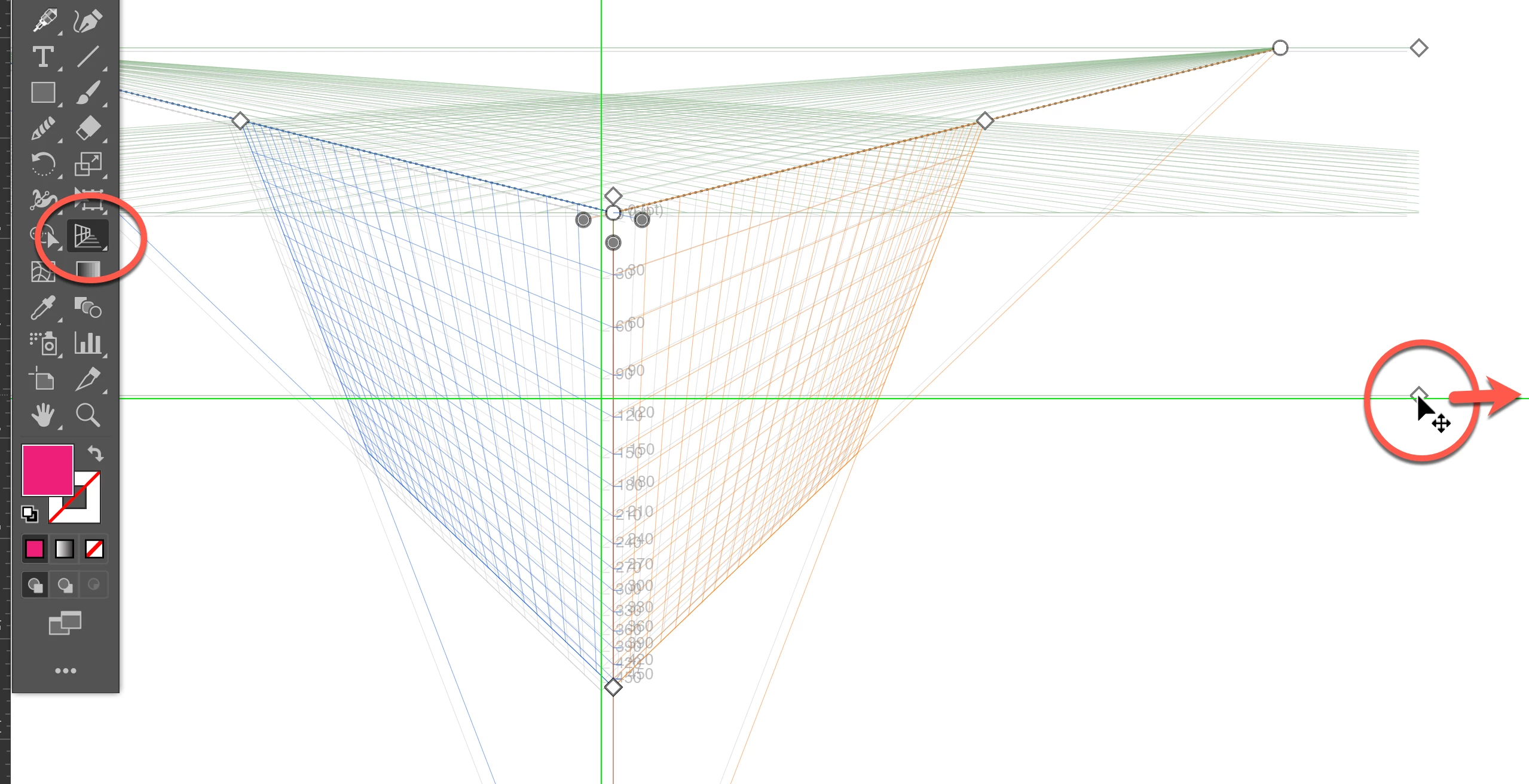
and drag the grid into another artboard.  If you will be working back and forth between artboards, set guides to mark strategic points so you may reset the grid to its original position.


Peter


2 replies

Monika Gause
Community Expert
Community Expert
February 24, 2021

If the scope is to have more than one perspective drawings in one file: don't do it or you will risk the first perspective objects losing their association with perspective.

tromboniator
Community Expert
tromboniatorCommunity ExpertCorrect answer
Community Expert
February 24, 2021

Hi, Julia,

As far as I have been able to determine so far, you must choose the Perspective Grid Tool, then click and drag on one end of the Ground Level line, as shown here:

and drag the grid into another artboard.  If you will be working back and forth between artboards, set guides to mark strategic points so you may reset the grid to its original position.


Peter


Participant
December 2, 2022

Oooof, may I request that you all allow users to have a perspective grid on every artboard? It's cumbersome to drag it around and creates many errors on the go. 

Monika Gause
Community Expert
Community Expert
December 2, 2022

Please report feature requests to https://illustrator.uservoice.com