Create new brush libraries
Add the brushes you want to the Brushes panel, and delete any brushes you don’t want.
Choose Save Brush Library from the Brushes panel menu, and place the new library file in one of the following folders so that it will appear in the Brush Libraries menu when you restart Illustrator:
- (Windows) User/AppData/Roaming/Adobe/Adobe Illustrator <version number> Settings/Brushes
- (Mac OS) Library/Application Support/Adobe/Adobe Illustrator <version number> Settings/Brushes
NOTE:Replace <version number> with the following values, depending on the version of Illustrator that you have installed on your system. For more information, see Replace Illustrator version number.Note:If you place the file in a different folder, you can open the library by choosing Window > Brush Libraries > Other Library and selecting the library file.
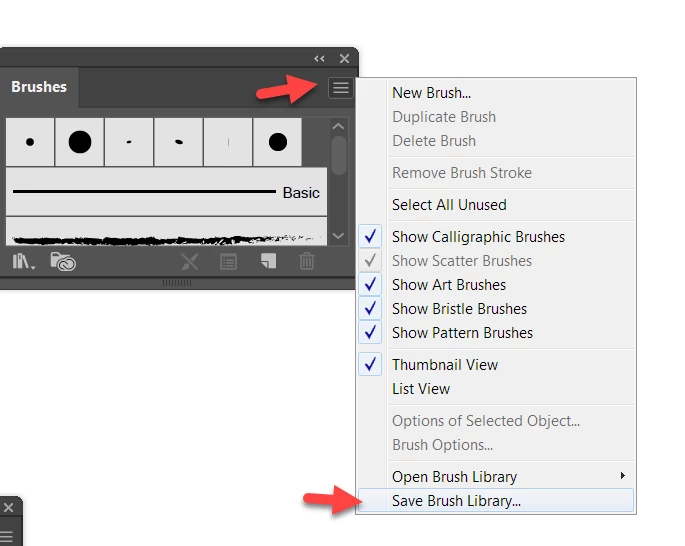
I save them with the system brushes, in a separate folder
You can add brushes you have downloaded there too
eg here on windows:
C:\Program Files\Adobe\Adobe Illustrator \Presets\en_GB\Brushes
Wherever you save them back them up too.

 AdChoices