
arop16461101
Known Participant
March 3, 2017
Question

How to apply swatches into document via script?

  • March 3, 2017
  • 1 reply
  • 3573 views

Every day i have to do this steps many times:

1. Window -> Swatches -> Other Libraries -> "Select MySwatches.ai from Computer".

2. Then i click on swatches to apply them into swatch list
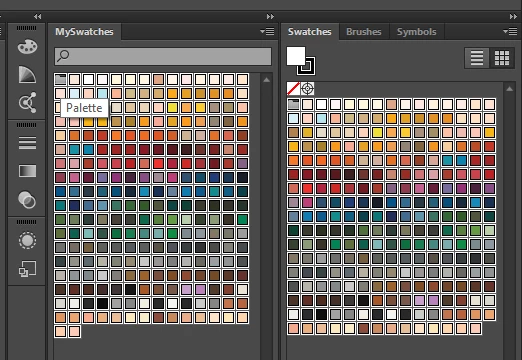
Can u tell me please, how to apply swatches into document via script, if it possible?

This topic has been closed for replies.

1 reply

Silly-V
Legend
March 3, 2017

Yea it's possible, a script can open your swatch file and copy all the swatches over. However, if your issue is putting them into a new document, you could alter one of the new document profiles to include the swatches so that your new default documents will already have them.

arop16461101
Known Participant
March 10, 2017

I found how to open swatches, but can't find how to copy them. Please take a look.

#target Illustrator

//  insert your path here, or a file picker prompt

var theFile = new File('path/to/file/file_name.ai');

var openOpt = new OpenOptions();

//  get swatches

openOpt.openAs=LibraryType.SWATCHES;

open(theFile,null,openOpt);

arop16461101
Known Participant
March 13, 2017

Here is an example of basic process swatches, assuming you have two documents open, both having the same color space.

#target illustrator

function test(){

  var doc = app.activeDocument, doc2 = app.documents[1];

  alert(doc.name + " , " + doc2.name);

  var thisSw, newSw;

  for(var i=0; i<doc2.swatches.length; i++){

    thisSw = doc2.swatches;

    if(thisSw.name == "[Registration]" || thisSw.name == "[None]"){

      continue;

    }

    newSw = doc.swatches.add();

    newSw.name = thisSw.name;

    newSw.color = thisSw.color;

  }


};

test();


Thanks, but it's actually not that i want to.

I need copy swatches not from another document, i need to copy them from library into document swatches.