

How to center my objects within the artboard without losing their relative positions?
Hey, friends,
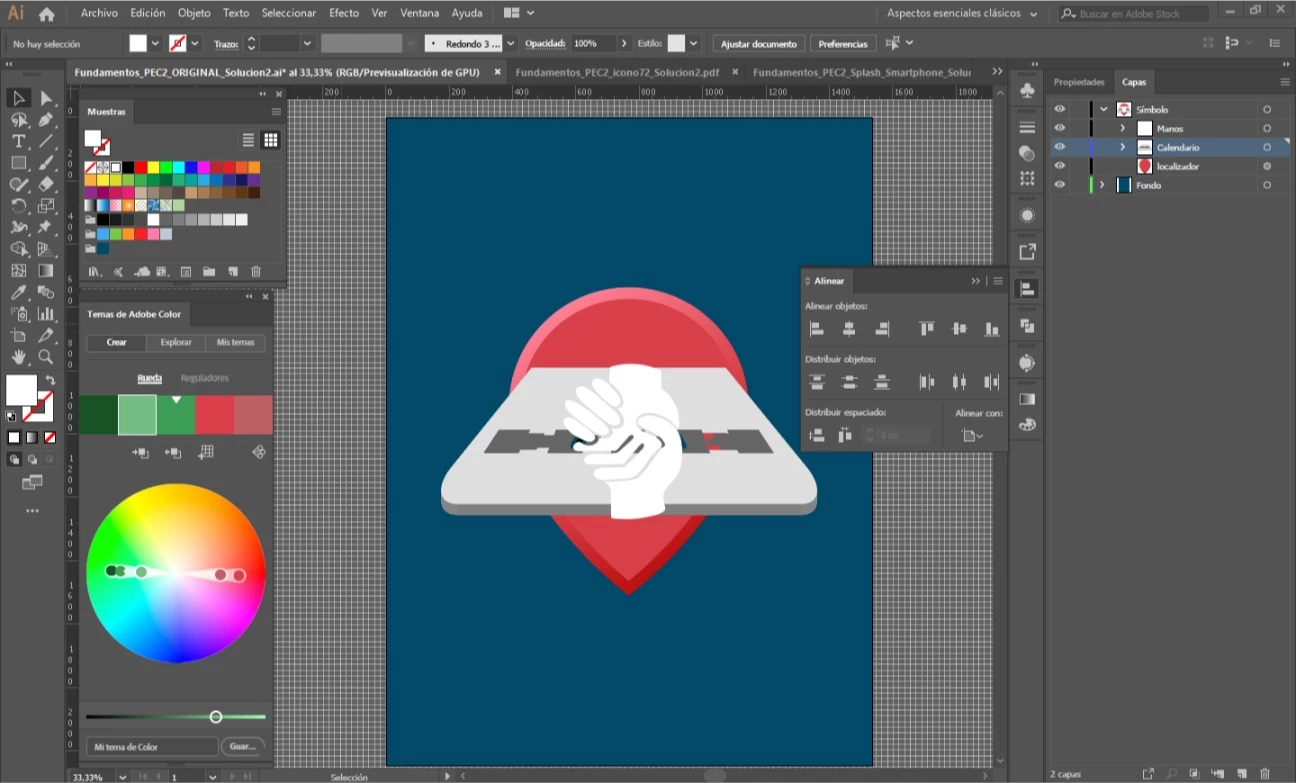
say you have your design, composed by some objects, nicely disposed in their layers. They have their relative positions to one another and they look really good, but hey, the design is a bit in the upper side of the artboard. Let's center it! I select all the objects, select "Align to artboard" and click on "Center vertically". Result: all the objects pile up in the center of the artboard like they have no mother whatsoever (see picture).
In Photoshop, I'd link the layers to achieve this, but how can I solve this in Illustrator?
If you're gonna say: "Group them together before", I already tried, and it seemed to work... But when I checked the if the centering was right, it wasn't, I don't know why; I had to calculate it (with the calculator) and move all manually. Anyway, I don't really like the grouping solution, cause I don't want to treat all my objects as a group, so then I have to ungroup everything again and leave it as it was before. Help would be appreciated. Thank you sooo much.
 AdChoices