
How to change colors of an imported image and remove specific parts of background
I’m new to illustrator and think I might be searching using the wrong terms. I own a small crafting business and I purchase a lot of designs (.png) from Etsy however I generally need to modify the colors of certain parts of the images. I also need to send these images off for printing (UV DTF Decals, DTF Transfers, etc.) which require me to remove the backgrounds of the images. I have been able to view enough videos to get my desired output but I’m hoping there is a faster way or less steps being that I have to do this to several designs as I customize per order.
This leads me to my two questions….
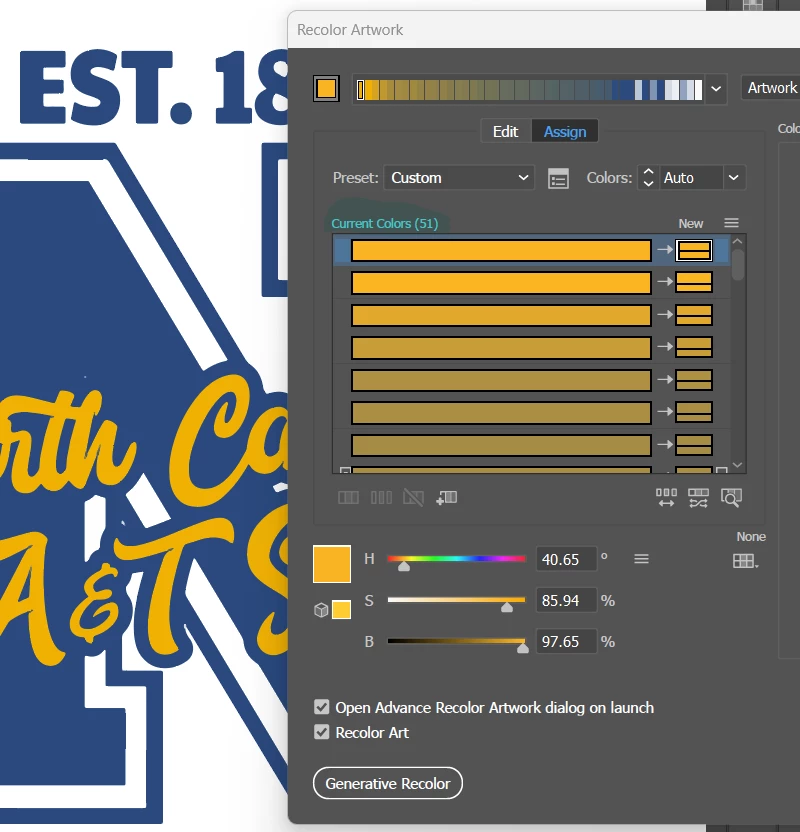
- When I image trace, I always choose High Fidelity Photo but this brings back sometimes more than 60 colors. Is there no way to just click on the part of the image that I want to change the color of? Or someway to get back a smaller result without compromising my image?
- When I need to remove the background of an image I always run into an issue with the insides of letters. When I attempt to delete the white space, it leaves the letter without the cutout part. How can I solve this issue?
Thank you in advance and please let me know if my needs would be handled better with say photoshop or another product.
51 colors returned but only 3 colors present
Letters before.....

Letters after I remove the inside...

 AdChoices