Hi @Marie22176940t6kk,
I understand your concern. If you prefer saving files on your computer and the cloud default setting keeps popping up, it might be due to a preferences issue. Here's a step-by-step guide to help you resolve this:
-
Launch Adobe Illustrator.
-
Before saving a file, check the "Don't show again" option on the cloud saving prompt.
-
Save the file to your computer once, and it should remember this choice for future saves.
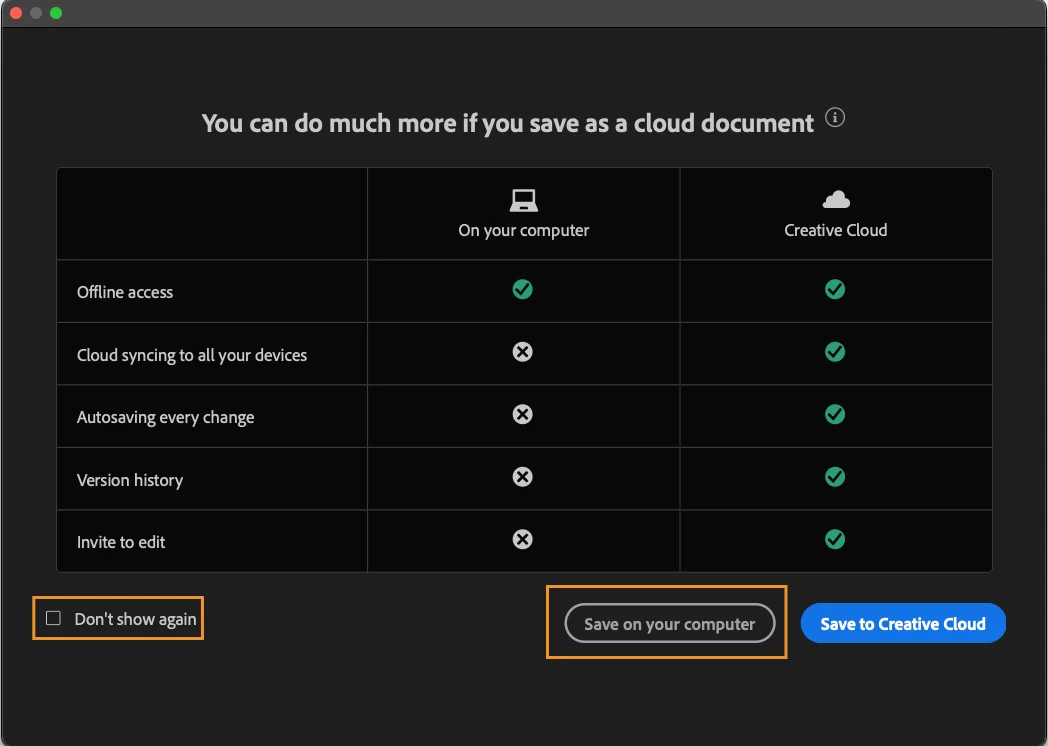
If you have already saved a file with the "Don't show again" option checked, and it still defaults to the cloud, you might consider resetting your preferences in Adobe Illustrator.
This should help Adobe Illustrator remember your preference for saving files on your computer. If you continue to experience issues, please let me know, and we can explore further solutions.
Best regards,
Anshul Saini

 AdChoices