

kimberlyvdg
Participant
September 27, 2020
Answered

How to change the color of a QR code?

  • September 27, 2020
  • 6 replies
  • 50390 views

Hi guys,


I have a blue QR code. I'm trying to make the blue in this image pitch black. The white background obviously needs to stay white. I tried converting it to grayscale and then adjusting the color balance but this colores my white background as well. 

This is probably really easy but I'm a newbie and can't figure it out. Any ideas?


Kind regards,


Kimberly
Correct answer Luke Jennings3

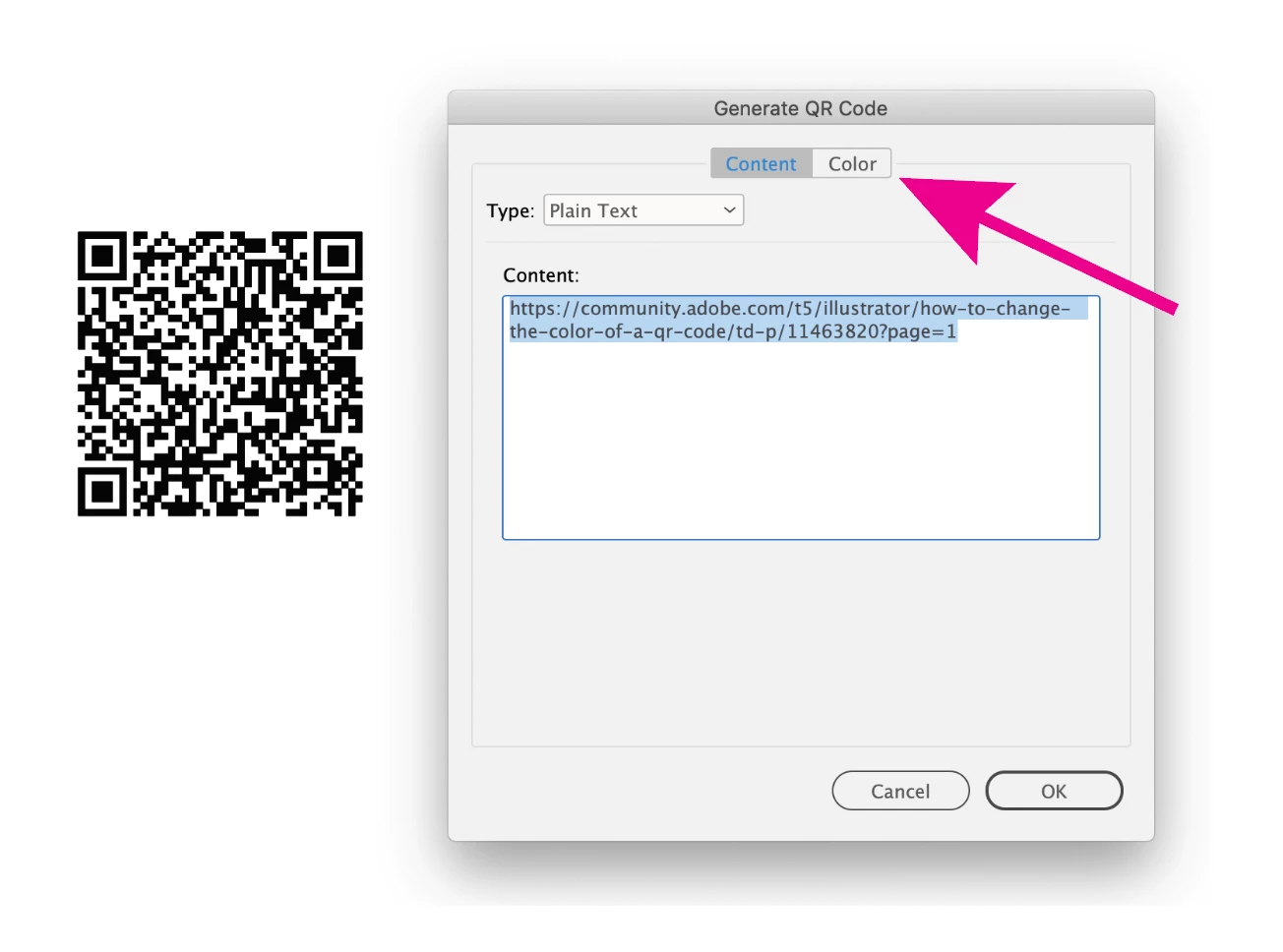
You can make QR codes in InDesign, Object> Generate QR code, export to PDF, place the PDF into your Illustrator file. You can make it any color you like.

6 replies

Participant
July 2, 2025

The image I was working with was pretty low quality, so I couldn't just convert it to monochrome. The colors kind of bleed into each other, and Illustrator has a hard time figuring out where one color ends and another begins. To get around that, I ended up creating my own QR code using QRCodeFactor.com and exported it as an SVG file. worked perfectly for what I needed.

If anyone knows how to handle this kind of thing directly in Illustrator, I’d love to hear how you do it!

Participant
March 14, 2024

Simple steps 


Import qr code in to the Photoshop


Go to adjustments and select hua saturation and decrease black to white in the below option 


This is simple to black to white dont take more stress about this.


Thanks 

Monika Gause
Community Expert
Community Expert
March 14, 2024

@rsltd22329335t479  schrieb:

Simple steps 


Import qr code in to the Photoshop


Go to adjustments and select hua saturation and decrease black to white in the below option 


This is simple to black to white dont take more stress about this.


Thanks 


The thread is already marked solved. And Photoshop is not part of the solution.

Participant
September 29, 2022
Qr_code.jpg
Participant
December 10, 2022

I was able to change the colors and add a logo via https://qr.curiouspenguins.com. I just wish I had some stats to show. Does anyone know how to get stats too? 

Monika Gause
Community Expert
Community Expert
December 10, 2022

Perhaps you can point out in detail what you mean by "stats"?

Luke Jennings3
Community Expert
Luke Jennings3Community ExpertCorrect answer
Community Expert
September 27, 2020

You can make QR codes in InDesign, Object> Generate QR code, export to PDF, place the PDF into your Illustrator file. You can make it any color you like.

kimberlyvdg
Participant
September 28, 2020

That barely took me 5 seconds. Thanks! 

Monika Gause
Community Expert
Community Expert
September 27, 2020

Count the squares and then let Object > Make Object mosaic vectorize it. Works well with QR codes.

kimberlyvdg
Participant
September 27, 2020

Update: 


The image is quite low quality which is why I can't simply convert it to monochrome. Because the boundries of the colores are blurry and Illustrator doesn't know where each color begins and ends. I exported my own QR code from https://www.qrcode-monkey.com and exported it in SVG. This solves my issue. If any of you know how to do this in Illustrator, please let me know.