
Participant
December 6, 2021
Question

How to change the colour of a segment of a path

  • December 6, 2021
  • 2 replies
  • 689 views

Bit of an illustrator newbie here. I'm trying to colour the jumper black, but I therefore want the lines around the jumper section to be white so they contrast. 

Here's the original:
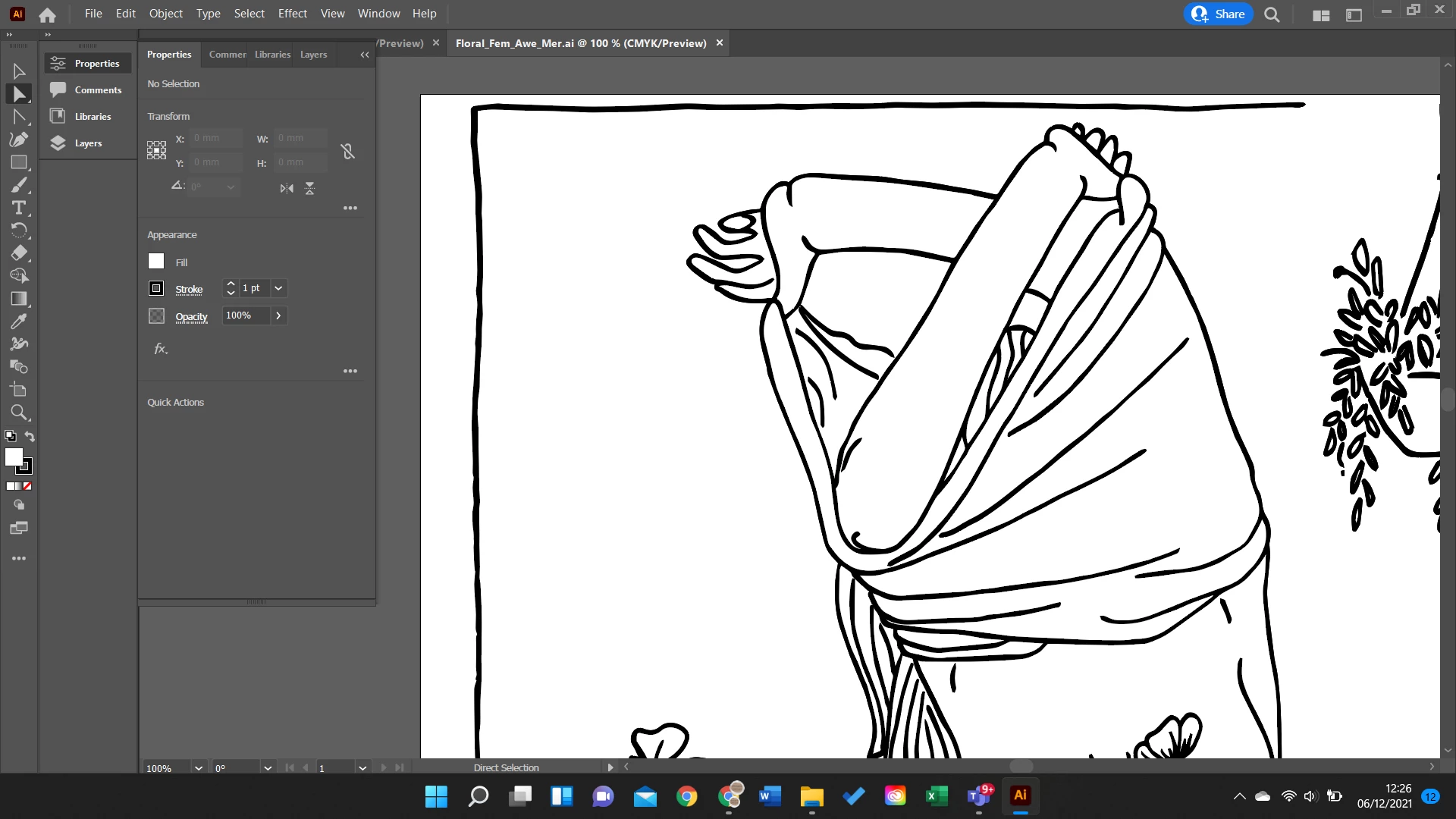
And here's as far as I've gotten, feel like I'm just going in circles now!
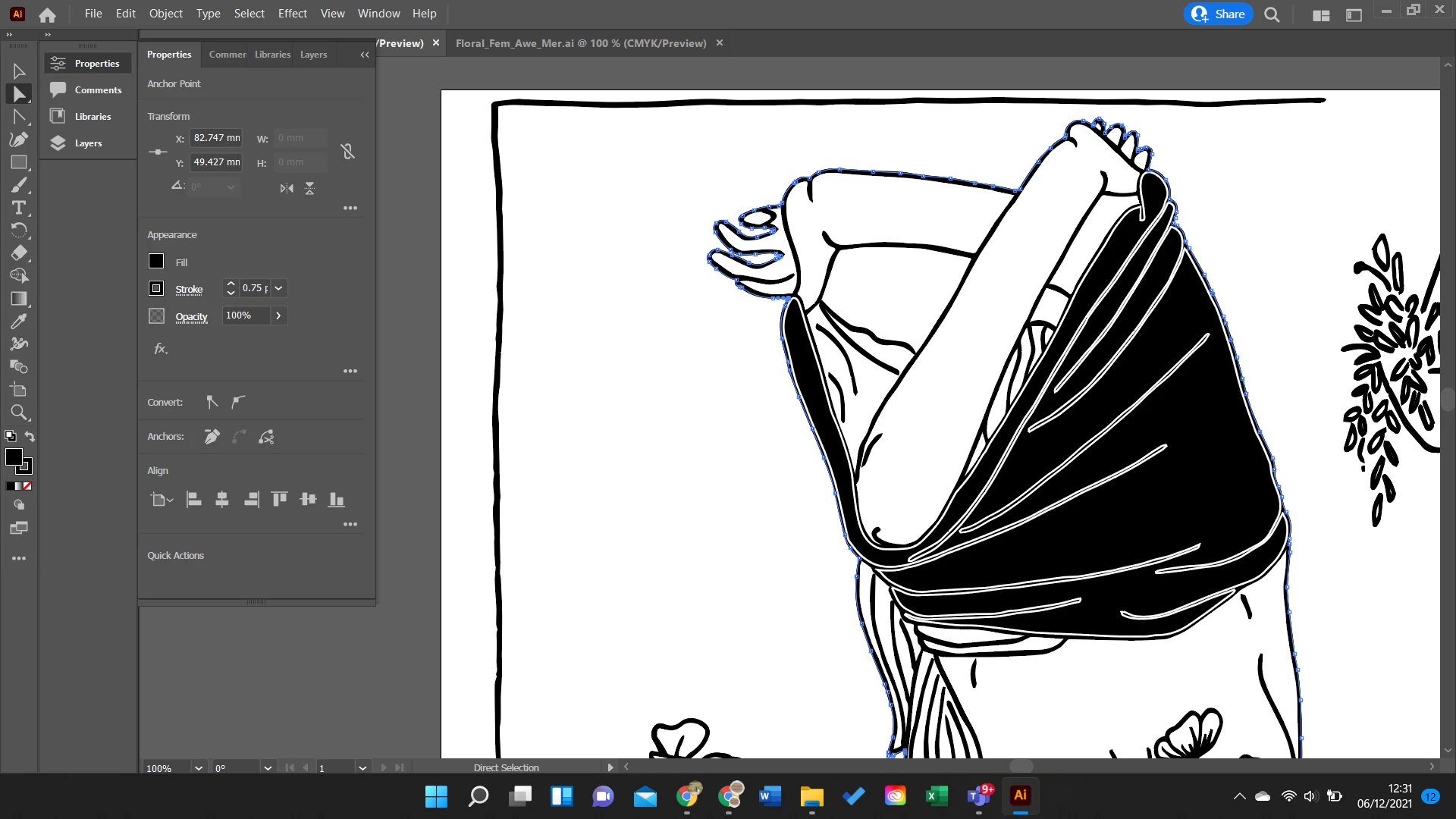
TIA

This topic has been closed for replies.

2 replies

michelew83603738
Community Expert
Community Expert
December 6, 2021

When you use Image Trace, only fills are created, not strokes even though they look like lines in your original drawings. It is very confusing to a newbie. I might be stirring the pot, but you might have more success if once you finish your Image Trace if you then do Live Trace so that you can then color in as wanted.

John Mensinger
Community Expert
Community Expert
December 6, 2021

The "wrinkles" are not stroked paths, they are filled paths. You've applied white stroke, but their black fill remains.


You haven't explained how you've gone about filling the jumper with black, but using the same method, you should be able to fill the wrinkles with white.

Participant
December 6, 2021

How would I go about it from the original? 

Participant
December 6, 2021
quote

How would I go about it from the original? 


I suspect you acquired the graphic by some means, as opposed to constructing it yourself, but in either case, one approach may be favorable over another depending on how it was constructed in the first place. Here's what I'd try first:

Make the jumper a Live Paint Group

  • Choose the Direct Select tool (white arrow), and marquee-select around the jumper, making sure to surround it beyond all parts you want to recolor.
  • Choose Object > Live Paint > Make (Large, square 'handles' will appear around the selection.)
  • Deselect.
  • Choose the Live Paint Bucket and set a fill color. Could be better not to use black here, or you'll obscure your view of the elements. Use 50% black.
  • Click everywhere in the jumper where you want a black fill.
  • Set white as the fill color.
  • Click on the "wrinkles" to fill them with white.
  • Go back and replace the 50% black with 100% black.

It's a drawing I did that has been scanned in and I've then used image trace on it. 


What do you mean by 50% black?


Also, there's still the problem that when I fill the "wrinkles" white, it fills the lines around the rest of the drawing as well!