
How to change the default 72 ppi to 300 ppi prior to exporting
We have:
an artboard - 300 px by 250 px.
We need:
to export the artboard as a jpeg and/or a png file with the same 300 px by 250 px with 300 ppi.
What we do now:
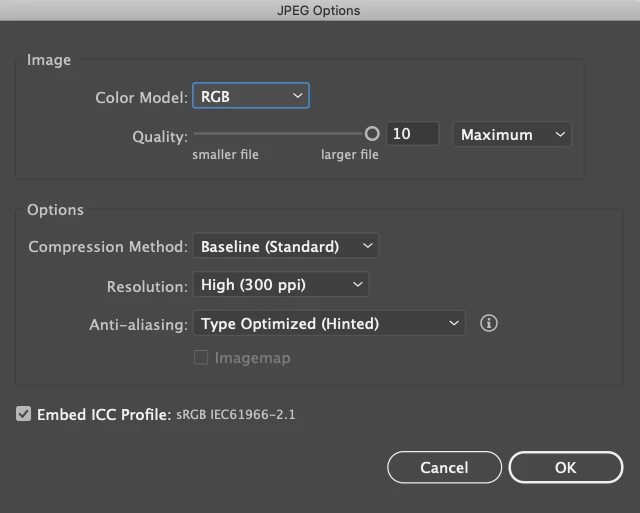
We export the artboard as a jpeg with 300 ppi.
Open it in Photoshop and see that the dimensions are 1251 px by 1043 px now.
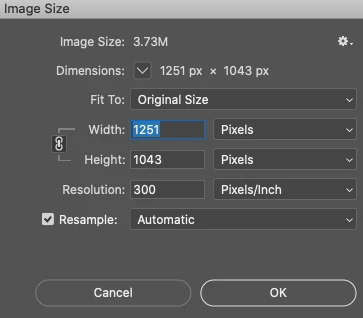
We have to change the pixels back to the original 300 px by 250 px while keeping the 300ppi resolution.
My research:
from what I understood: Adobe Illustrator is defaulted to 72 ppi. You can see it by opening a New Document dialog – setting the document size to 72 pixels and then choosing Inches from the dropdown menu. If you put 72 pixels and switch to inches, it shows 1 in. That means there are 72 pixels per 1 inch (72ppi).
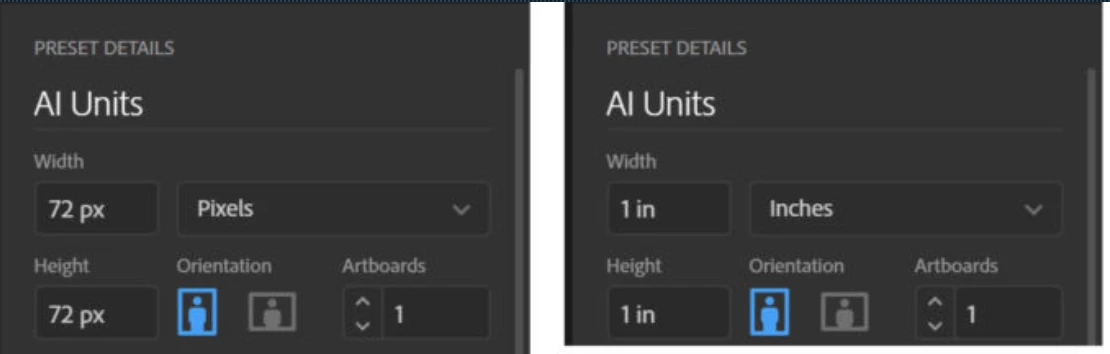
When we export the artboard as jpeg or png asking it to be 300 ppi without scaling it up (without loss of quality), it makes the pixel dimensions larger by 4.167 (300ppi/72ppi=4.167 round up to 4.17) resulting in 1251 px x 1043 px dimensions (300px * 4.17=1251px, 250px * 4.17=1043px).
For what I’ve researched so far, the way a lot of people fix the issue is going by inches x inches instead of pixels x pixels. In the case of 300 px x 250 px and 300 ppi it would be creating a new document with following dimensions 1 in x 0.833 in:
300 px / 300 ppi = 1 in
250 px / 300 ppi = 0.833 in
Which theoretically would bring us to the desired 300 px x 250 px with 300 ppi in Photoshop.
In practice, the numbers seem to differ as AI rounds it up a bit and results in a wrong size.
I’d like to find out if the default Illustrator 72 ppi can be changed to the 300 ppi before creating an artboard/exporting as jpeg so the pixels x pixels wouldn’t change with the desired 300 ppi and we wouldn’t need to use Photoshop to resize the image (for example, when creating a new document and entering 300 pixels width, then switching to inches, it would show 1 in - just like it does with the 72 pixels now).
If you’ve made it this far, thanks for reading into it and trying to help.
All the best!
 AdChoices