Participating Frequently
April 21, 2020
Answered

How to colour in this Mercedes sketch using Adobe Illustrator

  • April 21, 2020
  • 3 replies
  • 1117 views

Hi Everyone and thank you in advance for your help.


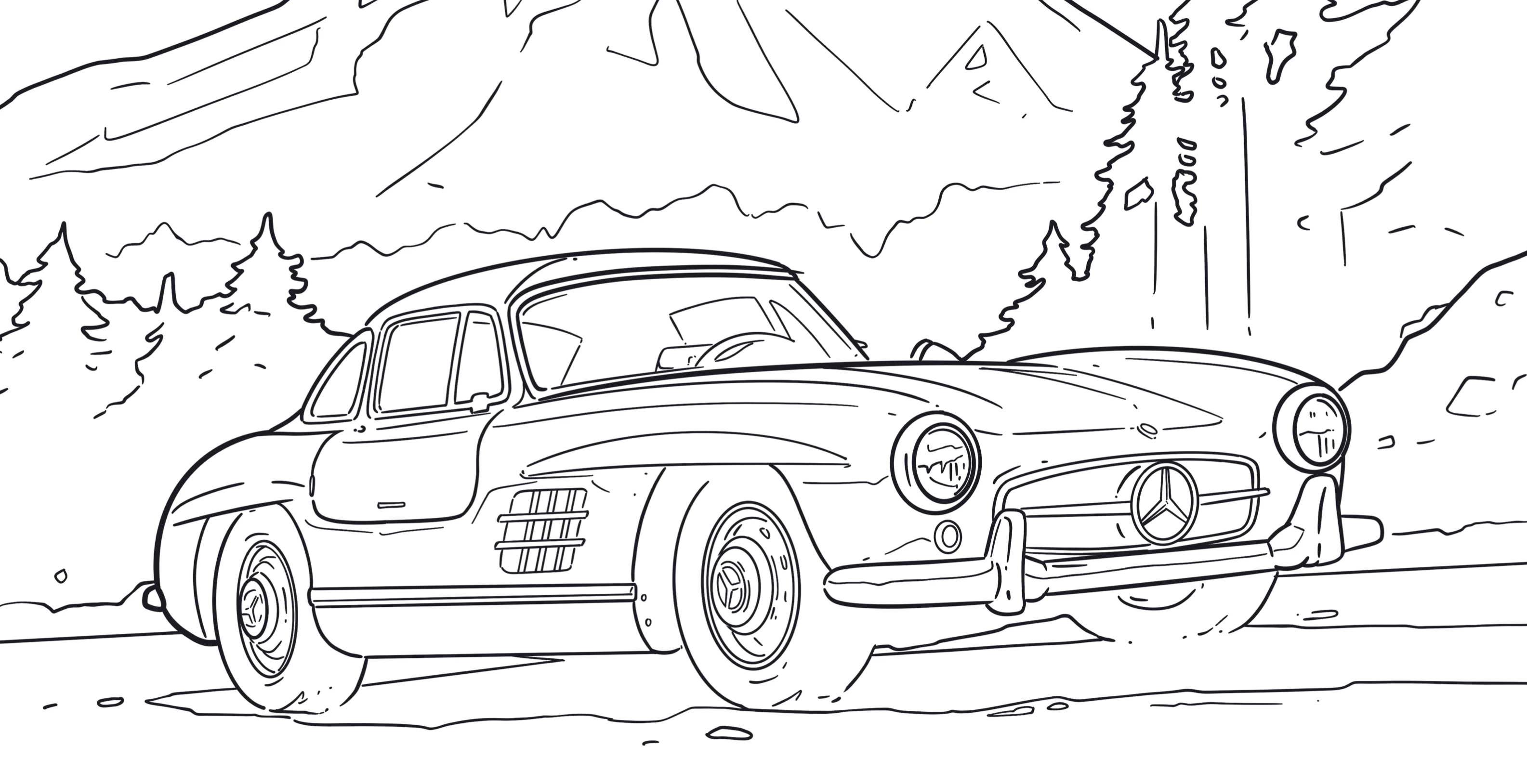
Mercedes Benz have offered a sketch book in PDF to colour in their cars. 


If i wanted to fill in the colours myself using Illustrator, how do i do it?

Thanks
 

This topic has been closed for replies.
Correct answer Ton Frederiks

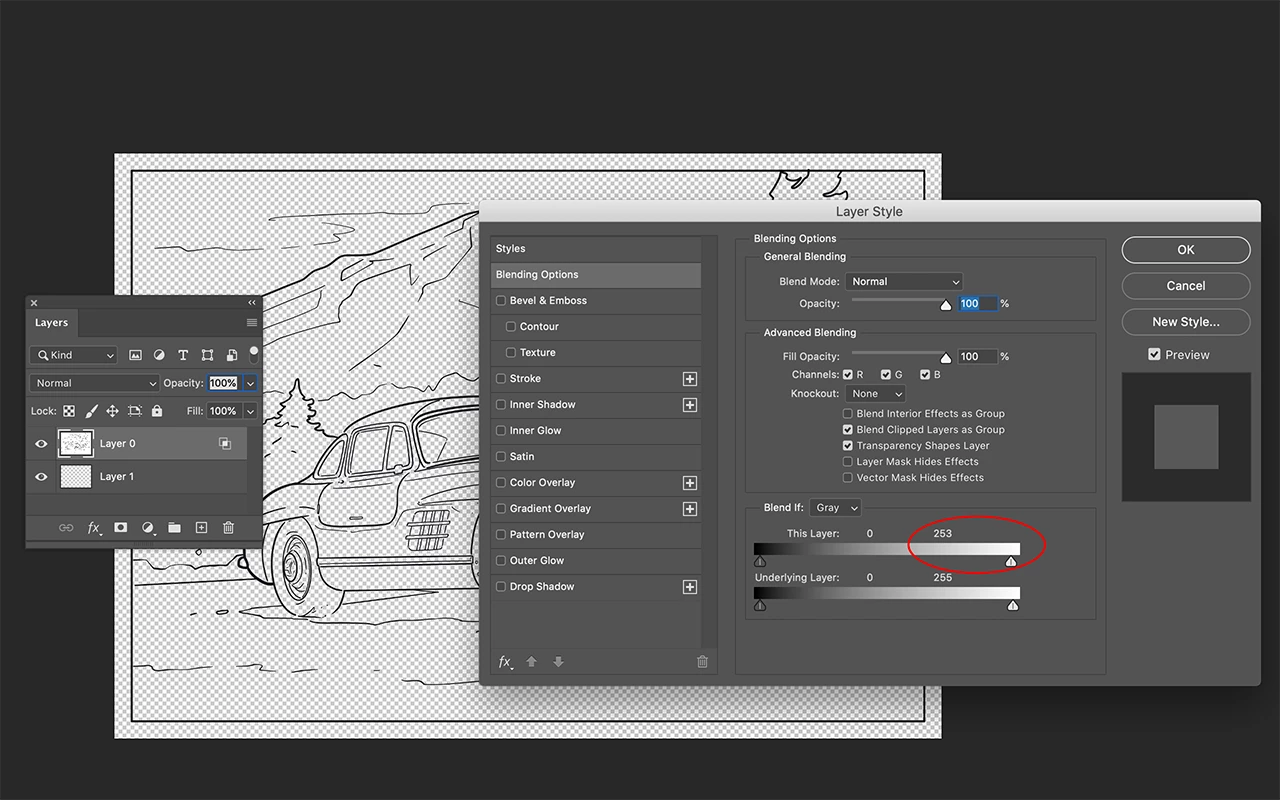
It is an image. To color in Illustrator you need to trace it, but you will lose some detail.

To color it in Photoshop:

In Photoshop, open the page as image.

To get rid of the white:

Unlock the background layer.

Create a new transparent layer below it.

Select the  car layer.

From the Layers panel choose Blending Options…

Move the right slider of This Layer a little to the left (254 or 253).

Click OK.

Choose Merge Down

Set the Car layer to Multiply.

Create a layer below it to add the color (and maybe another layer below that filled with white).

3 replies

Ton Frederiks
Community Expert
Ton FrederiksCommunity ExpertCorrect answer
Community Expert
April 22, 2020

It is an image. To color in Illustrator you need to trace it, but you will lose some detail.

To color it in Photoshop:

In Photoshop, open the page as image.

To get rid of the white:

Unlock the background layer.

Create a new transparent layer below it.

Select the  car layer.

From the Layers panel choose Blending Options…

Move the right slider of This Layer a little to the left (254 or 253).

Click OK.

Choose Merge Down

Set the Car layer to Multiply.

Create a layer below it to add the color (and maybe another layer below that filled with white).

HsalimAuthor
Participating Frequently
April 22, 2020

thank you Tom

Doug A Roberts
Community Expert
Community Expert
April 22, 2020

I would:


1. Lock the Mercedes layer.

2. Create a new layer beneath it.

3. Draw shapes to match the colour areas you want.

HsalimAuthor
Participating Frequently
April 22, 2020

Thank you Doug. Question - would that be too time consuming as there are plenty of shapes to do?

Doug A Roberts
Community Expert
Community Expert
April 22, 2020

It's not a suitable image for shortcuts like Live Paint as you would spend as much time closing gaps as you would creating shapes from scratch.


Whether it would be too time consuming is really up to you.

Monika Gause
Community Expert
Community Expert
April 21, 2020

Is it a vector drawing?

HsalimAuthor
Participating Frequently
April 21, 2020

it's a pdf copy.

Monika Gause
Community Expert
Community Expert
April 21, 2020

PDFs can contain both vector and pixel artwork. Which is it?