
New Participant
April 2, 2019
Question

How to convert a raster into a vector

  • April 2, 2019
  • 5 replies
  • 3934 views

Hello,

I'm an entry level Graphic Designer and recently I made a Packaging label for a Spice company.

However, when they were trying to print the label some of the items were missing and they've requested me to send all the files in vector format. I made the label in Illustrator and used an image as a background for the label.
I'm not sure how to convert that into vector. I've uploaded the pictures of the files below.
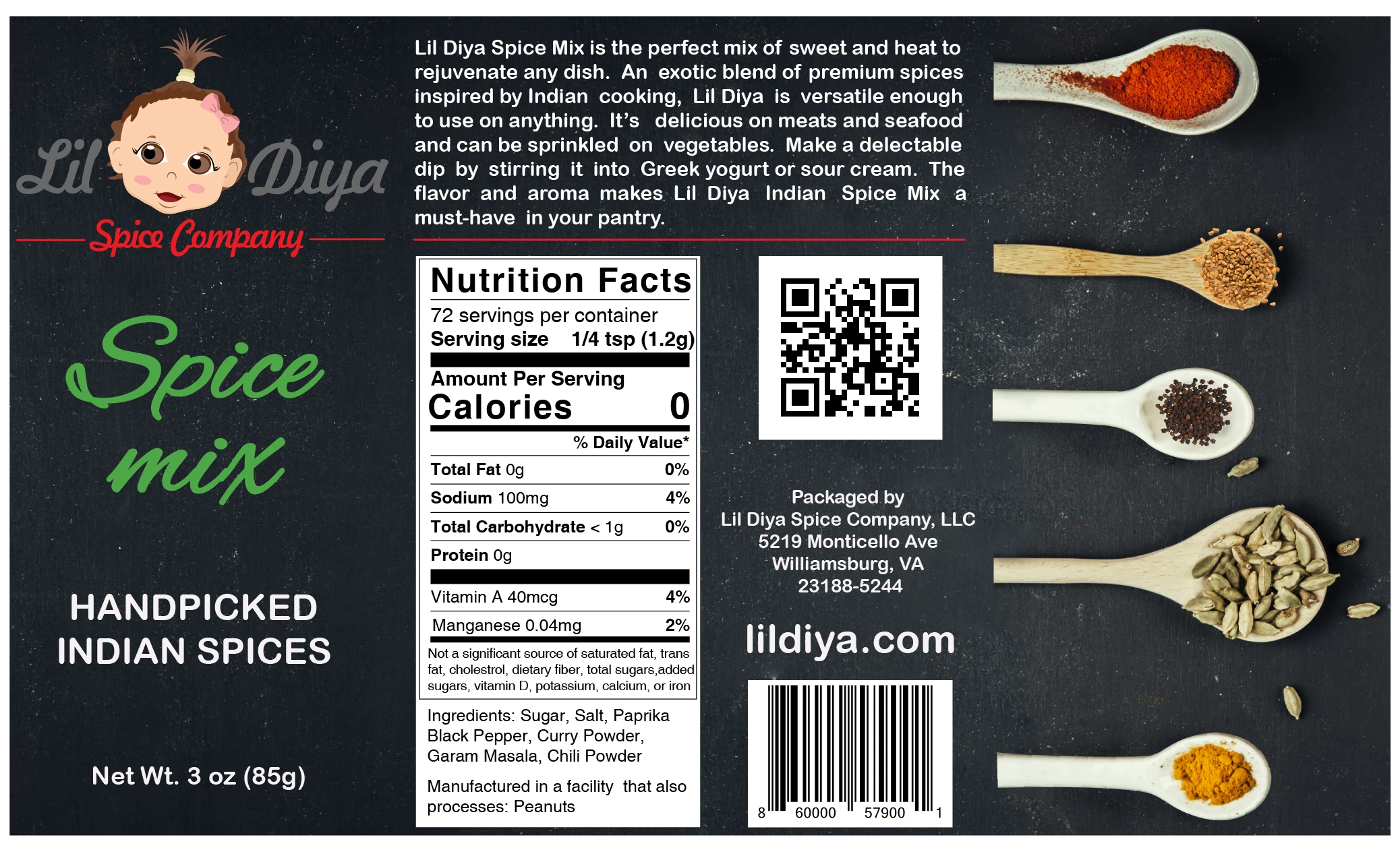
This was the original design.
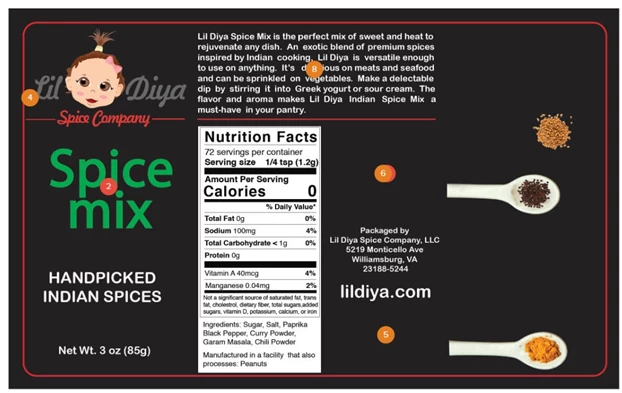
This is how it turned up when they tried to print the label.

I' not sure what did I do wrong and how do I correct this. I watched a couple of tutorials on how to convert raster to vector, however they gave very little information on converting colored objects and most importantly a label which was designed using ai.
I can help you with the ai file as well if necessary. Any help would be appreciated. Many thanks!

This topic has been closed for replies.

5 replies

Monika Gause
Braniac
April 2, 2019

When sending a PDF with embedded fonts everything is fine provided the printing company uses a PDF based workflow.

If they don't and instead open the PDF in Illustrator, Corel Draw or whatever vector app, they might end up with what they got there.

Participating Frequently
April 2, 2019

Recommend assemble in Illustrator or InDesign.

Before sending to Printer:

File>Package which will collect assets, fonts, etc.

*Adobe Fonts (Typekit) are in the cloud not collected in folder.

Package InDesign projects for printing & sharing |

Include High-Quality PDF

lambiloon
Inspiring
April 2, 2019

Hi eps file is known as vector file as common for all convert all fonts to outlines and lock the images which you used in label then all will be good.

Thank you

Ali Sajjad / Graphic Design Trainer / Freelancer / Adobe Certified Professional
Doug A Roberts
Braniac
April 2, 2019

lambiloon  wrote

Hi eps file is known as vector file as common for all convert all fonts to outlines and lock the images which you used in label then all will be good.

I don't think this is good advice. An EPS is not necessarily a vector file. You shouldn't need to convert fonts to outlines. Locking images won't make a difference to their availability.

John Mensinger
Inspiring
April 2, 2019

Those are photos of spoons and spices, and neither those nor the background can or should be "converted" to vectors. The person requesting that of you is incorrect. No one here can really guess why your (their) output went wrong in the ways it did without a lot more detail.

If you have access to all of Adobe CC, this composition would be better assembled and managed in InDesign.

Grant H
Inspiring
April 2, 2019

You won't be able to convert that raster into vector successfully. But if you created it in illy and exported correctly (PDF?) the vector files should have been honored. 

So can you describe your workflow.