
Question
How to Copy/paste a transparent image from Photoshop to Illustrator
Hi everyone,
I work with Photoshop and Illustrator simultaneously because I paint watercolor textures on Photoshop and I change colors and make patterns on Illustrator.
With older adobe versions I was used to paint with brush on photoshop, copy and paste on illustrator respecting all transparency of a watercolor stain for example.
But I updated the versions and now when I paste it, there's this white ground behind the whole area.
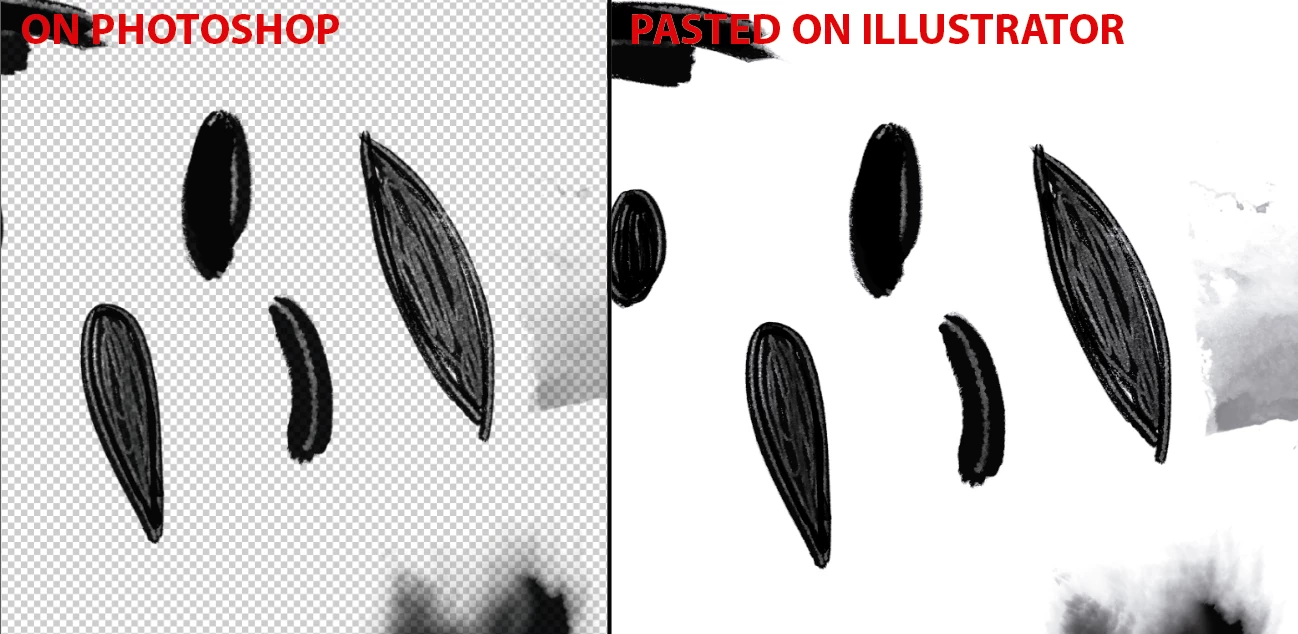
I already know that if you save that file on Photoshop as .psd .TIFF or .png and place it on Illustrator it respects the transparencies. But what I'm trying is to avoid that and save time with a shortcut I've been doing already. It should have a setting solution...
Thanks a lot!
Elena
 AdChoices