
Participating Frequently
July 5, 2017
Answered

How to copy paste screenshot (bitmap) to Illustrator without loosing image resolution?

  • July 5, 2017
  • 5 replies
  • 4109 views

Hi,

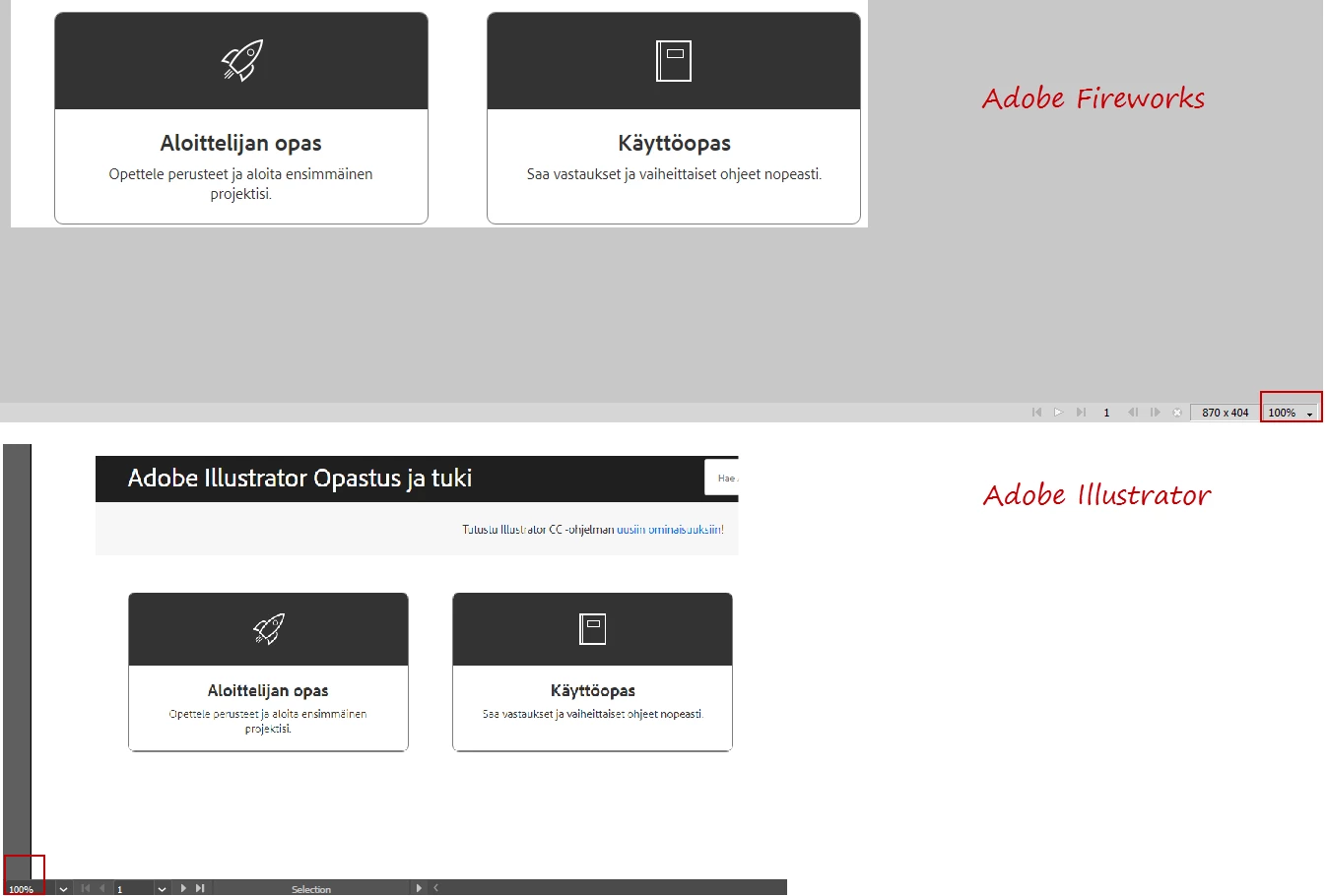
I've been using Adobe Fireworks for many years and now I'm trying to learn the Illustrator. When I copy paste bitmap to Fireworks (for example screenshot) the pasted image looks in the Fireworks exactly the same as the on the original screenshot. But when I paste the same image to Illustrator the quality of the pasted image is lousy. See the comparison from the attached image. The zoom level is 100% in both. How should I paste screenshot to Illustrator without loosing the quality or is this even possible?
    This topic has been closed for replies.
    Correct answer Ton Frederiks

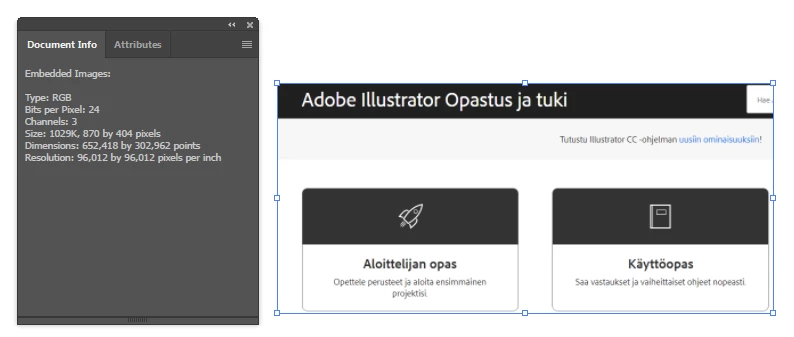
    Thanks! In my example that looks like this.


    That shows your original image pixel size is 870 X 404 pixels.

    it also shows that it has been scaled to 652,418 X 302,962 points (which is the same as pixels in Illustrator).

    If you want to have the original size:

    Select the image

    In the Transform panel constrain the W and H Proportions.

    Type 870 for the Width.

    5 replies

    Participant
    November 4, 2021

    I WANT TO COPY THE SHORT CUT LIST FROM LIGHTROOM 


    Monika Gause
    Community Expert
    Community Expert
    November 4, 2021
    quote

    I WANT TO COPY THE SHORT CUT LIST FROM LIGHTROOM 


    By @danl86755505


    And what keeps you from doing it?

    Legend
    July 5, 2017

    Actually many people find that Photoshop is out of step with their expectations too, and cannot accept it is working properly. This happens with retina/high definition screens. Personally I can't understand the unwillingness to just zoom. Is that such a weird thing to do?

    Legend
    July 5, 2017

    Your experience is narrow I fear. This is exactly the point I was making about expectations of 100%.

    helisAuthor
    Participating Frequently
    July 5, 2017

    Thanks! It looks like 150% in Illustrator matches quite closely to 100% in original screenshot. So yes, it looks like my expectation was incorrect .

    Legend
    July 5, 2017

    Zoom until it's exactly, exactly the same size as the original design. How does it look?

    Ton Frederiks
    Community Expert
    Community Expert
    July 5, 2017

    Maybe there is a difference in resolution?

    Is the size in pixels the same?

    Illustrator pastes as 72 ppi, pasting the same in Photoshop makes it 144 ppi.

    What happens if you scale it 50% in Illustrator?

    helisAuthor
    Participating Frequently
    July 5, 2017

    Thanks for your reply!

    If I scale my screen in Illustrator in 50% it looks like this (if this is what you meant).

    Can I change that 72ppi to bigger from some configuration parameter?

    helisAuthor
    Participating Frequently
    July 5, 2017

    And true, size is not the same in pixels. Illustrator makes it automatically smaller for some reason. Quite annoying. Could I somehow force Illustrator to keep the original size and thus remain the quality?