
Answered
How to create 3D effect?
Hey guys, how would I go about creating an effect like this in Illustrator? I know I could do the extrude filter but how would I create those colorful sections in each letter?
Thanks!


Hey guys, how would I go about creating an effect like this in Illustrator? I know I could do the extrude filter but how would I create those colorful sections in each letter?
Thanks!
Set Type
Effect >> 3D >> Extrude & Bevel
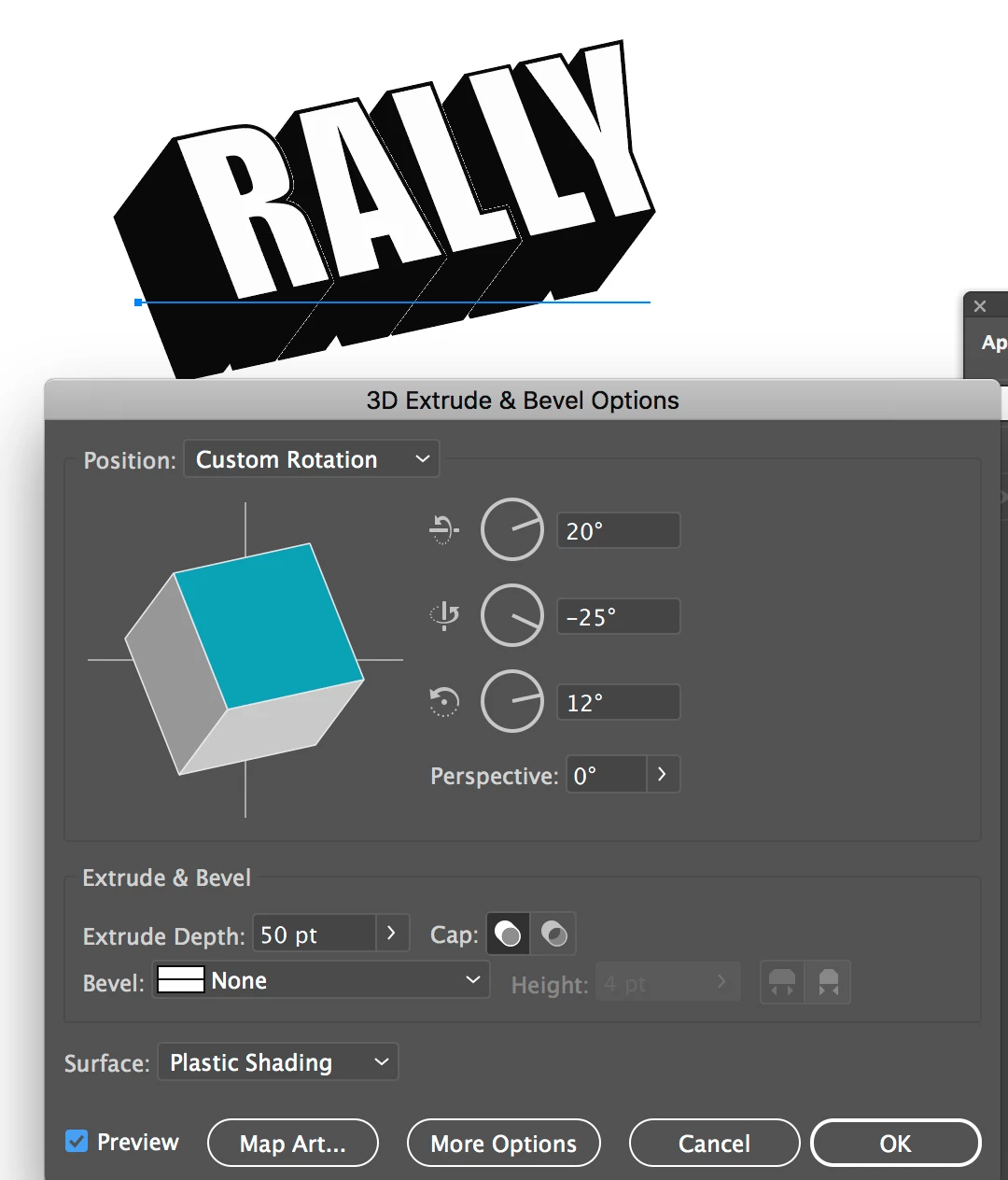
You will need outline type & expand effect and to do custom complex blend/cleanup/pathfinder of paths to get those shapes for the multiple. Not easy unless you are experienced Illustrator user.
You could do map art and use colored labels, but I find at end you run into issues as 3D extrude and Bevel is not great on complex projects.
Already have an account? Login
Enter your E-mail address. We'll send you an e-mail with instructions to reset your password.
 AdChoices