
Participant
March 18, 2025
Answered

How to create a colored strip following the top edge of irregular shapes?

  • March 18, 2025
  • 1 reply
  • 753 views

I'm designing a board game in Illustrator with uniquely shaped spaces (see attached images). I need to add a colored strip that precisely follows the top edge of each game space.

This is how I want one space to look, with a colored section at the top portion.

 

This is my overall board game layout for context.
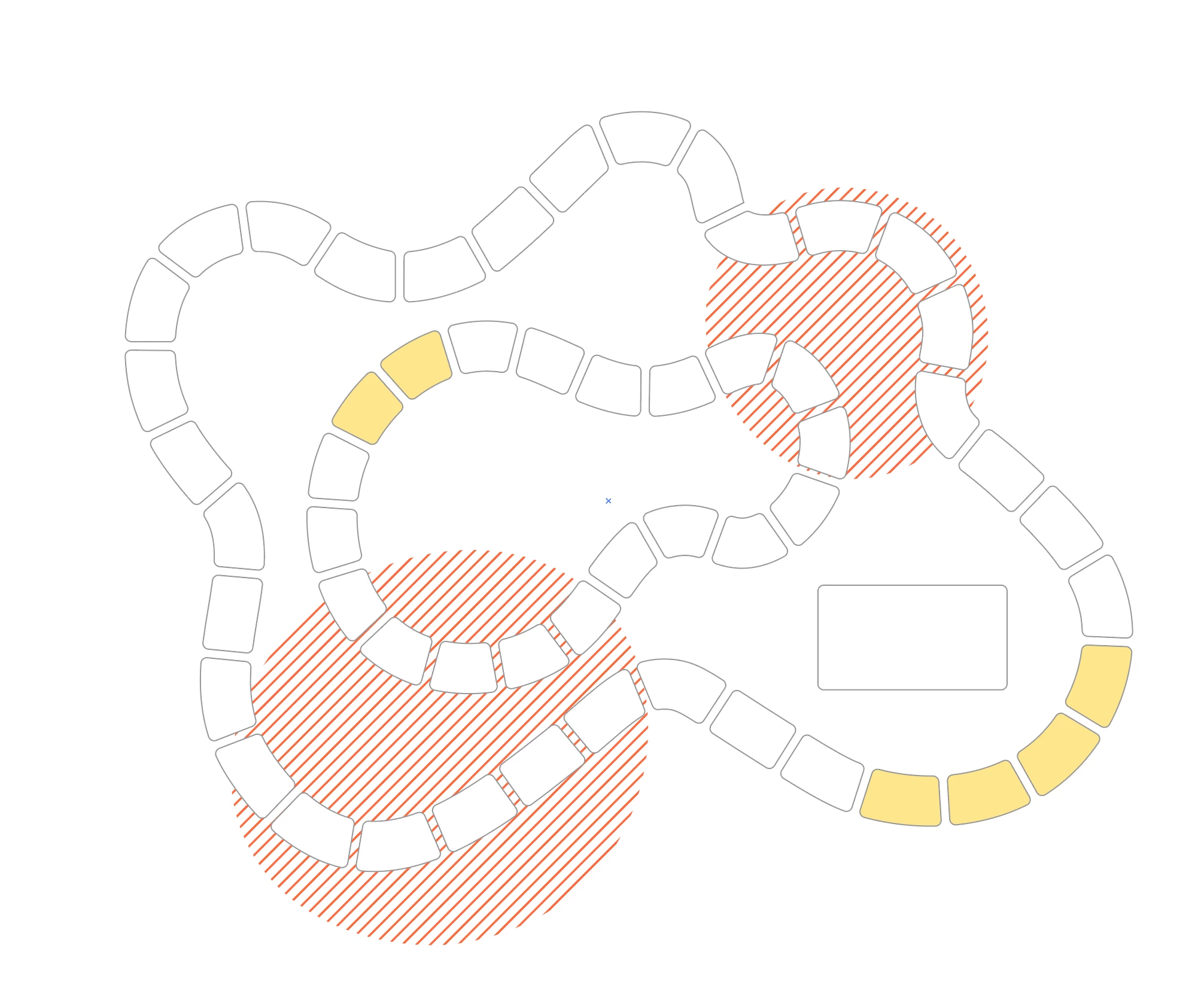


Is there an efficient way to create these strips that will automatically (or at least efficiently manualy) follow the contours of the top edges, considering each space has a unique shape?

Thanks for any suggestions!

Correct answer Monika Gause

Since you have already outlined the dashes of your stroke, I would do it like this:

https://youtube.com/shorts/Um5fqK1ng4I?feature=share 

1 reply

Monika Gause
Community Expert
Monika GauseCommunity ExpertCorrect answer
Community Expert
March 18, 2025

Since you have already outlined the dashes of your stroke, I would do it like this:

https://youtube.com/shorts/Um5fqK1ng4I?feature=share 

Participant
March 18, 2025

THANK YOU SOOOO MUCH!!!!😚
Also you are incredible, how you managed to help me in just 15 minutes!!!

Doug A Roberts
Community Expert
Community Expert
March 18, 2025

Iam using beta, is that the reason? Should i try to switch to the stable one then?
And im using the maccy clipboard history tool.


There is currently a bug in the Beta:

Pasted items automatically get deselected in Beta 29.5 35 – Adobe Illustrator


quote

Should i try to switch to the stable one then?


By @marianmares


This is generally a good idea unless you have a particular reason for testing Beta features.