
Participant
July 23, 2021
Answered
how to create a smaller inside outline of a shape
- July 23, 2021
- 1 reply
- 2307 views
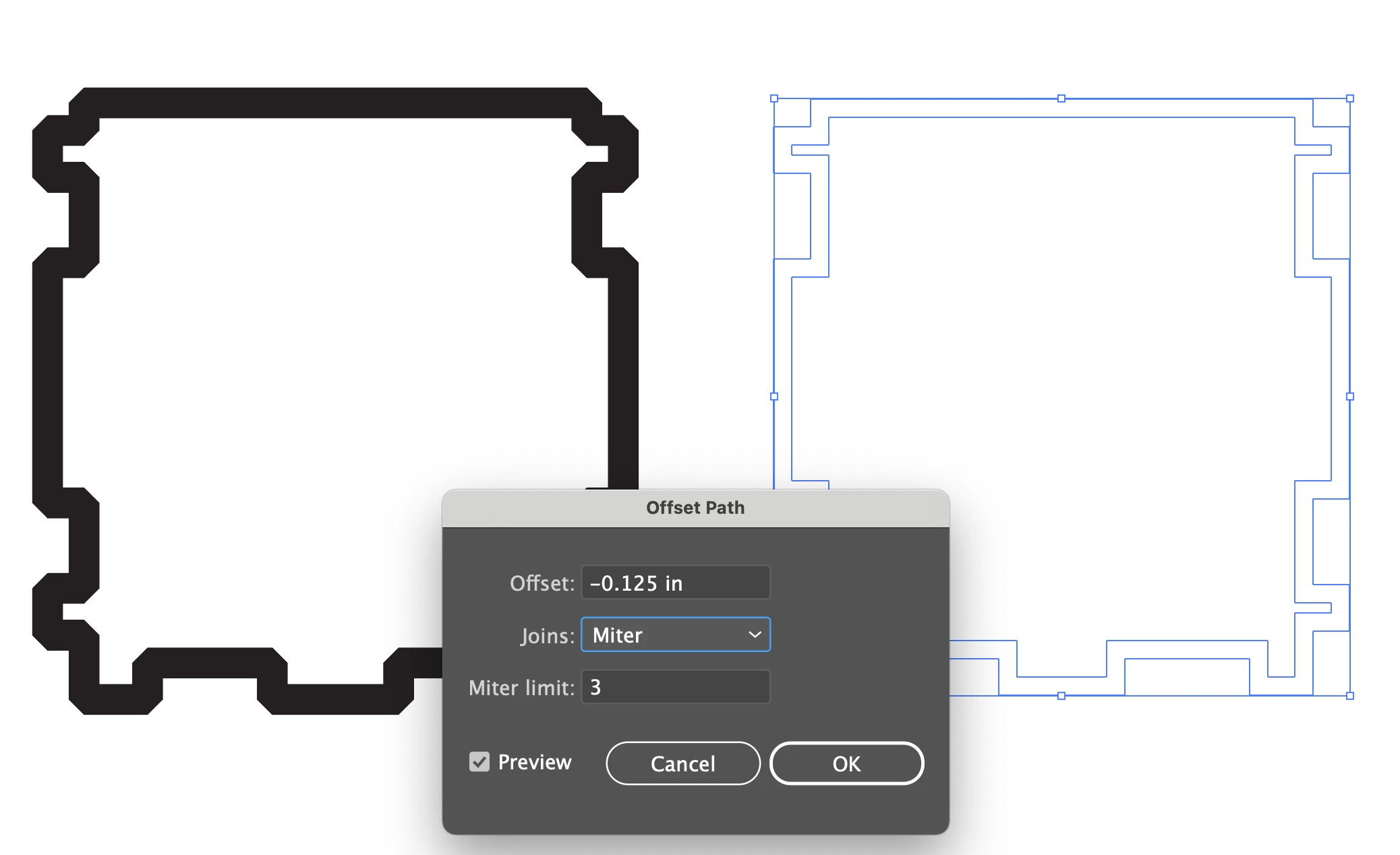
I am trying to create an "inside border" to a complex shape. Because it has many different tabs and recesses, I cannot simple copy the shape and shrink it.
If I make a copy, and then increase the stroke to 15 pt, the inside of that shape would work. But I don't know how to create an "inside outline" of that shape, or tranform it into a shape by itself. Can anyone help me?
 AdChoices