Participant
August 4, 2022
Answered

How to create custom stroke type or brush for architectural linetypes?

  • August 4, 2022
  • 4 replies
  • 2258 views

Hello, 


I tried to see if this has been asked on this forum before, but haven't found anything. I am trying to recreate several common architectural linetypes that exist in CAD. I know the concept of "linetypes" doesn't have a correlary in Illustrator, but hope you can understand what I mean. 


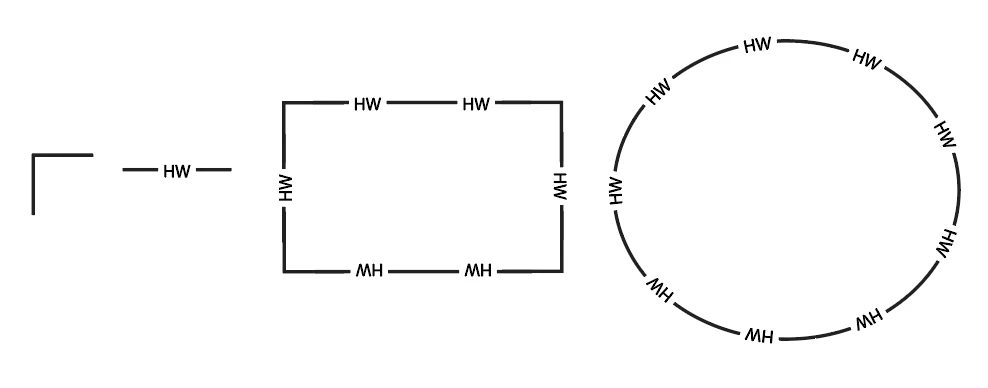
Here are some examples of linetypes (fenceline, gas line, etc.) that I'm trying to replicate in Illustrator:
This topic has been closed for replies.
Correct answer rcraighead

Here's one solution:


4 replies

rcraighead
rcraigheadCorrect answer
Legend
August 4, 2022

Here's one solution:


Participant
August 4, 2022

That's very nice, thank you! Exactly what I need. Is that a pattern brush or a different brush type?

rcraighead
Legend
August 4, 2022

Yes, pattern brush. You can duplicate it to make the other paths you need. The PDF should be AI compatible.


Kurt Gold
Community Expert
Community Expert
August 4, 2022

You may try to create custom pattern brushes instead of scatter brushes.


Depends on the desired output.


Participant
August 4, 2022

It seems that the rest of my post was cut off. Here's what I've been able to accomplish by applying a custom "scatter brush" to a polyline. I am close to what I want, but you'll see the corners aren't "wrapping" at the anchor points. 

Any suggestions on a better approach?

Participant
August 4, 2022