



Admirable_Echo5CFC
Known Participant
May 21, 2020
Answered

How to delete extensions from Illustrator?

  • May 21, 2020
  • 2 replies
  • 6713 views

Hi Guys

In Illustrator I came to Window --> Extensions --> list of extensions
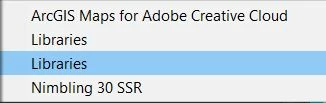
 
And see a list of extensions. 
Can't understand what this extension for?
Libraries. 
Is it possible to delete it?
 
Thank you in advance.
 
This topic has been closed for replies.
Correct answer Charu Rajput

Hi,

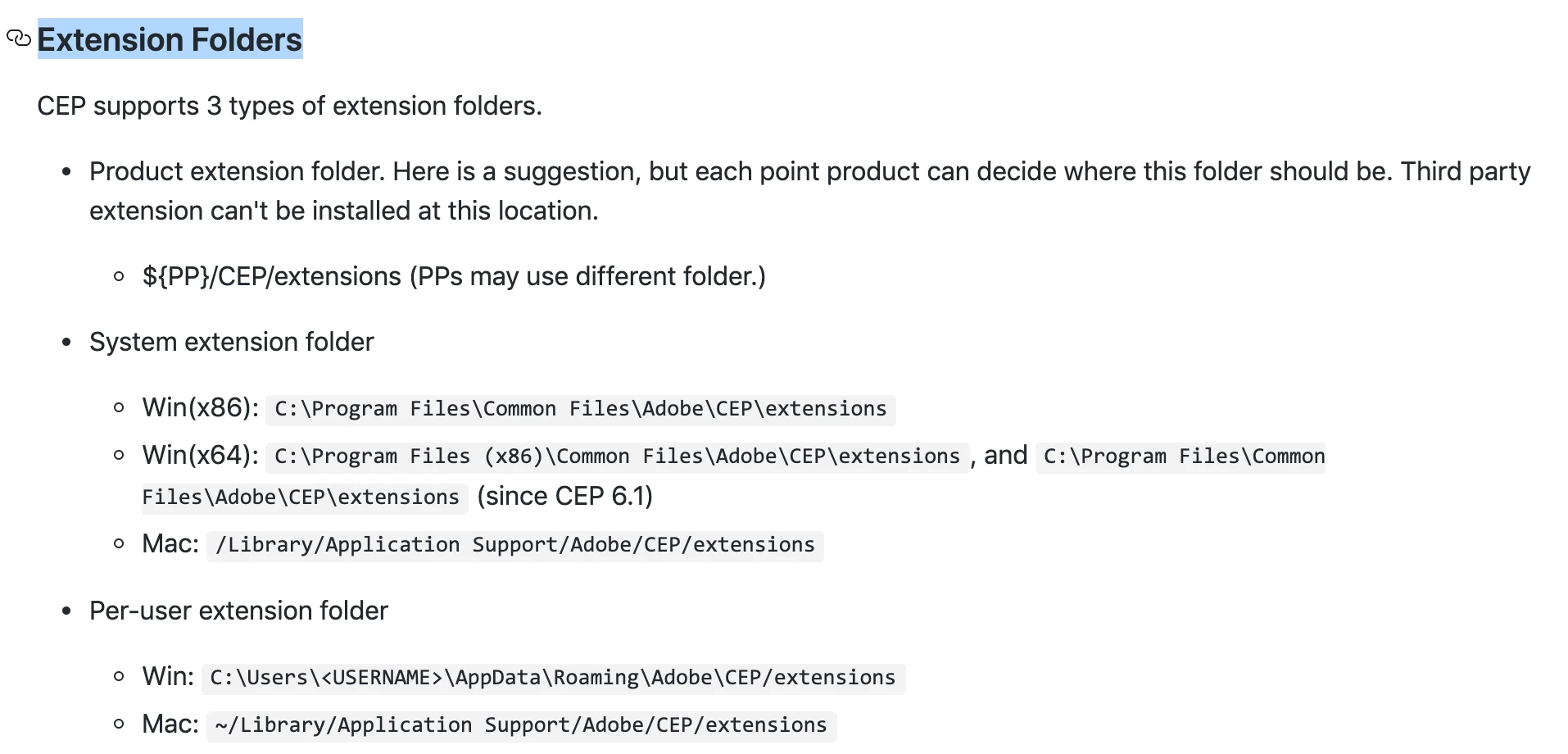
You can refer below screenshot where extensions are installed. And remove the extensions that are not required


Also, Libraries extension is inbuilt extension of Illustrator where you can create your own library that is stored on Cloud. I am not sure why would you like to remove this extension. Is there any specific reason for removing this?


2 replies

Randy Hagan
Community Expert
Community Expert
May 22, 2020

I'd strongly recomend that you don't do that.


Illustrator, like many other Adobe programs, were designed as extensible programs developed over a small core of basic functions. A lot of the "extensions" you're seeing as you peek under the hood are actually native Illustrator tools and functions. Dumping those functions will literally cripple your Illustrator installation, and can potentially make the program unstable.


Please. I strongly recommend you don't do that.

Admirable_Echo5CFC
Known Participant
May 22, 2020

Thanks for your advice.

I will not.

Charu Rajput
Community Expert
Charu RajputCommunity ExpertCorrect answer
Community Expert
May 21, 2020

Hi,

You can refer below screenshot where extensions are installed. And remove the extensions that are not required


Also, Libraries extension is inbuilt extension of Illustrator where you can create your own library that is stored on Cloud. I am not sure why would you like to remove this extension. Is there any specific reason for removing this?


Best regards
Admirable_Echo5CFC
Known Participant
May 22, 2020
Thank you for answering. Very helpful.
There was no reason for removing this.
I just didn't know what they are for. And wanted to clean a bit.
There is a screenshot from extensions folder.
 
Charu Rajput
Community Expert
Community Expert
May 22, 2020

You're welcome 🙂

Best regards