
Participant
November 17, 2020
Answered

How to divide a rounded/irregular shape into two equal areas

  • November 17, 2020
  • 2 replies
  • 783 views

Hi everyone,

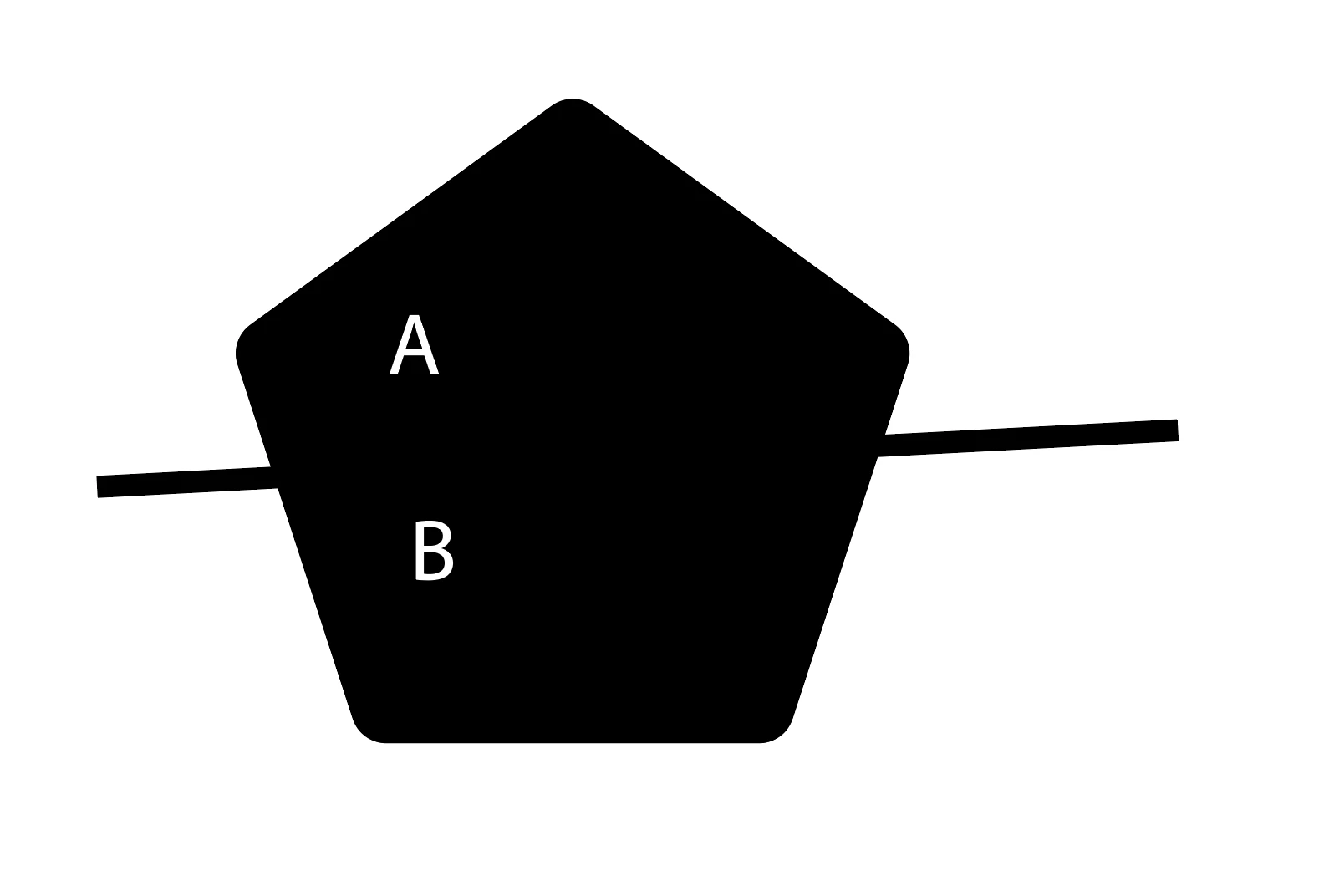
I have a question about how to divide a shape into two equal areas. The divided shapes are not the same shape.

I want to divide them with a specific angle path. The polygon is a rounded shape.  Area A must equal Area B. Which tool is most accurate?  Please tell me step by step as I am not familiar with adobe software. Thank you so much for your help!  Much appreciate! Which tool is most accurate?
This topic has been closed for replies.
Correct answer Jacob Bugge

Elston,


You can, temporarily switching to stroke/nofill to see what you are doing, and Smart Guides being your friends:


First you need the centre of the rounded pentagon.


0) If it is a live shape, you can just Show Center in the Attributes palette and see it.


Otherwise you can:

1) Select the shape and Ctrl/Cmd+C+F to create a copy in front;

Then

2a) Object>Path>Average (with the default Both); this will give the true centre (as a blob with an Anchor Point at the centre unless the rounding is live/effect);

Or

2b) Use the Circumcircle script (by 佐藤浩之, Satō Hiroyuki) see link below, then Show Center in the Attributes palette;

Or

2c) Do it some other way.


Then you can just ClickDrag the line (reduce the Stroke Weight) by (close to) its midpoint to snap to the centre determined above and Object>Path>Divide Objects Below.


http://shspage.com/aijs/en/


2 replies

Jacob Bugge
Community Expert
Jacob BuggeCommunity ExpertCorrect answer
Community Expert
November 17, 2020

Elston,


You can, temporarily switching to stroke/nofill to see what you are doing, and Smart Guides being your friends:


First you need the centre of the rounded pentagon.


0) If it is a live shape, you can just Show Center in the Attributes palette and see it.


Otherwise you can:

1) Select the shape and Ctrl/Cmd+C+F to create a copy in front;

Then

2a) Object>Path>Average (with the default Both); this will give the true centre (as a blob with an Anchor Point at the centre unless the rounding is live/effect);

Or

2b) Use the Circumcircle script (by 佐藤浩之, Satō Hiroyuki) see link below, then Show Center in the Attributes palette;

Or

2c) Do it some other way.


Then you can just ClickDrag the line (reduce the Stroke Weight) by (close to) its midpoint to snap to the centre determined above and Object>Path>Divide Objects Below.


http://shspage.com/aijs/en/


ElstonLyhAuthor
Participant
November 17, 2020

Hi everyone,

I have a question about how to divide a shape into two equal areas. The divided shapes are not the same shape.

I want to divide them with a specific angle path. The polygon is a rounded shape.  The area A must equal to Area B. Thank you so much for your help!  Much appreciate!


[ locked by moderator (double post) ]

see: How to divide a rounded/irregular shape into two equal areas 

Peru Bob
Community Expert
Community Expert
November 17, 2020

What Adobe application are you using so that this can be moved to the proper forum for help?

ElstonLyhAuthor
Participant
November 17, 2020

AI I guess.Thank a lot