Participant
August 18, 2019
Question

How to draw outline in Illustrator?

  • August 18, 2019
  • 4 replies
  • 11761 views

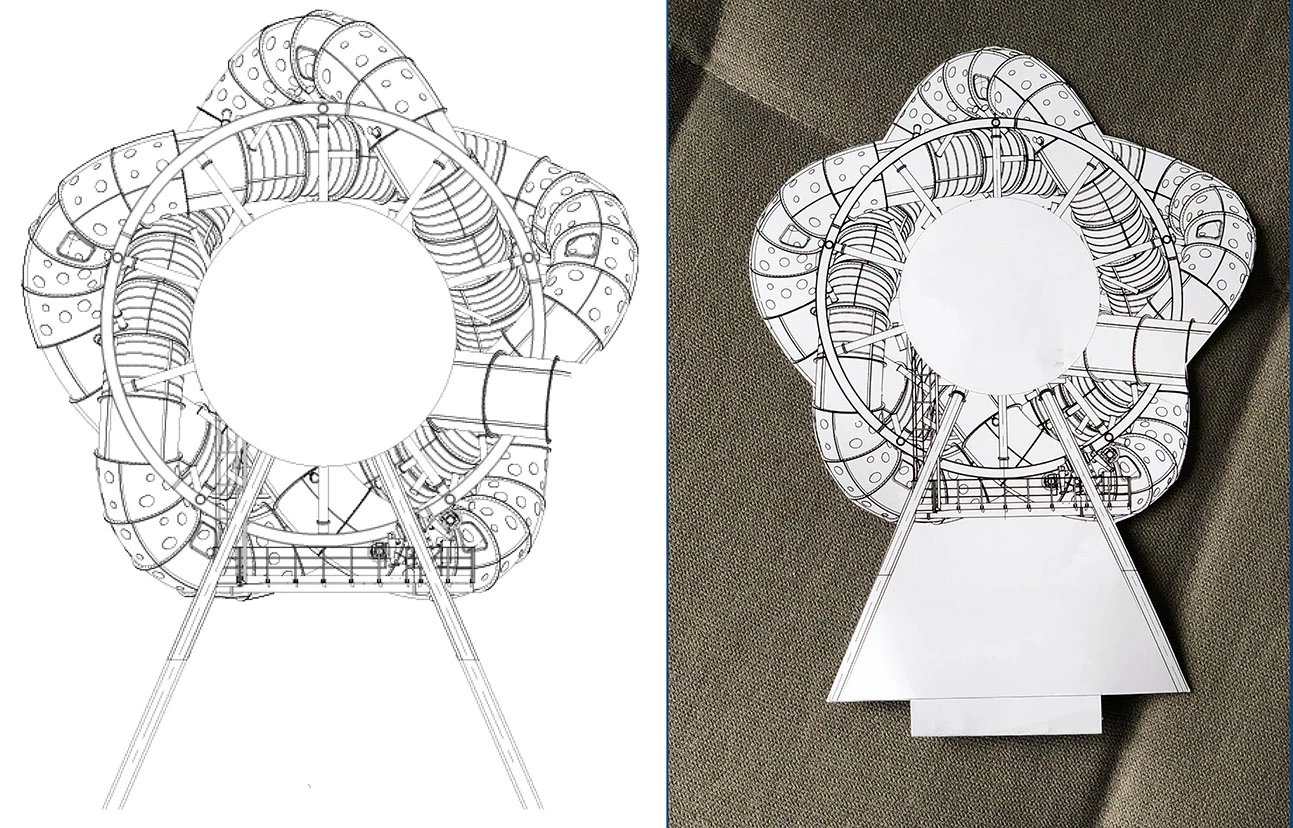
I need to draw an outline (for the laser cut) in Illustrator to cut the file, make it look like the picture on the right. Does anyone know how to do this, or could help me?

This topic has been closed for replies.

4 replies

Peter Villevoye
Community Expert
Community Expert
August 18, 2019

A few simple steps will give you an outline as precise as your original is.

First, close any obvious gaps in (a copy of) the original bitmap (red stripes).

Next, let Illustrator trace it into a stacked collection of black and white parts.

Expand the Trace object into real shapes.

Then (after some ungrouping or selecting in isolation mode) select the outer outline:

Copy and paste it, and if necessary use a Path Offset to create extra width.

Finally, position it around your original drawing.

Anna Lander
Inspiring
August 18, 2019

1. If it's drawn on paper, scan the image with Hi-Res, prepare it in Photoshop (Brightness, contrast etc.). If it's a raster image, just prepare it. Import to Illustrator. I don't think you need to trace the image, this operation generally decreases the image quality.

2. If it's a vector drawing, open it in Illustrator.

3. Using Pen tool (How to draw with the Pen, Curvature, or Pencil tool in Illustrator ) draw the outline.

4. Ask cutting service for their requirements dor the file organization (I mean, if they want a specific color for this outline, putting it on separate layer etc.).

5. Finally prepare the file and send.

manal shanableh
Legend
August 18, 2019

you can use pen tool, for pencil tool if are good in free hand drawing.

But if you have already draw it with hand, you can scan it with high resolution, place it, trace and expand.

Ares Hovhannesyan
Community Expert
Community Expert
August 18, 2019

Here you can find solution how to make sticker in Ai. Make a Die-Cut Sticker with Adobe Illustrator | Create  It shows how to create outline in Ai .