

strongerty
Participant
July 2, 2020
Answered

how to edit gradient on compound path

  • July 2, 2020
  • 1 reply
  • 475 views

Hi

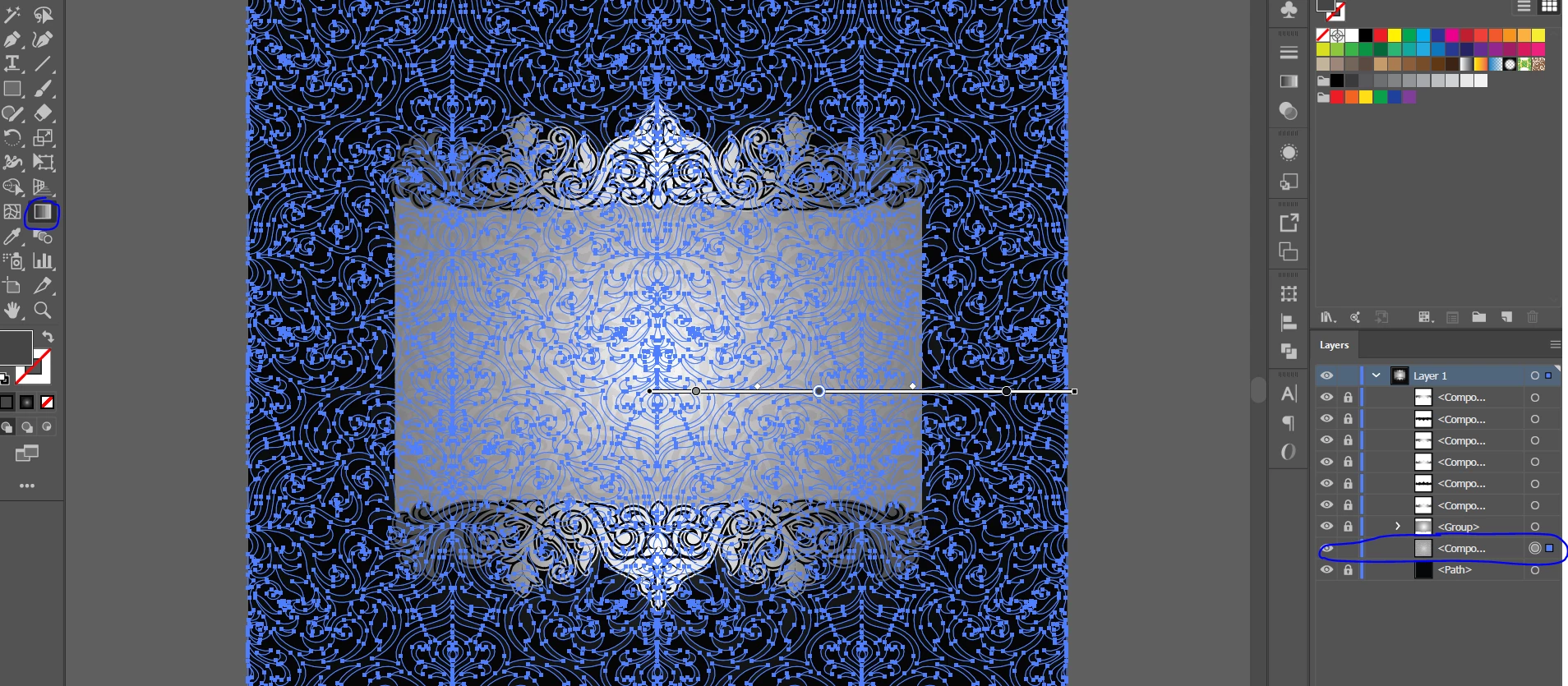
I have a pattern with radial gradient on it and when I select it the outllines and the anchors interapt me from editing the gradient

how can I hide it in order to see what i'm editing

see screenshot attached
This topic has been closed for replies.
Correct answer Monika Gause

View > Hide edges

1 reply

Monika Gause
Community Expert
Community Expert
July 2, 2020

Object > Hide > Selection

strongerty
Participant
July 2, 2020

thanks but it's not what I ment

I don't want to hide the layer

I just want to edit the gradient on it without seeing this blue anchors and lines

Monika Gause
Community Expert
Monika GauseCommunity ExpertCorrect answer
Community Expert
July 2, 2020

View > Hide edges