
Participating Frequently
October 29, 2015
Answered

How to expand a dashed line using an extendscript?

  • October 29, 2015
  • 1 reply
  • 857 views

In Illustrator, there is a very useful function Object > Expand which allow to use the eraser tool on a dashed line without shifting dashes everytime the line is cut.
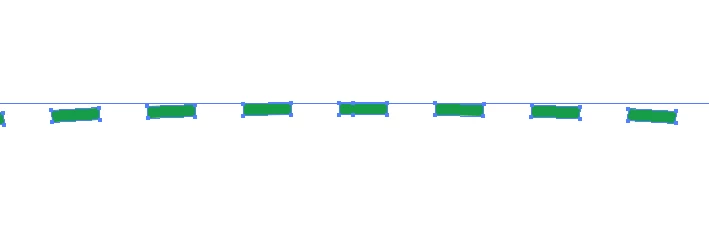
I want to do the same job than the Expand function, but using javascript.

Is there a simple way to do that?

Or do you know how to separate each dash to a simple pathItem from the pathItem of the whole line?

This topic has been closed for replies.
Correct answer Disposition_Dev

if you're using CS6+, you can use:

app.executeMenuCommand('expandStyle');

app.executeMenuCommand('Expand3');

i played around a little bit trying to turn off the dialog box.. but i've never had much luck with that.

Another option is to simply create an action that performs "Expand Appearance" and "Expand". You can turn off the dialogs in the actions panel. then you can run the action from your javascript like so:

app.doScript('NameOfAction', 'NameOfSet');

1 reply

Disposition_Dev
Disposition_DevCorrect answer
Legend
October 29, 2015

if you're using CS6+, you can use:

app.executeMenuCommand('expandStyle');

app.executeMenuCommand('Expand3');

i played around a little bit trying to turn off the dialog box.. but i've never had much luck with that.

Another option is to simply create an action that performs "Expand Appearance" and "Expand". You can turn off the dialogs in the actions panel. then you can run the action from your javascript like so:

app.doScript('NameOfAction', 'NameOfSet');

Participating Frequently
October 29, 2015

OK, thanks, I didn't know this useful function app.executeMenuCommand.

What a pity the dialog box of Expand can't be turned off. I wanted to script that in order to do this operation completely transparently for the user.

Disposition_Dev
Legend
October 29, 2015

the dialog box probably can be turned off. i just have never had much need for it, so i'm not 100% clear on it's usage and limitations. I'm sure one of the much much smarter people in this community can help with that issue. As i said though, you can use an action to perform the task, and the actions panel does give you the option to turn off the dialog.