
Participant
September 9, 2009
Question

How to export to JPG only what fits inside the actual page?

  • September 9, 2009
  • 3 replies
  • 53972 views

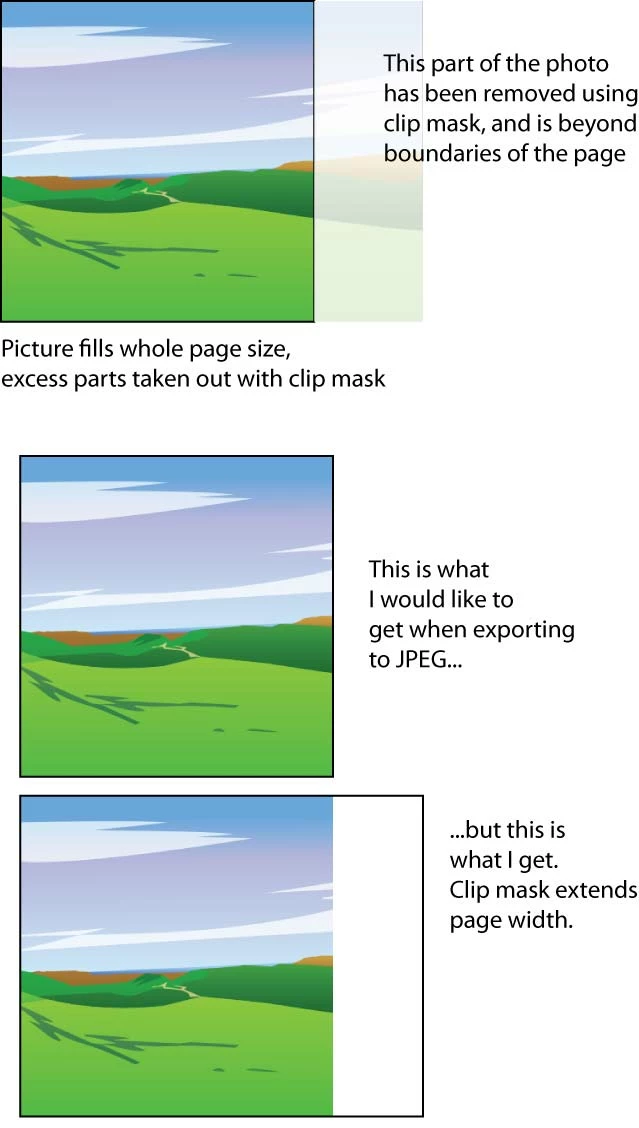
When I export Illustrator drawing to JPG, Illustrator also includes objects which are outside the page boundaries, which causes the resulting JPEG to be of a different size than the actual page. This is very frustrating if there is a clip mask cropping out excess of a photo.

Image below should hopefully clarify my issue:
    This topic has been closed for replies.

    3 replies

    Participant
    June 22, 2016

    Open your Illustrator file in Photoshop and save it in JPG format

    Jacob Bugge
    Community Expert
    Community Expert
    September 10, 2009

    torput,

    You may perform the normally destructive deed:

    1) Create a rectangle covering the desired part (stroke, no fill makes it easier);

    2) Select both and Object>Clipping Mask>Make;

    3) In the Transparency palette dropdown, select anything bu normal;

    4) Object>Flatten Transparency (no need to change options).

    4) should get rid of the outlying parts for you.

    Participant
    September 26, 2014

    Thank you, Jacob Bugge! Your solution solved the problem I came here for. Very sophisticated that transparency flattening.

    Jacob Bugge
    Community Expert
    Community Expert
    September 26, 2014

    You are welcome, hungrywave.

    PrepressPro1
    Legend
    September 9, 2009

    Select your mask and double click on the Crop Area tool, or if in CS4 the Art Board tool from the options pull down select Fit Crop Area to Selected Art. Now try to export your jpg.

    torputAuthor
    Participant
    September 9, 2009

    My presets menu doesn't have that option? Only Fit Artboard to Artwork Bounds and Fit Artboard to selected art.

    After activating the Artboard tool correct portion of the image is shown.

    PrepressPro1
    Legend
    September 9, 2009

    Well then I guess you're working in CS4?

    It would be Fit Artboard to selected art. Then export.