
Known Participant
April 4, 2021
Answered

How to fill a compound path

  • April 4, 2021
  • 2 replies
  • 3939 views

Hi


I am trying to fill a compound path I created out of the rounded rectangle and the inner squiggly rectanlge. I made them a compound path. But when I try to fill it the whole rectanlge gets filled and I only want the space between the two lines filled. I select the compound path. Any help would be appreciated.
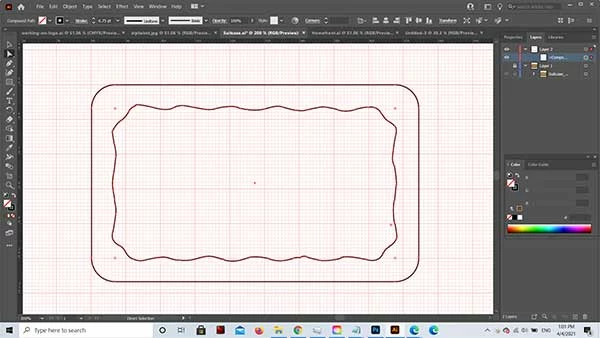
thanks

Rebecca

This topic has been closed for replies.
Correct answer ZooN_

Hi Rebecca!


Try selecting both objects then use the Exclude pathfinder operation on them. If this doesn't help, you can upload the vector file here and I'm happy to take a look to see if there is anything wrong with the shapes.


Have you checked to make sure there are no overlapping (duplicate) paths in either object?

2 replies

Ton Frederiks
Community Expert
Community Expert
April 4, 2021

Try selecting the inner path with the Direct Selection tool and choose Object > Path > Reverse Path Direction.

ZooN_Correct answer
Inspiring
April 4, 2021

Hi Rebecca!


Try selecting both objects then use the Exclude pathfinder operation on them. If this doesn't help, you can upload the vector file here and I'm happy to take a look to see if there is anything wrong with the shapes.


Have you checked to make sure there are no overlapping (duplicate) paths in either object?

Known Participant
April 5, 2021

Hi


Turns out the problem was the copy and paste I had made of the inner path. I was following a tutorial which moved that afterwards. When I moved it first, and remade the compound paths, it worked. Thank you!