


Answered
How to find the top left point of tilted area text
Hello, I hope somebody can help 🙂
How can I define the top-left point in a TextType.AREATEXT, when it's tilted?
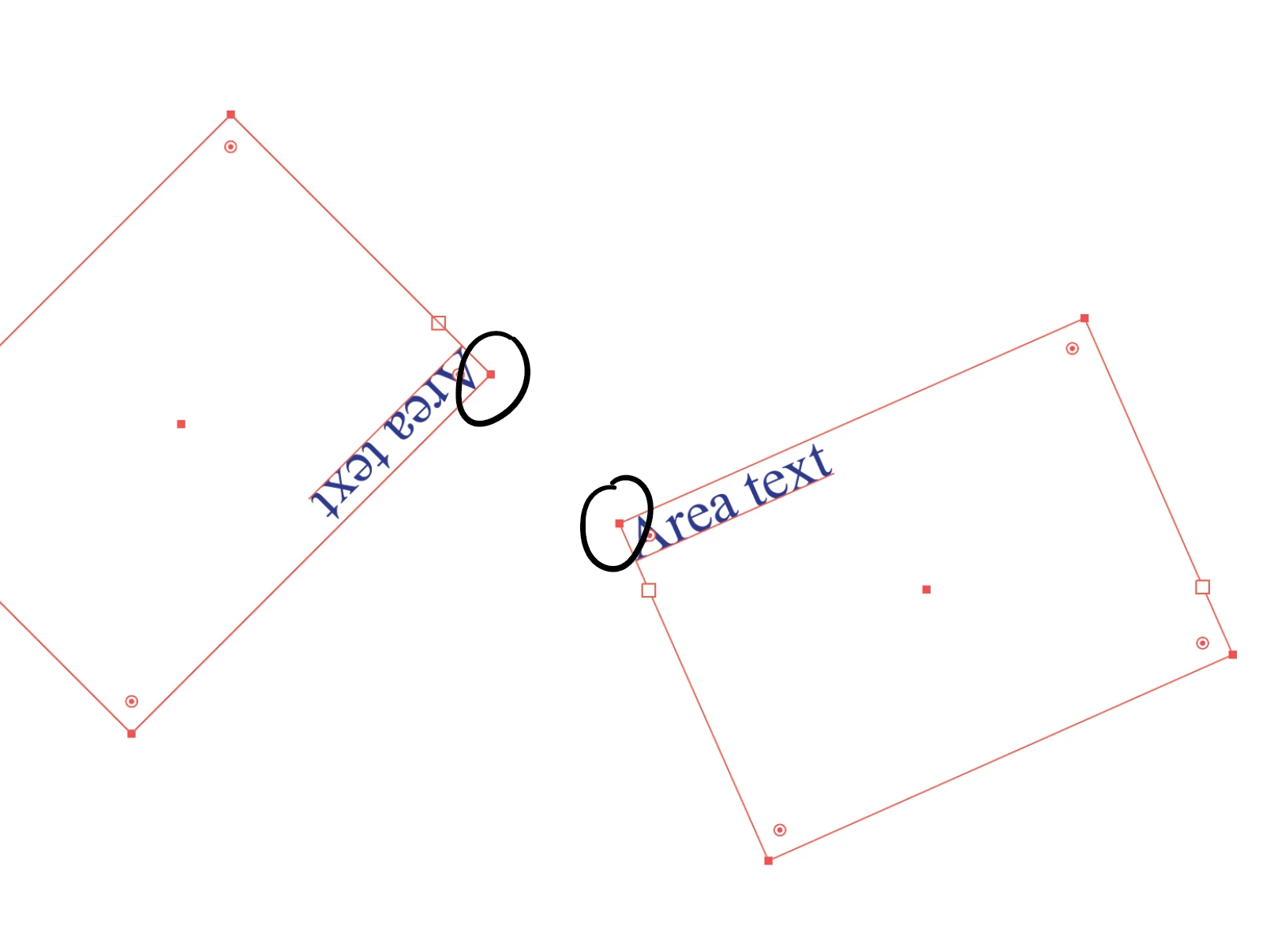

Hello, I hope somebody can help 🙂
How can I define the top-left point in a TextType.AREATEXT, when it's tilted?
the bounding box of an area text item is actually a pathItem, you can query any of their anchors position.
Anchor[0] is not always the top/left most anchor though, it depends on how the area text was drawn. It's not always clockwise either. So any of the four anchors could be the one you're looking for.
one way to find out the top/left anchor even if it is upside down is to convert a copy of the item to PointText, then find out it's anchor position and compare to the corner anchors for proximity.
var idoc = app.activeDocument;
var sel = idoc.selection[0];

var points = sel.textPath.pathPoints;

for (var a=0; a<points.length; a++) {
    alert(points[a].anchor);
}
Already have an account? Login
Enter your E-mail address. We'll send you an e-mail with instructions to reset your password.
 AdChoices