

Question
How to get more realistic look of our hair in illustrator?
Hello everyone,
For the past week I've posted several threads about encountering certain problems with illustrator and every thread recieved valuable directions & tips. I can't stress enough how grateful I am. With your help, I am at the finishing bit with my project, but there's still one thing that i can't figure out. How to bring up details this of haircut:
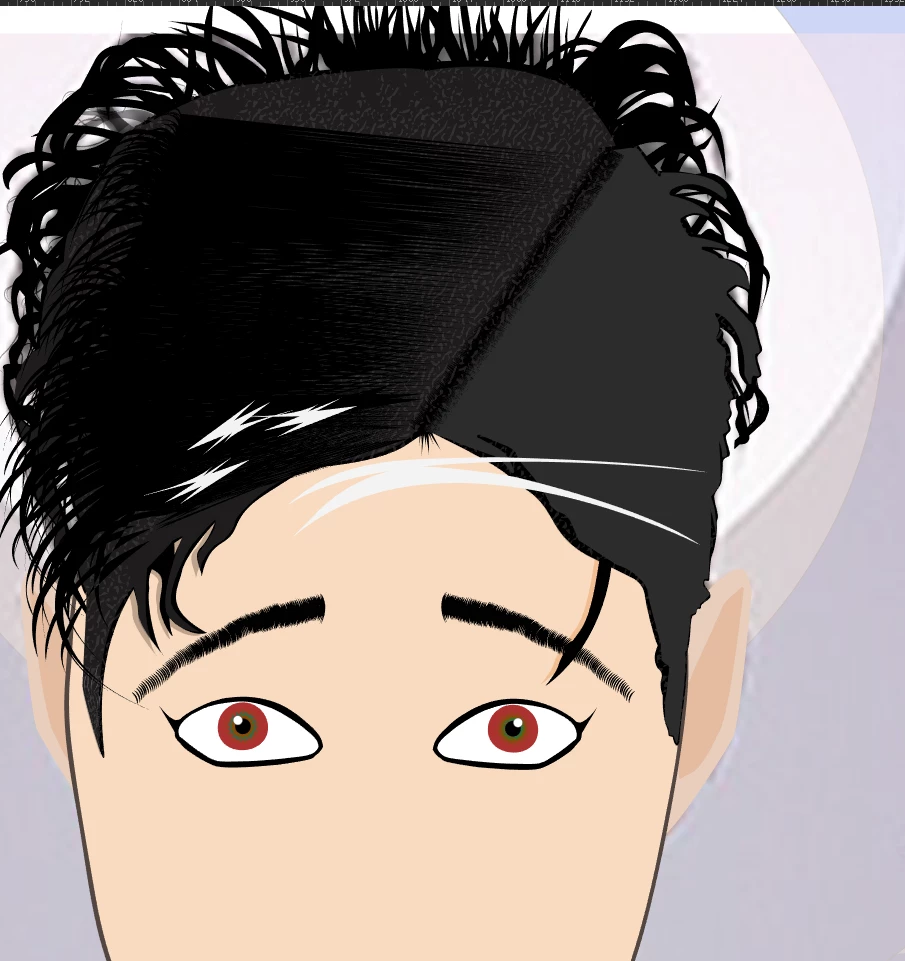
Is there a way to mix those layers and get more natural look?
I've tried different blending options, colours but those are not getting me anywhere close to my vision of this image.
As one of you suggested - i've simplified the basefor as much as i could, and it's now in only 2 paths:
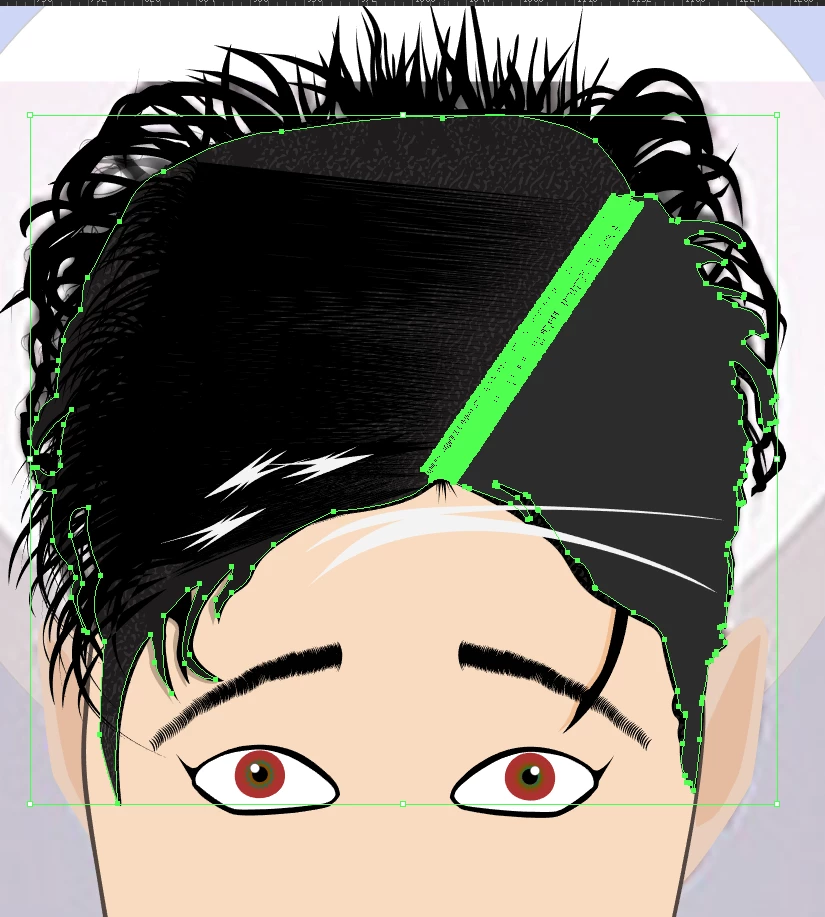
Grey layyer on the right is covering another grey layer that can be seen on the left (i just lowered the opacity for the above one).
Please, help me one last time. 
 AdChoices