
theterriblestidea
Participant
December 16, 2019
Answered

How to get uniform stroke outline from shape
  • December 16, 2019
  • 2 replies
  • 4686 views

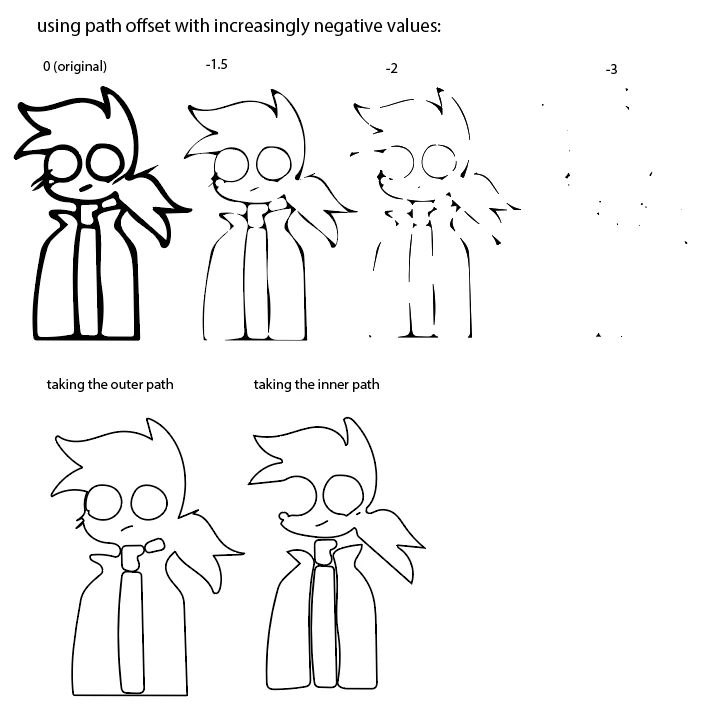
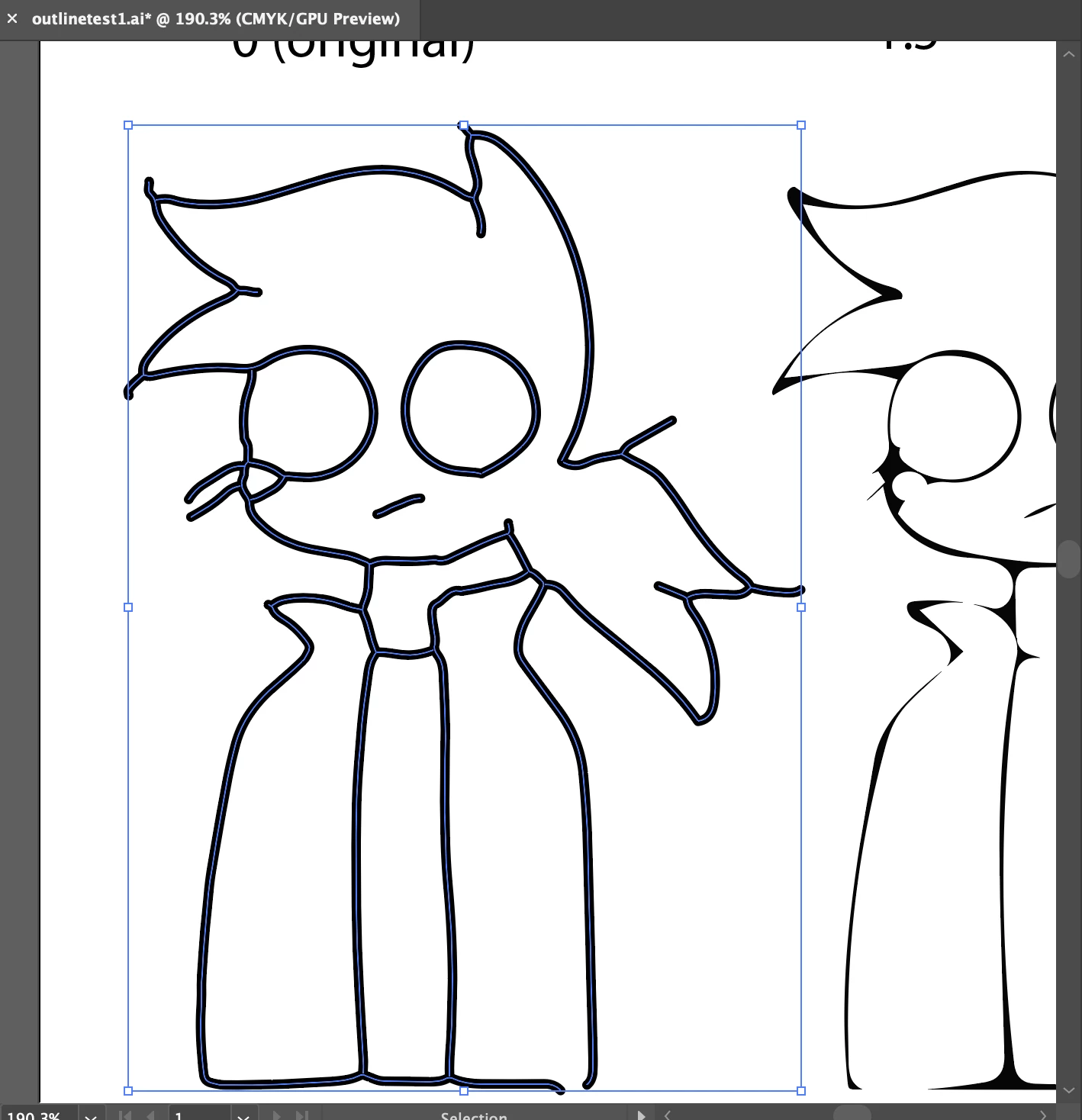
I scan in drawings as shapes with Adobe Capture, and I want to convert them to strokes so I can make the line thickness uniform. I know you can make shapes thinner with Path Offset, but that causes parts of the outline to disappear. Just getting the inner and outer paths makes odd shapes that aren't connected anywhere the lines overlap. Is there a way for Path Offset to keep the lines connected while thinning them? I think this was asked here https://forums.adobe.com/thread/1363651 but unfortunately, that post is deleted now. Thanks for taking the time to read this.
This topic has been closed for replies.
Correct answer theterriblestidea

Update: I figured out how to do it! Rasterize your shape, use Image Trace, then select Line Art, and Expand. You will get just the center line.

2 replies

theterriblestidea
theterriblestideaAuthorCorrect answer
Participant
December 19, 2019

Update: I figured out how to do it! Rasterize your shape, use Image Trace, then select Line Art, and Expand. You will get just the center line.

Monika Gause
Community Expert
Community Expert
December 16, 2019

For this to work, the tracing would need to be done as lines and not shapes.

Illustrator's Image Trace function has the ability to somehow trace lines, but the result is far from logical - meaning they are connected in somehow weird ways.

If it's a simple drawing, you can trace it manually. For everything else, this will be tedious.

theterriblestidea
Participant
December 16, 2019

That is disappointing, but I appreciate you getting back to me so fast.

Monika Gause
Community Expert
Community Expert
December 16, 2019

If you want to try:


Might get slightly better with more precision, but then that's it.


There is this trick with using a blend between the 2 exsting lines, but it would require so much work that jst drawing the image manually might even be quicker. You would first need to cut the lines before you can create a blend (in order to get a centerline).