
sptvar
Participant
December 6, 2020
Answered

How to get Workspace size in CS6

  • December 6, 2020
  • 1 reply
  • 341 views

Hi. I cannot get the dimensions of the Workspace in CS6. Does anyone have any idea how to find out the dimensions?


I understand that it should be 16384 to 16384 on CS6. But how can I get the location of this area relative to the coordinate grid in the current file?
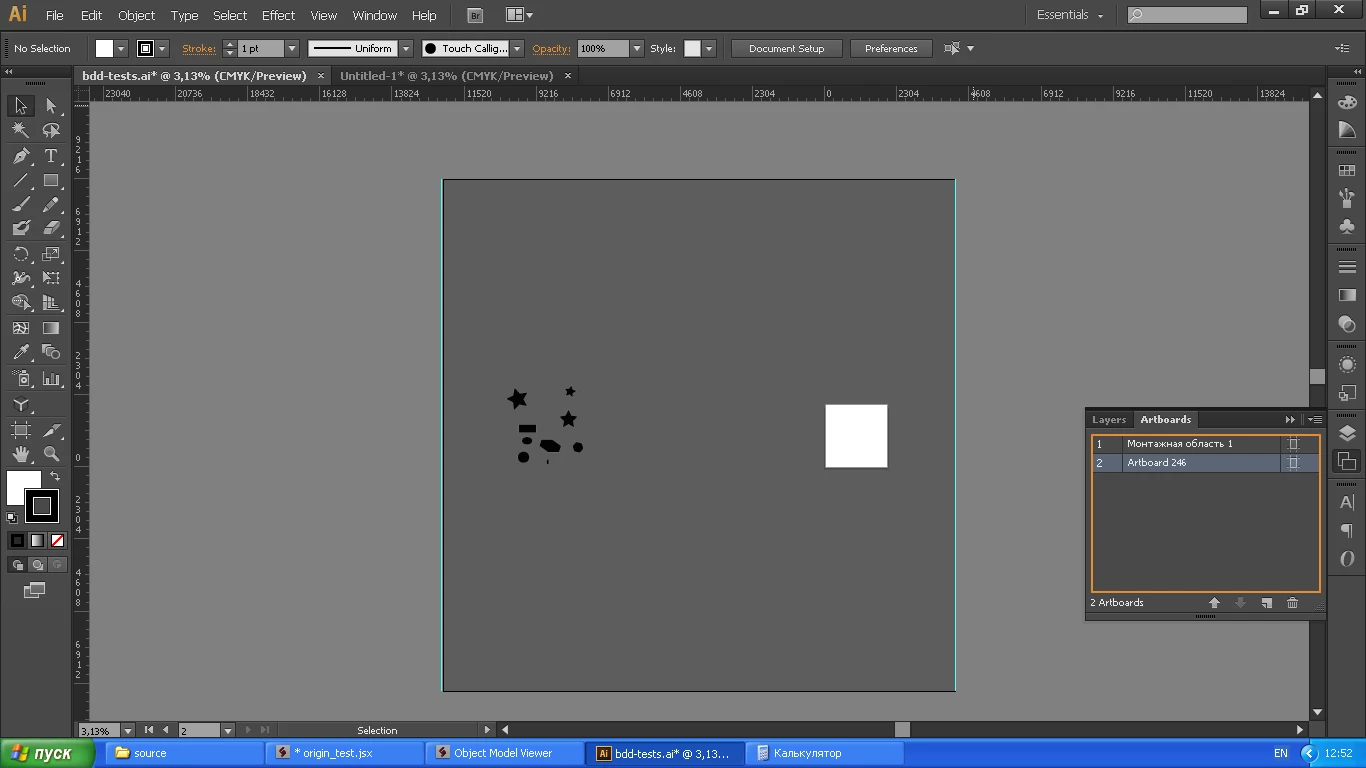


To get the dimensions of the workspace in CC, I use catching an exception when creating an artboard outside of the workspace. But in CS6 no exception is thrown. 


MaiFuncs.getWorkspaceSize = function(){
    var doc = app.activeDocument;
    var res = {};
    var step = 1000;
    res.x_min = this.getWorkspaceCoord(-16000, step, "x");
    res.x_max = this.getWorkspaceCoord(16000, -step, "x");;
    res.y_min = this.getWorkspaceCoord(-16000, step, "y");;
    res.y_max = this.getWorkspaceCoord(16000, -step, "y");;
    return res;
    
    }


MaiFuncs.getWorkspaceCoord = function(start, delta, coord) {
    
    var artboards = app.activeDocument.artboards;
    var aIndex = artboards.getActiveArtboardIndex();
    var repeat = true;
    var artboard;
    
    while (repeat) {
        try {
            repeat = false;
            var rect;
            if (coord == "x")
                rect = [start, 0, start+1, -1];
            else
                rect = [0 , start, 1, start-1];
            artboard = artboards.add(rect);
            }
        catch (err) {
            start = start+delta;
            repeat = true;
            }
        }
    artboard.remove();
    artboards.setActiveArtboardIndex(aIndex);
    return start;
    }

Is there another way to get the dimensions of the Workspace?

This topic has been closed for replies.
Correct answer sptvar

I have found solution here: https://community.adobe.com/t5/illustrator/how-to-get-bounds-of-largest-possible-document-area/m-p/8579514?page=1 


Result code:

MaiFuncs.getWorkspaceSizeCS6 = function(){
    var d = activeDocument,
        rects = [],
        abs = d.artboards;
    abs.add([0, 1, 1, 0]);
    abs.add([0, 1, 1, 0]);
    for (i = abs.length - 3; i >= 0; i--) {
        var a = abs[i];
        rects.push([a.artboardRect, a.name]);
        a.remove();
        }
    d.rearrangeArtboards(DocumentArtboardLayout.Row, 1, 0, false);
    var rect = abs[0].artboardRect;
    var res = {};
    res.x_min = rect[0] + 0.5 - 16383 / 2;
    res.y_max = rect[1] - 0.5 + 16383 / 2;
    res.x_max = res.x_min+16383;
    res.y_min = res.y_max-16383;
    for (i = rects.length - 1; i >= 0; i--) {
        var rect = rects[i];
        abs.add(rect[0]).name = rect[1];
    }
    abs[0].remove();
    abs[0].remove();
    return res;
    }

1 reply

sptvar
sptvarAuthorCorrect answer
Participant
December 6, 2020

I have found solution here: https://community.adobe.com/t5/illustrator/how-to-get-bounds-of-largest-possible-document-area/m-p/8579514?page=1 


Result code:

MaiFuncs.getWorkspaceSizeCS6 = function(){
    var d = activeDocument,
        rects = [],
        abs = d.artboards;
    abs.add([0, 1, 1, 0]);
    abs.add([0, 1, 1, 0]);
    for (i = abs.length - 3; i >= 0; i--) {
        var a = abs[i];
        rects.push([a.artboardRect, a.name]);
        a.remove();
        }
    d.rearrangeArtboards(DocumentArtboardLayout.Row, 1, 0, false);
    var rect = abs[0].artboardRect;
    var res = {};
    res.x_min = rect[0] + 0.5 - 16383 / 2;
    res.y_max = rect[1] - 0.5 + 16383 / 2;
    res.x_max = res.x_min+16383;
    res.y_min = res.y_max-16383;
    for (i = rects.length - 1; i >= 0; i--) {
        var rect = rects[i];
        abs.add(rect[0]).name = rect[1];
    }
    abs[0].remove();
    abs[0].remove();
    return res;
    }