Participating Frequently
August 9, 2023
Answered

How to integrate the borders of two layers (getting rid of notches)

  • August 9, 2023
  • 3 replies
  • 672 views

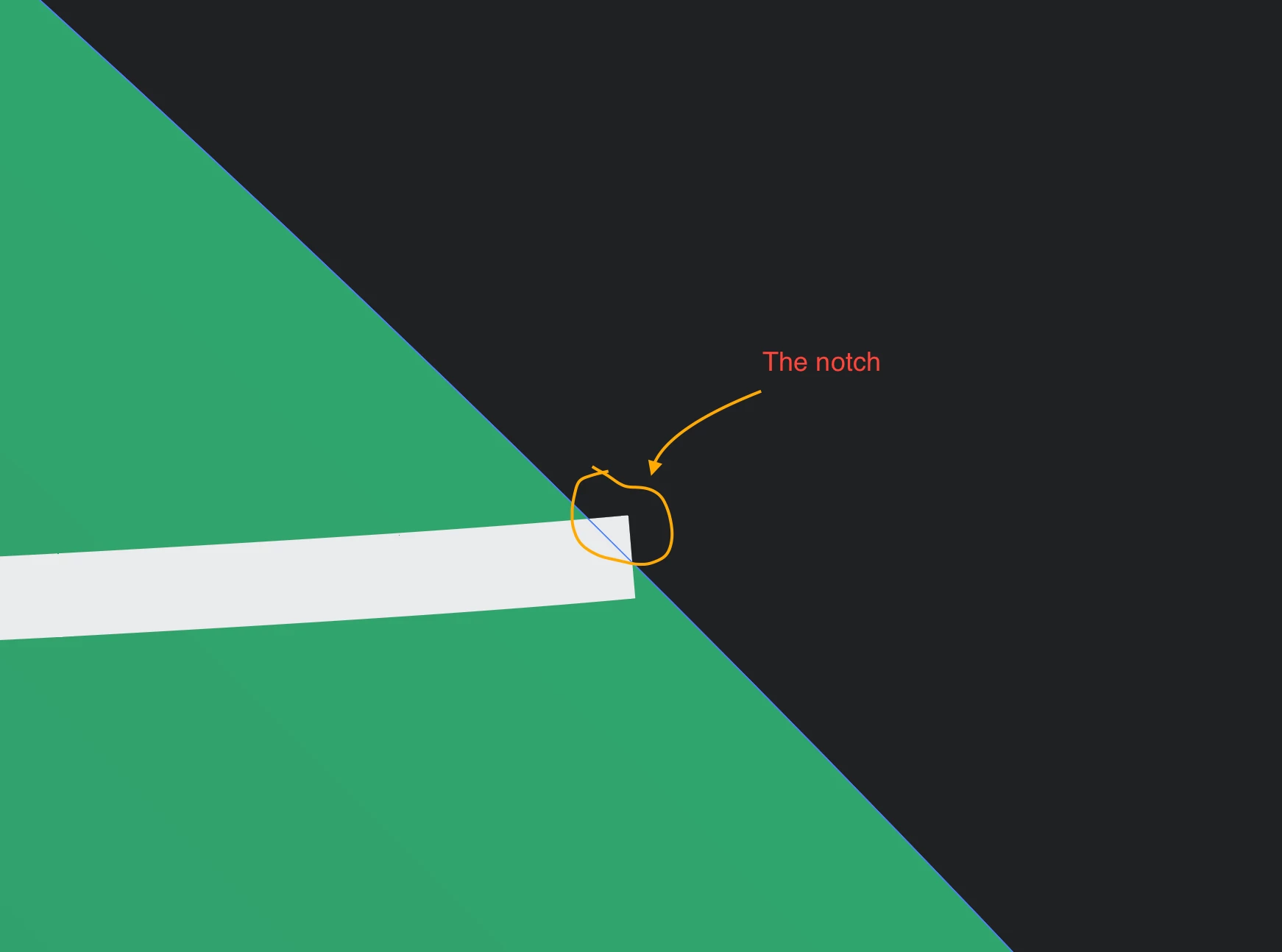
The image below is highly zoomed-in and shows 3 layers in Illustrator: a black background, a green element, and a white line.

As seen, the white line crosses the green element and enters the black area. My purpose is integrate the end of the white line with the borders of the green element, so that the white line does not show up on top of the black area.

And I am not sure which weblink in Adobe Illustrator documentation exaplin this subject.

Any tips? with thanks!

This topic has been closed for replies.
Correct answer pixxxelschubser

… or …

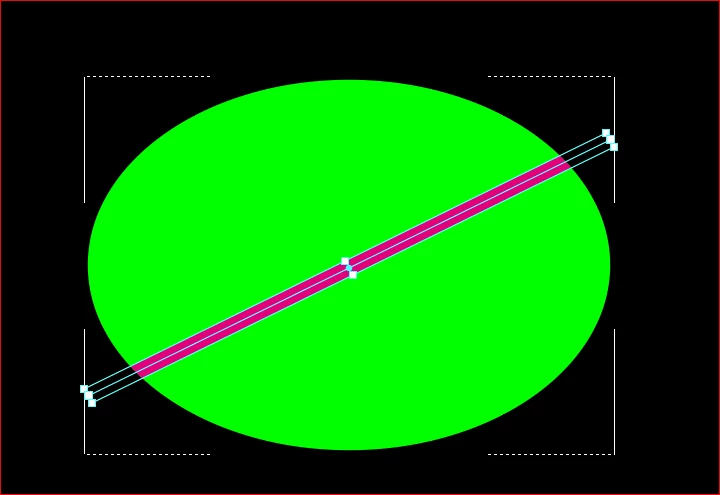
Draw your line a little longer than your green field. Mark the line and cut it out [Ctrl]+[X]. Select your green field and activate the Draw Inside mode. Then select: Paste to original position [Shift]+[Ctrl]+[V].


3 replies

Participating Frequently
August 10, 2023

Thanks to everyone replied here. Unfortunately, none of the mentioned methods work for me. After long attempts, I learned I cannot apply these methods because the green area is a round circle modified using the Mesh Tool).

I will remove the Mesh effects in the layer and use the Gradient Tool instead and try.

pixxxelschubser
Community Expert
Community Expert
August 10, 2023

Can you upload your file and link to here, please?

pixxxelschubser
Community Expert
pixxxelschubserCommunity ExpertCorrect answer
Community Expert
August 9, 2023

… or …

Draw your line a little longer than your green field. Mark the line and cut it out [Ctrl]+[X]. Select your green field and activate the Draw Inside mode. Then select: Paste to original position [Shift]+[Ctrl]+[V].


Lukas Engqvist
Community Expert
Community Expert
August 10, 2023

Note that Paste Inside is great if your output is screens or print. If you are going to cut in vinyl or similar then pathfinder is a better option.

pixxxelschubser
Community Expert
Community Expert
August 10, 2023
quote

… If you are going to cut in vinyl or similar then pathfinder is a better option.


By @Lukas Engqvist


You are absolutely right.

But I make milled stamps for hot stamping and blind stamping professionally. (Dissolving or reducing artworks is part of my daily business).


Mario Arizmendi
Legend
August 9, 2023

Various ways to do this

Have you tried with the Shape builder tool?

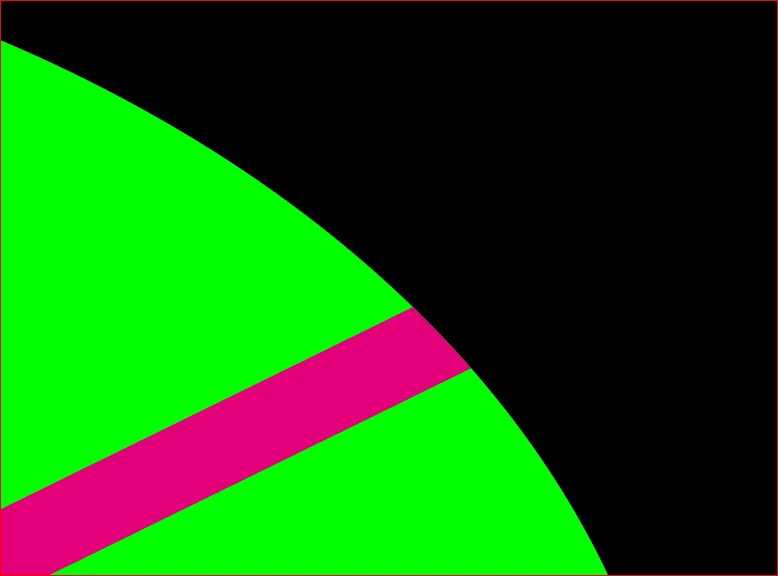
Just select all your objects, and unite the black object with the notch


Ton Frederiks
Community Expert
Community Expert
August 9, 2023

Yes, but make sure the line is outlined first (as shown in the example).