
Answered
How to Join Letters to a shape for Laser Cutting
We make sign art and other items at a small company. I wanted to get away from the complicated CAD program and use Illustrator since it can export as DXF and such anyways. I want to easily join letters to a shape to make a sign so that the letters are not free floating and fall apart after cutting.
I tried adding the letters to a shape and then "create outlines". What it seemed to do is make the shape a "cut line" as well so the laser ended up cutting the font off the shape. It appears just telling it to "join" does not overlap the letters and join them to the shape.
Can anyone point me in the right direction? I am new to illustrator in this aspect. 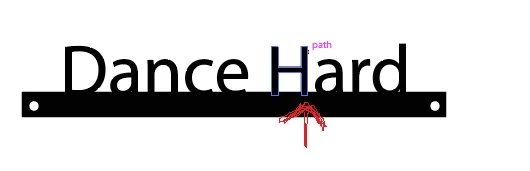
 AdChoices