

Question
how to make color picker only show colors in the gamut of the mode you are in?
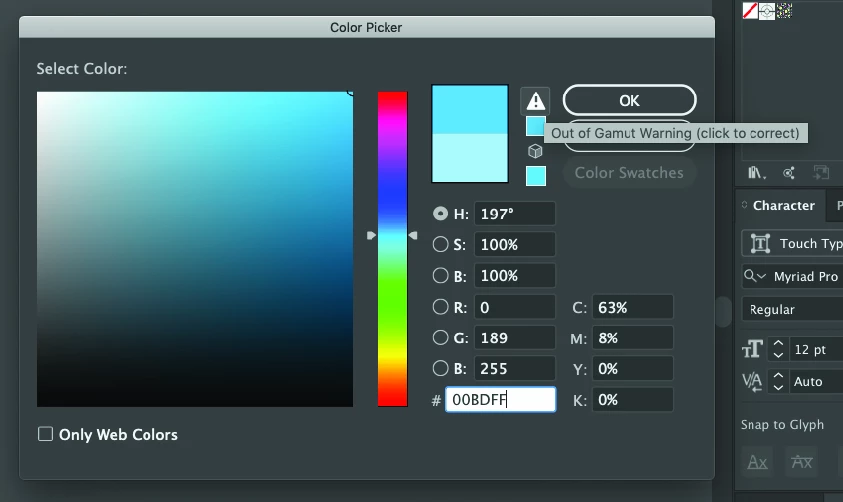
Hi there! I am in CMYK mode and I want to stay there. The Color picker in illustrator is doing this thing where it keeps showing me options for colors that are only available for RGB. It's super annoying because I can't quickly pick a color, I keep having to click around until I don't get an "out of gamut" warning. It's seriously messing with my workflow and I don't understand what it's actually doing when I "click to correct". Did I turn on some sort of setting and not realize it? I'm quite confused.
Please, is there a way that I can make the color picker only present colors within the gamut of the color mode I have selected? I am working in CMYK, so only show me CMYK options. Any advice would be helpful! Thanks!!


 AdChoices